
AI Agent vs Chatbot: What’s the Difference for Your Store?
Two things are true right now, and a lot of merchants haven’t caught up to either one.
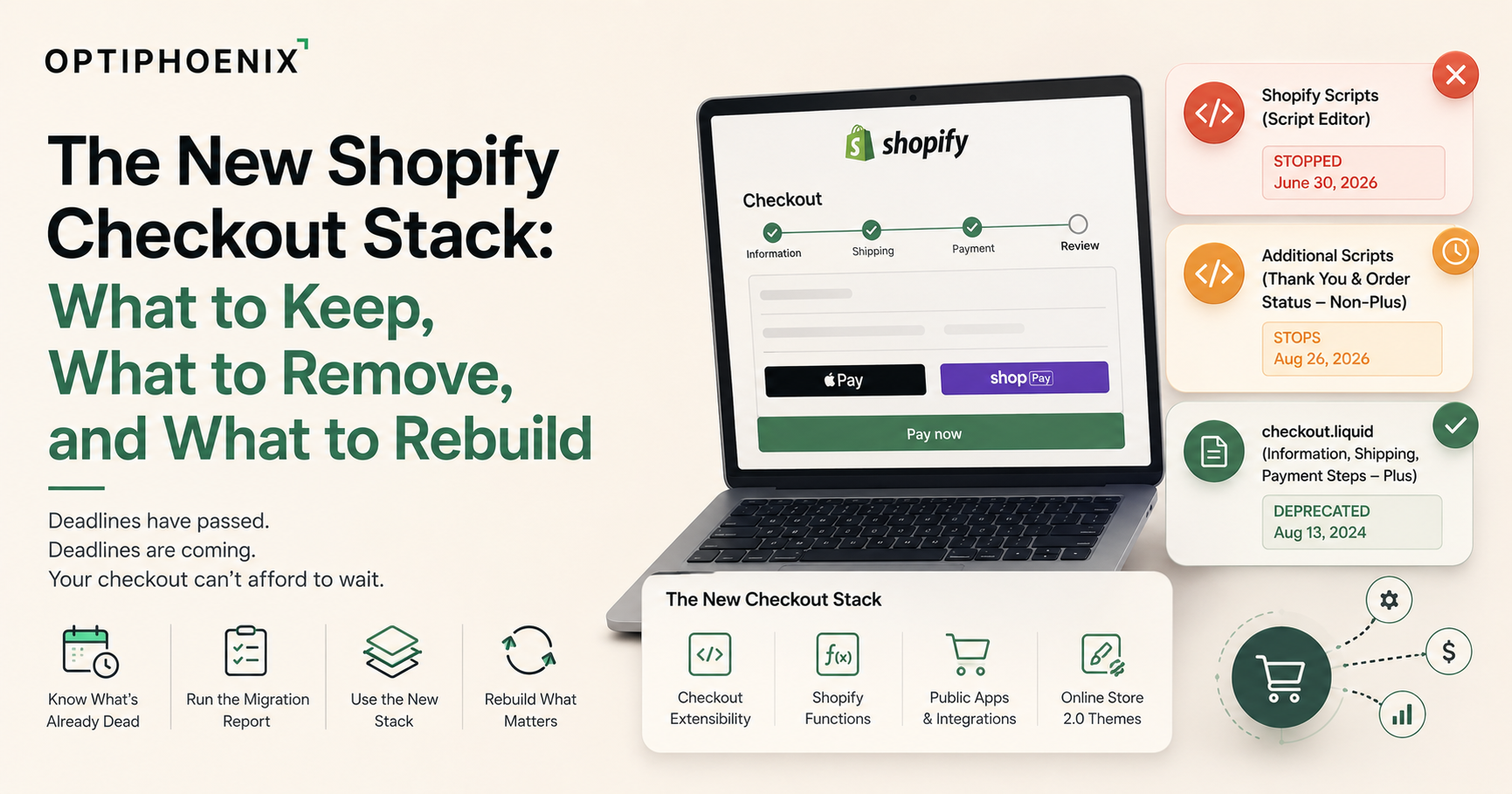
Shopify Scripts stopped executing entirely on June 30, 2026. Not “will be deprecated soon,” stopped, a month ago, as of this piece being written. And if you’re on a non-Plus plan and still have anything sitting in Additional Scripts on your Thank You or Order Status page, you have until August 26, 2026, roughly four weeks out, before Shopify auto-upgrades your checkout and that code simply stops running.
This piece is ordered by urgency, not by how interesting each topic is. What’s already dead, what’s dying in a few weeks, what to actually replace it with, and what you should leave alone because it was never broken.

Merchants often talk about three separate deprecations as one. That mix-up is how migrations get missed. Here’s each one, straight from Shopify’s own developer changelog and documentation.
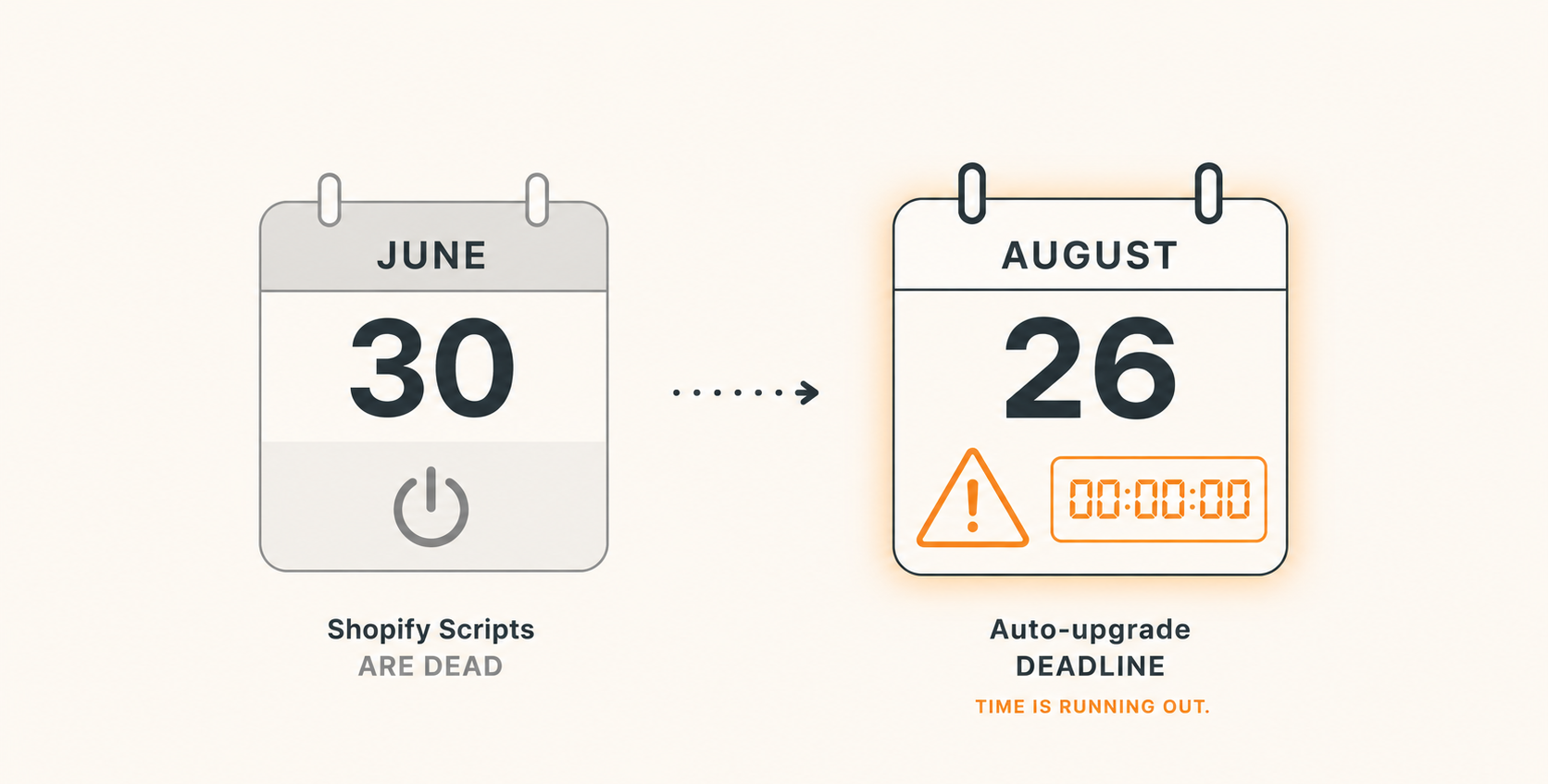
This was always a Shopify Plus-only feature. Non-Plus stores never had file-level access to it. Shopify deprecated it for these three steps on August 13, 2024. If your store is Plus and still runs checkout.liquid for these steps, it isn’t waiting on an auto-upgrade, it’s already unsupported.
For Plus merchants, this sunset on August 28, 2025. For every other plan, the same code stops running on August 26, 2026. That’s the near-term deadline. Anything you pasted into Additional Scripts on those two pages, conversion pixels, affiliate tags, survey snippets, stops executing that day. Shopify auto-upgrades the store to the new pages whether you’ve prepared or not.
Plus merchants mainly used this for cart and checkout-level logic. Editing and publishing new Scripts stopped on April 15, 2026. Execution of every existing Script stopped on June 30, 2026. This one is fully in the past as of this piece. If a Script drove your store’s shipping rates, payment method list, or line-item discounts, that logic hasn’t run for about a month, silently, unless someone already migrated it.
Check your plan and your checkout type before you assume which deadline applies to you. Plus merchants are past all three. Non-Plus merchants have one deadline left, and it’s close.
Before you rebuild anything, find out what actually needs rebuilding. Shopify built a specific tool for this: the Shopify Scripts customizations report. You’ll find it in the Shopify Help Center. It reads your store’s existing Scripts and sorts them into three buckets: maps to a Shopify Function, maps to a public app instead, or needs a manual decision.
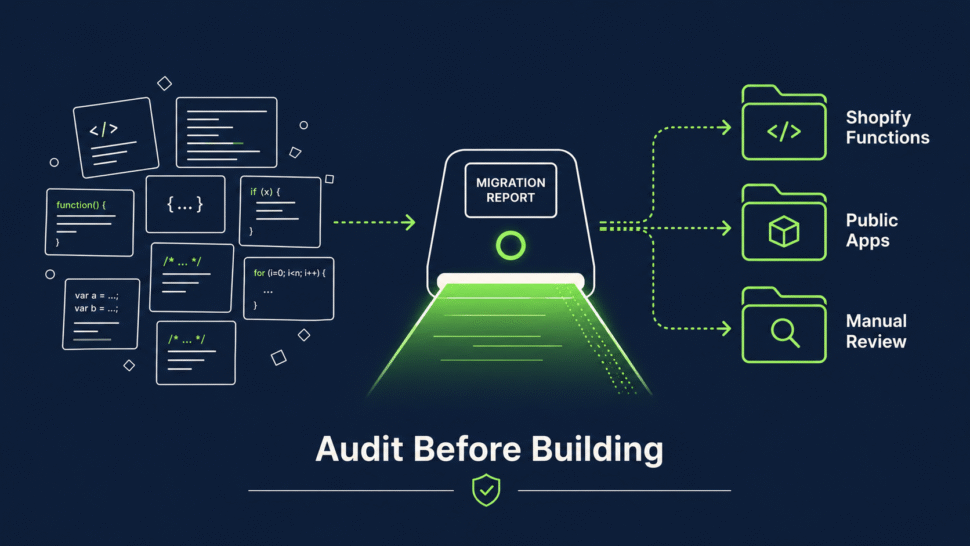
This matters because guessing leads to over-building. A store might assume it needs three custom Functions. Then the report shows that a public app in the App Store already covers two of the old Scripts, and only one genuinely needs custom code.

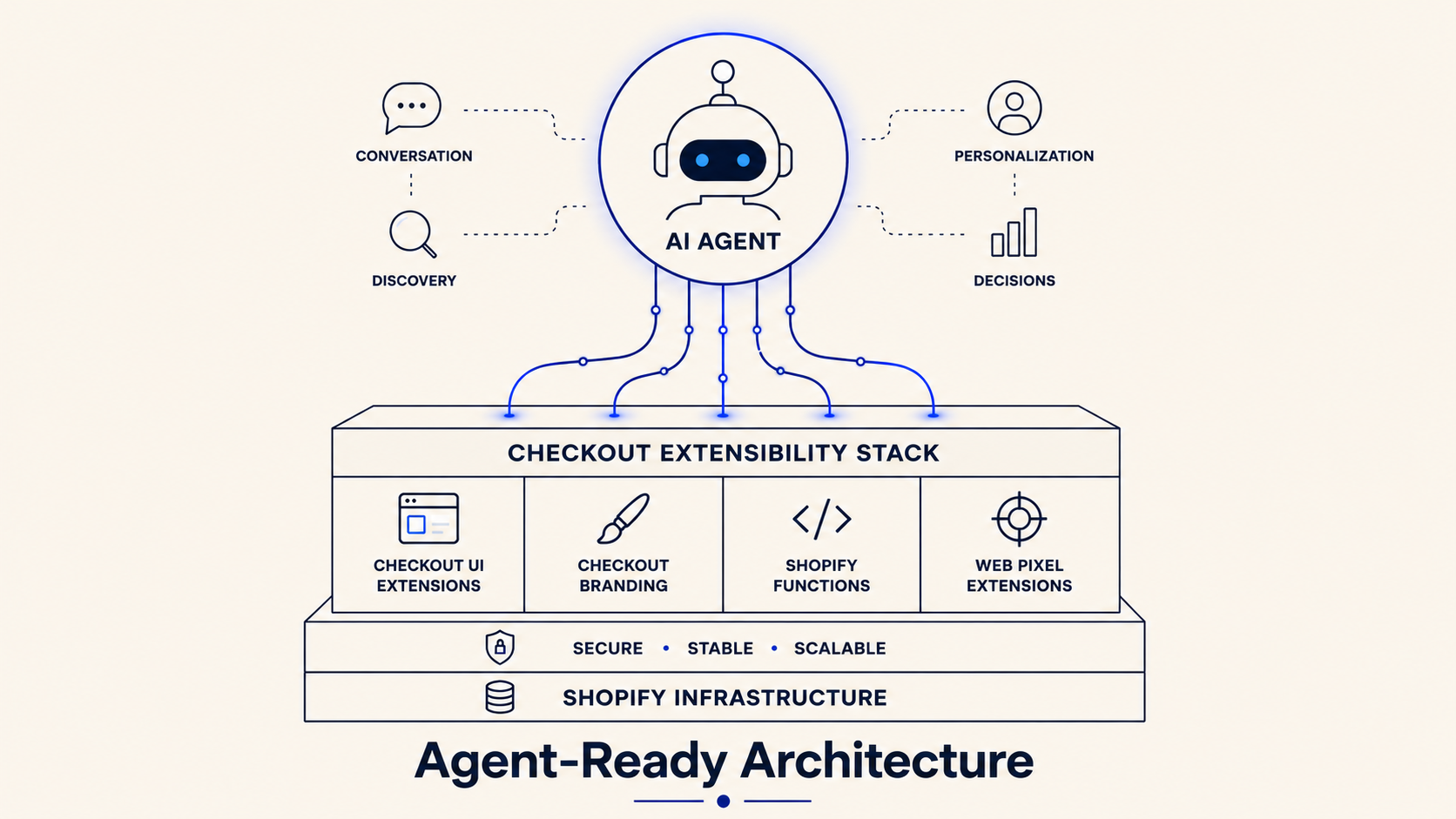
Four technologies replace everything checkout.liquid, Additional Scripts, and Shopify Scripts used to do.
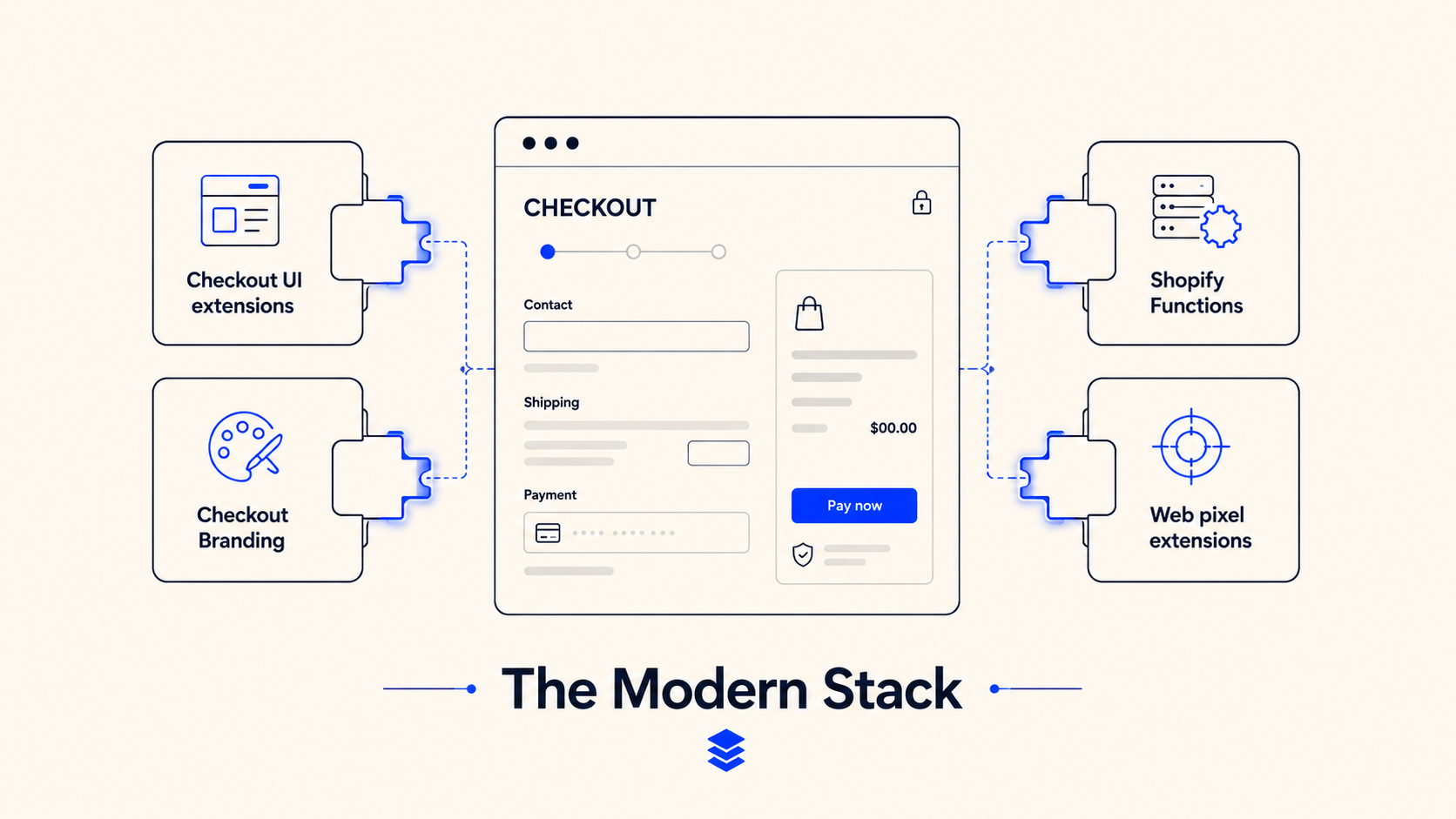
Per Shopify’s own technology comparison:
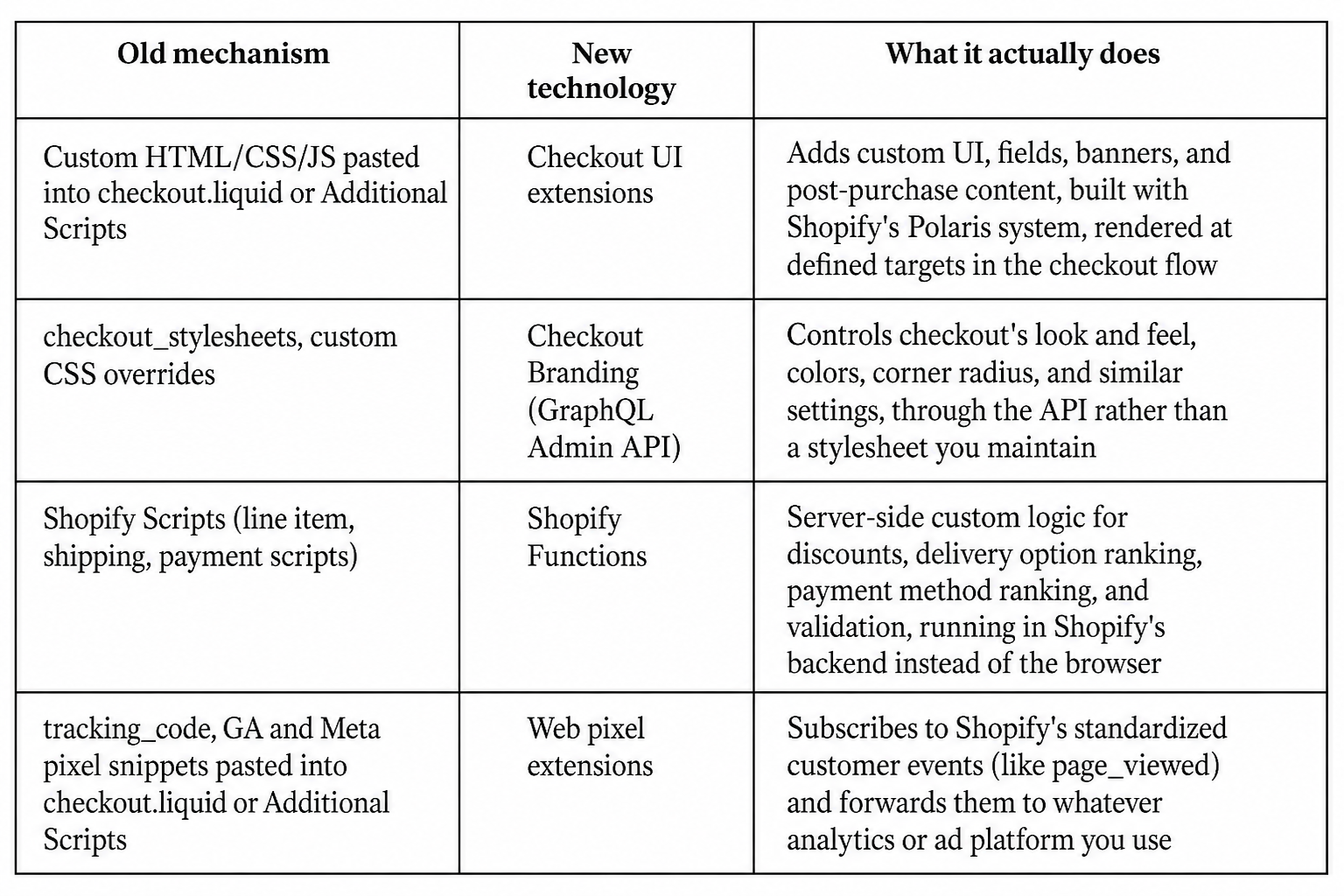
Availability differs by plan. Checkout UI extensions for the core checkout steps require Plus, but Thank You and Order Status extensions are available on every plan except Shopify Starter. Shopify Functions are available on every plan except Starter too, though a merchant with existing checkout.liquid customizations has to upgrade to Extensions in Checkout before Function APIs will work at all. Web pixel extensions are available on every plan except Starter.
Not everything here needs rebuilding, and treating this as a full teardown wastes effort.
checkout.liquid itself, if you’re Plus and past the relevant deadline. The file structure looked like this:
html
<!DOCTYPE html>
<html lang="{{ locale }}">
  <head>
    {{ content_for_header }}
    {{ checkout_stylesheets }}
    {{ checkout_scripts }}
  </head>
  <body>
    <main>{{ content_for_layout }}</main>
    {{ tracking_code }}
  </body>
</html>
If your store still has this file with live customizations past August 13, 2024 for the core steps, or past August 28, 2025 for Thank You and Order Status, those customizations are not rendering, regardless of what’s still sitting in the code editor. Removing the dead file is cleanup, not risk.
Additional Scripts and script tags on the Thank You and Order Status pages, before August 26, 2026 if you’re non-Plus. Don’t wait for Shopify’s auto-upgrade to discover what breaks. Everything in that box, pixels, affiliate tracking, custom scripts, needs a home in Web pixel extensions or checkout UI extensions before that date, not after.
Any Script Editor entries still listed in your admin. They’re not executing, as of June 30, 2026, so they’re not protecting revenue by staying in place. Confirm their replacement is live (Function or app), then remove the dead Script rather than leaving it as a confusing artifact for the next person who opens Settings.
jQuery-based DOM manipulation patterns, the Checkout.$, page:load, and page:change event patterns that checkout.liquid customizations relied on to detect steps and inject content after render. These patterns have no equivalent in the new stack because the new stack doesn’t need them, checkout UI extensions render at defined targets directly, rather than requiring JavaScript to find and modify already-rendered HTML.
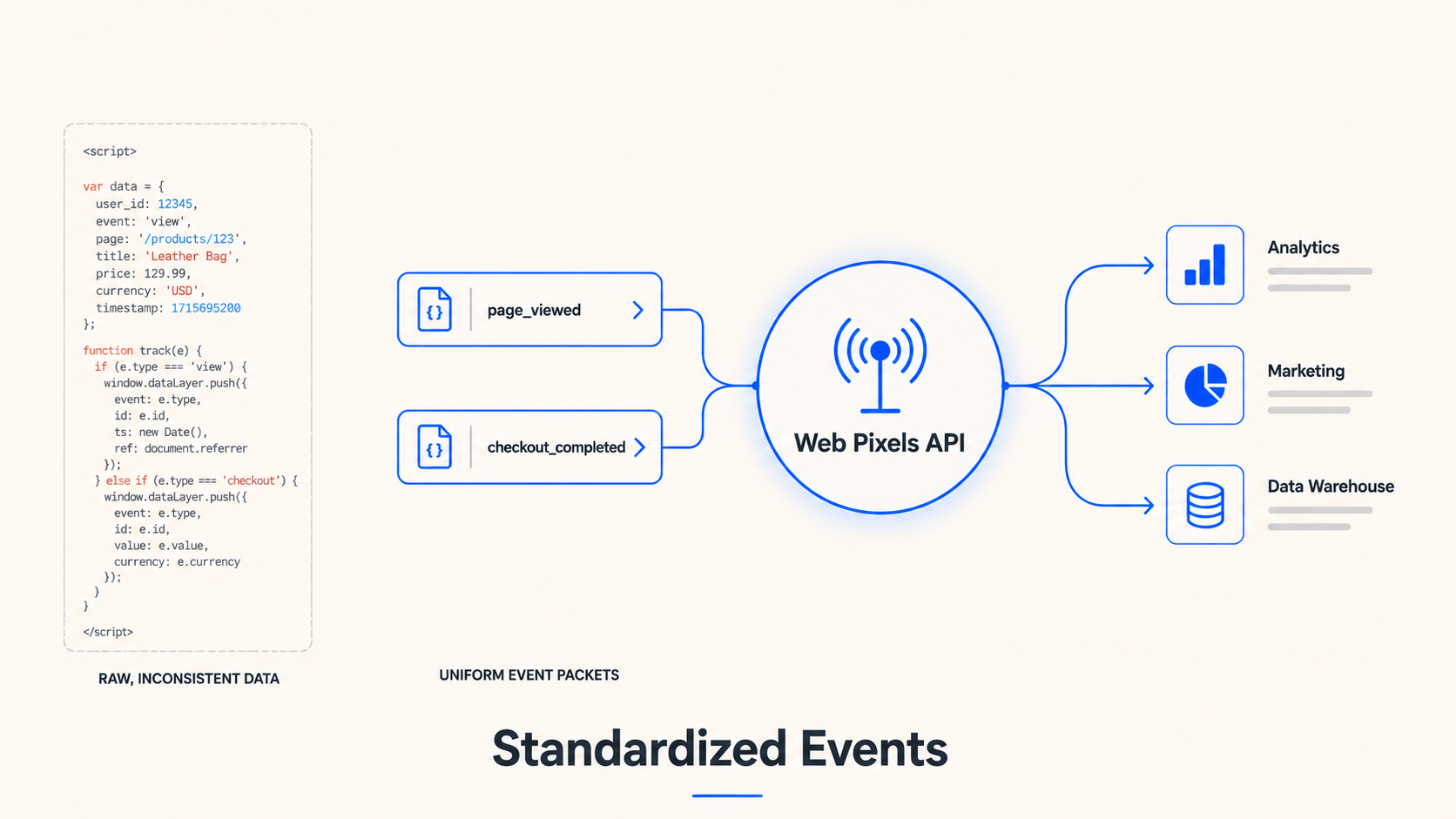
Tracking pixels. Here’s the actual shape of a Web Pixels API custom pixel, replacing whatever used to sit in tracking_code or Additional Scripts:
javascript
import {register} from '@shopify/web-pixels-extension';

register(({analytics, browser, init}) => {
  analytics.subscribe('page_viewed', (event) => {
    // forward event.data to your analytics or ad platform
  });
});
The pixel subscribes to Shopify’s standardized events (page_viewed, checkout_completed, and similar fixed event names Shopify emits) rather than reading the DOM or waiting for a page:load event. This is also more reliable than the old approach, since it doesn’t depend on a script surviving a checkout redesign to keep firing.
Discount, shipping, and payment logic. A Shopify Function now runs, server-side, whatever logic a Script used to run on the cart or checkout. Four types cover most cases: a discount function for custom discount types, a delivery customization function to rename, reorder, or filter shipping options, a payment customization function to do the same for payment methods, and a validation function to block checkout on business rules like an order minimum. You write and deploy Functions through Shopify CLI as part of an app. You don’t paste them into an admin text box. That’s the biggest workflow change for a team used to Script Editor.
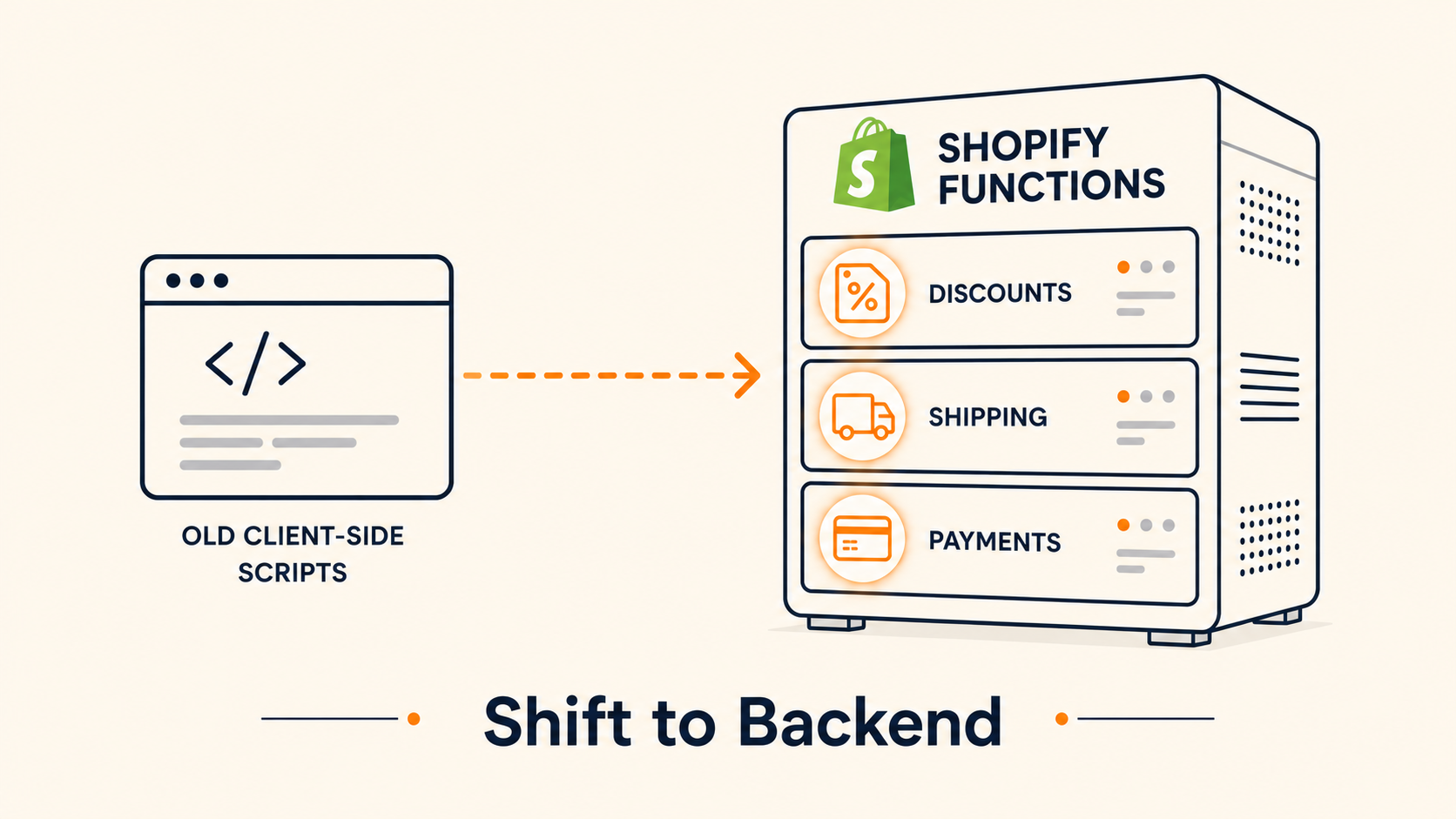
Custom fields, banners, and surveys. Anything that used to be a DOM injection hack on checkout.liquid, a custom field, a banner, a post-purchase survey, is now a checkout UI extension targeting a defined slot in the checkout, Thank You, or Order Status flow. The extension renders there natively instead of being inserted after the fact.
Styling. Custom CSS overrides in checkout_stylesheets become Branding API calls (checkoutBrandingUpsert in the GraphQL Admin API) that set colors, corner radius, and similar tokens directly, rather than a stylesheet a developer has to keep in sync with Shopify’s own checkout updates.
This connects directly to the agentic commerce work covered elsewhere in this series. Shopify’s Universal Commerce Protocol builds its create_checkout, update_checkout, and complete_checkout capabilities on top of this same Extensibility stack, not around it. A merchant-specific checkout requirement, an age check, a delivery date picker, a required field, reaches an agent through UCP precisely because a checkout UI extension or a Function implements it underneath. A store still running on dead Scripts or a frozen checkout.liquid file isn’t just accumulating technical debt. It’s also giving an agent-facing checkout less structured information to work with, since no clean extension or Function surface exists for UCP to reference.
One gotcha for stores using markets and Advanced or Plus plans: Shopify’s own guidance warns against relying on useLocalizationMarket() for market-specific checkout logic. That API returns only the most precise regional market, not how a merchant actually defined their markets. Delivery address or company location data gives a more reliable signal for that kind of conditional logic, in both a rebuilt extension and anything feeding an agent-facing checkout flow.
For the Information, Shipping, and Payment steps, it’s unsupported since August 13, 2024, regardless of whether a store still has file access enabled. For Thank You and Order Status, the same is true since August 28, 2025 for Plus stores. Non-Plus stores never had file-level checkout.liquid access to begin with.
Only if there’s something in that setting today. If Additional Scripts on your Thank You or Order Status page is empty, the auto-upgrade on that date has nothing to migrate away from, and there’s no action needed.
Either works. Many analytics and ad platform apps already ship a Web Pixels integration you can activate without writing the subscription code in section 6 yourself. Custom code is only necessary for a tracking setup an app doesn’t already cover.
Shopify auto-upgrades the store to the new Thank You and Order Status pages regardless. Nothing about your storefront breaks structurally, but any tracking, affiliate code, or custom content that was living in Additional Scripts stops running that day, silently, unless it’s already been rebuilt in a Web pixel extension or checkout UI extension.
Per Shopify’s own developer changelog, execution stopped entirely on June 30, 2026, with no stated grace period. Editing had already been frozen since April 15, 2026. If a Script hasn’t been migrated yet, the logic it used to run is not currently executing.
Sources referenced in this piece:
Shopify’s developer changelog entry “Shopify Scripts will be deprecated on June 30, 2026,”
Shopify.dev’s checkout.liquid documentation and its “Technologies for customizing Shopify checkout” guide,
Shopify.dev’s Web Pixels API documentation, and
Shopify Help Center’s guidance on transitioning from Script Editor to Shopify Functions.