AI Agent vs Chatbot: What’s the Difference for Your Store?

In the hoard of online demand and supply, many marketers rely on measuring their success by the number of impressions they get or how many people they can grab to fill out a form. But this is not enough.
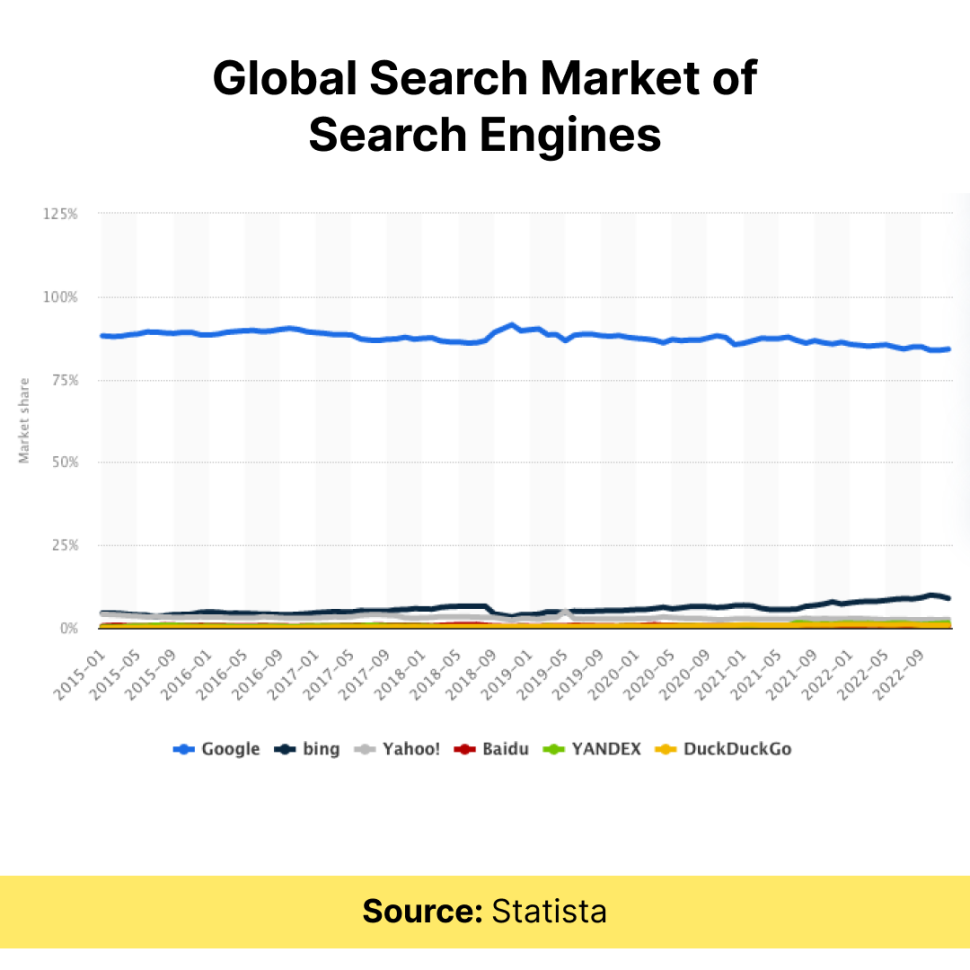
When it comes to online marketing, click tracking is the knight in the game of user engagement. According to a Statista report, nearly 17% of people use alternative search engines, including Bing, Yahoo!, and DuckDuckGo. This means that Google isn’t the only search engine that people use.
For the search engine to rank our website on top, we provide links in the content for users to click and interact throughout the website. But do you have an idea of whether or not they’re clicking on the links or where they are heading?
Click tracking provides answers to all these questions and helps you measure and analyze where users are interacting on the website. It helps you to build an effective strategy to market and sell your products/services.
Click Tracking is also known as click maps. As the name suggests- click tracking is a metric that observes and analyzes the number of clicks that a visitor makes on a webpage, email, or website.
Tracking is done through click tracking software that tracks and records the number of clicks, locations, and specific elements on a page that is clicked.
It is helpful in optimizing website design and layout, improving user experience, converting customers into users, and tracking the effectiveness of marketing and advertising campaigns.
Another benefit of click tracking is that businesses can use it to understand how their user audience is interacting with their website. They can analyze the elements that are more popular and the ones that are dividing user attention. Based on this information webpage’s layout can be redesigned or developed as per the user’s liking.
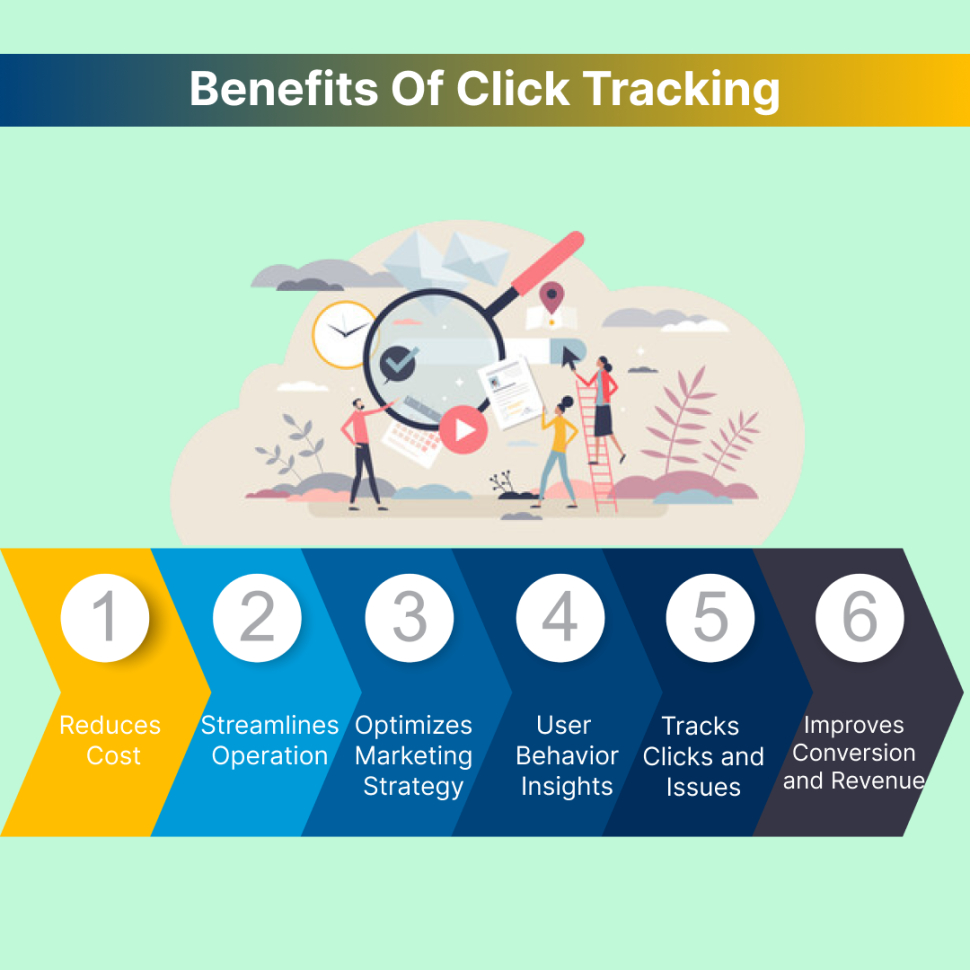
While we are talking about the advantages of click tracking, let’s have a brief look at its benefits:
We all can agree that a bargained product provides a unique sense of satisfaction than anything else.
You must be wondering how click tracking links to this theory.
Let’s read out to understand the cost reduction concept…!!
When you don’t pay attention to the details, you miss out on opportunities for cost reduction.
For example, when you don’t notice a small change in your click-through rate (CTR), it can mean that you’re losing money by giving away too much in your ads or not using ad copy that gets clicks as often.
Just by being aware of market changes and customers’ requirements, businesses can generate more revenue. Your most valuable resource for keeping up with consumer behaviour is data. You can improve product performance and boost sales by tracking user activity (on the website, social media, email, ads, and campaigns) and gathering data about your customers.
In short! Click tracking helps you save money because it helps you know more about how users interact with your products allowing you to make interactions more efficient and effective.
In today’s world, streamlining operations for businesses have become important to stay competitive, increase efficiency and reduce cost.
Click tracking lets you keep track of the number of times an item has been clicked and where it was clicked. This helps you determine if any part of your website needs to be reworked or improved. Such information can decide where to place advertising, which products to promote, and what kind of content to create.
As an example: imagine that you want to attract more subscribers to your newsletter.
To accomplish this goal, you can use click tracking to see what kind of content is most popular on your site, for creating more of that kind of content. This way, you’ll be able to attract more subscribers and grow your audience over time.
Tools such as Google Analytics click tracking can help you determine what parts of your website are most effective at driving sales, this can help you improve those areas that aren’t performing well as others are.
The result? Better conversions and more sales! 🙂
There is no denying that click tracking is a crucial part of a marketing strategy.
To know how, let’s keep on reading!
Click tracking software helps you optimize your marketing strategy by allowing you to see which ads are working and which aren’t (as discussed in the above paragraph). This information can then be used to improve future campaigns by turning leads into customers and focusing on the ads that get the most clicks while eliminating those that don’t.
Say you have an ad for an e-commerce store, but it keeps getting shown to people who don’t live in your target area. This means those clicks aren’t resulting in sales for your business, so it would be better for you to stop showing those ads.
To improve the performance of a marketing strategy, conversion tracking can be used to measure the number of clicks on a particular link. The data collected can analyze which links are clicked more often and which should be prioritized. This can also help determine how many users are clicking through to other pages on your website, which will inform your efforts to improve conversion rates.

When marketing your business online, knowing what your customers do as they navigate your site is important.
Click tracking is a method of tracking user behavior on a granular level. It allows marketers to see where users are clicking. This information can help you determine if your customers are finding what they want or if there are any issues with the design of your page.
For example, let’s say you have an ad for a popular new product and want to see how many people click on it. You could use click tracking to view how many people clicked on the ad and what percentage of people who saw the ad clicked on it. This way, you can get more detailed information about why people aren’t clicking on your ads—maybe they’re confused by the design or they don’t understand your product’s functioning.
Click tracking can also help you see which parts of your website are most popular with visitors and which aren’t. If you’ve recently made changes to your website design or layout, it will allow you to see if the elements are working better than others or not.
It also lets you see what devices your users use when interacting with your content. This can help you determine which devices are most effective at driving conversions or traffic back to your website.
For example, if someone is clicking on an ad from their mobile but not converting afterward, then maybe it’s time to try different ads or landing pages that work better with laptops than smartphones (or vice versa).
Do you check your website and know what’s working and what isn’t?
If not then you should consider what’s happening with your website. As phrased- the first impression is the last impression, hence to have an idea of what people are clicking on or how they’re engaging on your site, knowing your website is important.
To improve your website’s conversion rate, you should look at the conversion tracking data. It will let you know what is and isn’t functioning. You can use click tracking to see how many people are clicking on a certain page and what parts of the page are being clicked on most often.
For example, if you have a website that sells services related to A/B testing, your traffic might largely come from ad campaigns. This indicates that your users are interested in engaging their audience. Hence, you should devote more time and effort to ad campaigns and landing pages. If necessary you can also take help of a/b testing software available online.
The click-tracking data can help you determine which pages need improvement and which are doing well. If many people are clicking on one part of your page but not buying anything, then it might be time to change that section or add more information about it so that people get interested in purchase.
Click Tracking is a tool that allows you to track which of your website visitors are clicking on links. Reviewing conversion tracking data alongside other metrics such as bounce rates, conversion rates, session duration (how long people spend on each page), etc. can be used to improve user experience, increase conversions and revenue, and help you get an overall understanding of what’s working on your site. It’s particularly helpful for optimizing conversions and revenue.
For example, if you’re in the business of selling shoes, you might want to know what types of shoes are being clicked on the website most frequently. This will help guide future content creation and marketing efforts.
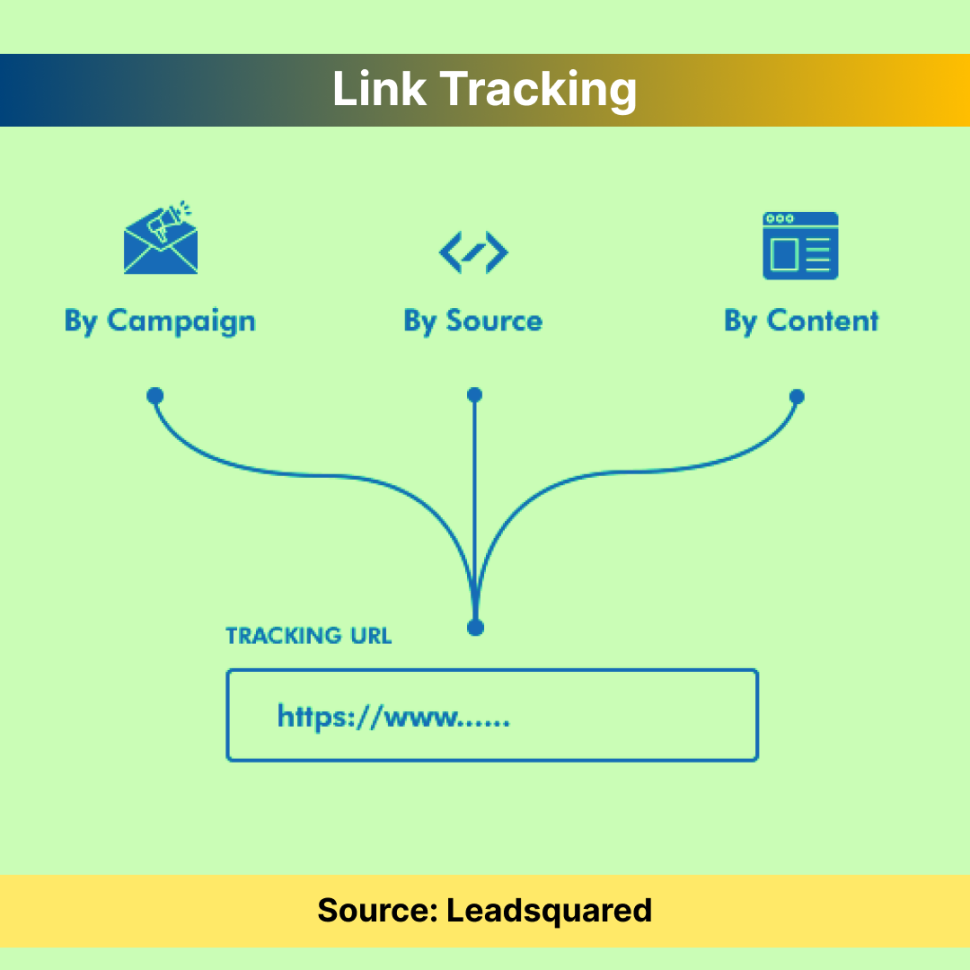
Link click tracking also known as URL tracking monitors how users interact with links on your website. It’s important for marketers because it allows them to track their marketing strategies.
You might find that some of your links are no longer relevant or necessary, so you can remove them from the page and make things easier for visitors. Once you know what are the popular clicks, targeting your advertising is considerably simpler.
The most widely used click tracking software lets you shorten and customize your URLs and keep track of clicks.
The above mentioned are the fundamental features, but you can trace links in various innovative ways (like tracking classified ads and accessing detailed reports) and utilize the data to expand your business.
According to Hotjar, a Dutch ecommerce company’s click-through rate increased by 11% when they placed the page’s CTA button at the top of the page where users could see and click on it.
Email tracking collects data about the activities that occur in an email message. This includes users who opened or forwarded the email and what actions they took while viewing it.
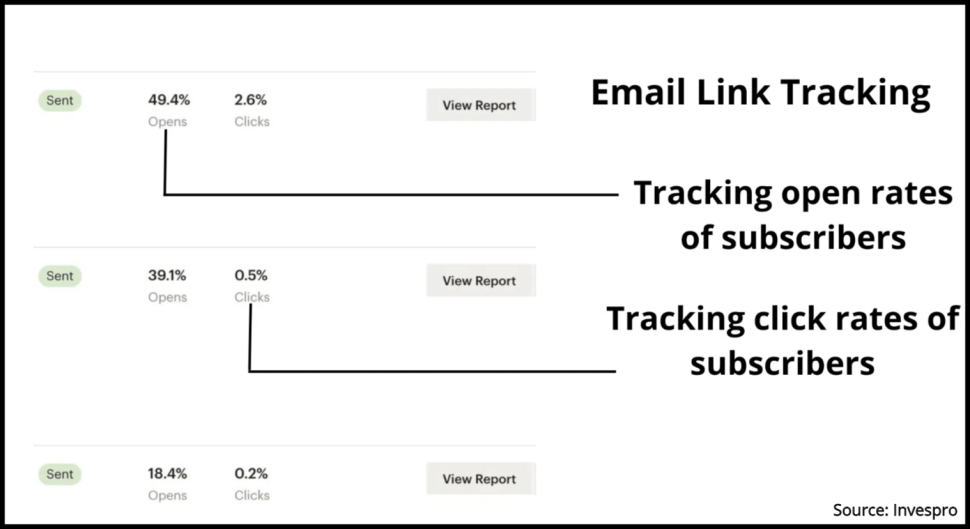
Email Tracking can also determine how many people downloaded attachments or clicked through links in an email message.
Some companies use email tracking as a part of their marketing strategy to see how well different messages are doing at getting people to take certain actions.
Website click tracking is a way of collecting data about how users interact with your website. This data can be used to improve the user experience on your website and for marketing purposes.
To be more specific, information on where users click on a certain page of your website is gathered through website click tracking. You must add some code to your website’s backend, often in the head section, in order to connect the programme with it.
This type of tracking works by placing the body link of a message with a link to the site, thus redirecting the user to the final destination.
For instance, If you paste a link like https://optiphoenix.com/cro-plan/, a new unique link will be created for you. The click tracker will increase by one, each time a user clicks on the above link. The users will then be sent to the original location after this procedure without being aware of what took place in the background. The clicks will be counted during this procedure, along with their source.
Call-to-action buttons, images, hyperlinks, forms, web design, and scrolling among others all are elements of a website.
Element click tracking allows you to analyze visitors’ mouse movements while they browse a page and click on or interact with various website elements. This helps you determine which areas should receive more attention in design or content.
You can visualize the clicks from your user behaviour data using recordings, which can then be used to guide placement decisions for CTAs, pictures, body content, and other website elements.
Also, they are perfect for letting you know where users are getting confused. For example, If users frequently click on a word or a phrase and receive no response, that means they are likely anticipating that the word should have a hyperlink. Hence, by resolving this issue, you can increase clickthrough rates while simultaneously improving the user experience.
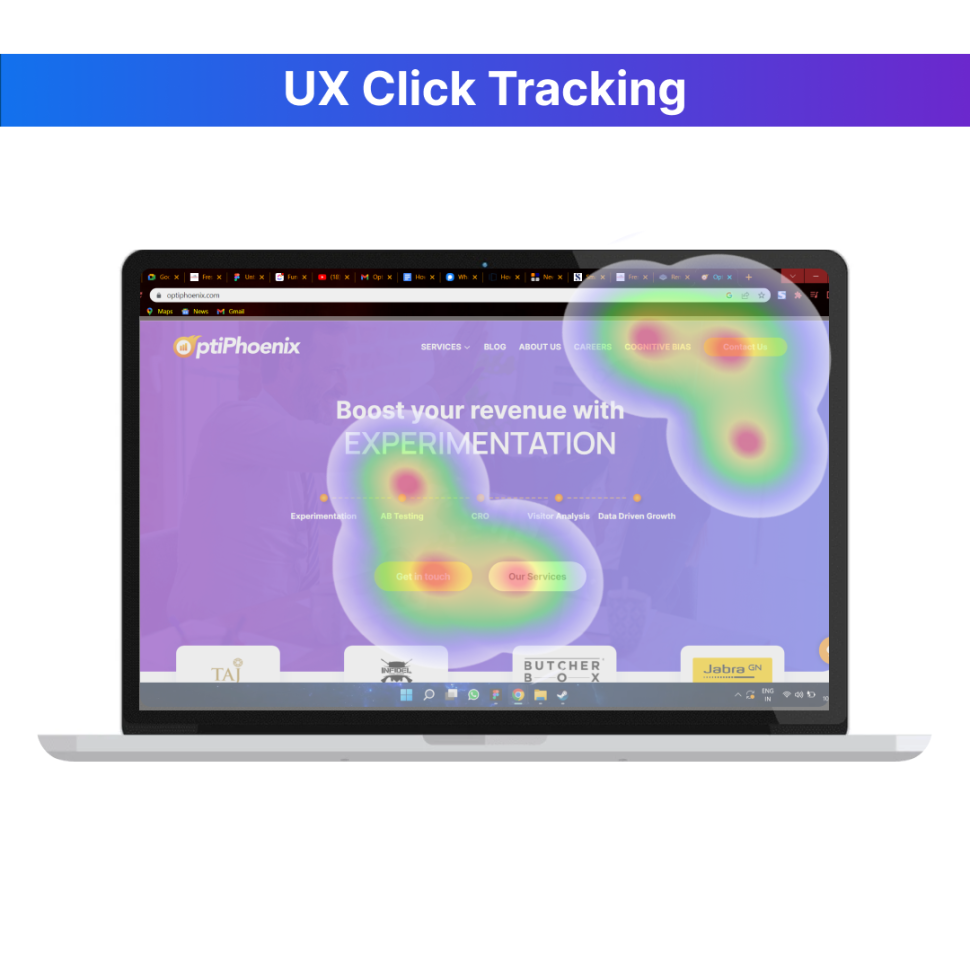
One of the most effective UX click tracking tools are heatmaps. They collect data in real-time from website elements such as images, texts, links, forms, pop-ups, videos, and, so forth; allowing you to analyze data from mobile and desktop users.
The heatmaps contain three colors: blue (the least interaction), yellow, and red (the most interaction). You can also monitor the scrolling action and figure out where people stop navigating your website and how long it takes visitors to complete their tasks on your website.
Landing pages usually suffer from high bounce rates. Thus, it is mostly advised to reconsider using some banners or other elements in this part of the website.
Even if you receive thousands or millions of visitors each month, their presence is essentially meaningless if you don’t know anything about them. Google Analytics click tracking can assist you in getting the most out of visitors and even converting them into customers with its powerful web analytics and reporting capabilities. Google Analytics provides a simple method of monitoring and analyzing website traffic.
Google Analytics click tracking with the help of google tag manager clc conversion tracking offers important insights like how your website performs and what you can do to meet your goals and track the number of visitors. It helps you to monitor everything, including the traffic your website receives, its source, and the behavior of users.
Hotjar is a heatmap tool that gives you access to various features. It has tools to help you understand how users interact with your site. It tracks user activity, gathers heatmaps, generates feedback forms, analyzes form data, and calculates conversion funnels. You might find out how visitors interact with your website using Hotjar.
You can identify significant flaws that Google Analytics click tracking cannot identify by looking through the records or heatmap. To overcome this issue you can track and analyze real-time website encounters using Hotjar’s incredible features. Using heatmaps, user recording, surveys, surveys, and user feedback services, you can make accurate choices regarding your website’s usability, navigation, content organization, and other aspects.
You may use the tool Mixpanel to examine how customers utilize your eCommerce product. It’s intended to increase team productivity by enabling real-time user data analysis to spot patterns, comprehend user behavior, and make product choices. Users, events, and properties serve as the foundation for the data model of Mixpanel. The user-centric, event-based paradigm used by Mixpanel links each interaction to a specific user.
Mixpanel’s most important feature is its data visualization dashboard. It includes a variety of charts and graphs that allow you to see how different areas are performing. When it comes to user acquisition, mixpanel enables you to track where users are coming from (i.e. their source). You can also use it to see which marketing channels work best for your business and which need improvement.
The Adobe Experience Cloud includes Adobe Analytics. Adobe Analytics enables you to obtain real-time information to get the most comprehensive, effective perspectives for assisting your consumers. To create tailored experiences at scale, you can receive the insights needed. It can use advanced features like Analysis Workspace, Reports & Analytics, Report Builder, and Ad Hoc Analysis while utilizing Adobe Analytics.
Adobe Analytics offers you marketing analytics and website activity data to help you understand your clients better and make sure your efforts are paying off.
Considering variables like device, location, and time of day, insights are used to improve experiences.
Crazy Egg is a web analytics platform that helps you to use eye-tracking and heatmaps based on where visitors click on the website.
Through the features of snapshot reports, session recordings, and surveys, you can identify why customers aren’t making purchases and comprehend where customers are browsing, clicking, spending time, and getting stuck.
With Crazy Egg, you can track when visitors leave your website, add value to the website where to keep them for a specific time, and where to add more to keep them there longer. This can be incredibly helpful if you’re trying to figure out what your customers want and need, whether that’s figuring out what content works best, what images are most effective at converting visitors into leads, or how to make your site more accessible for people with disabilities.
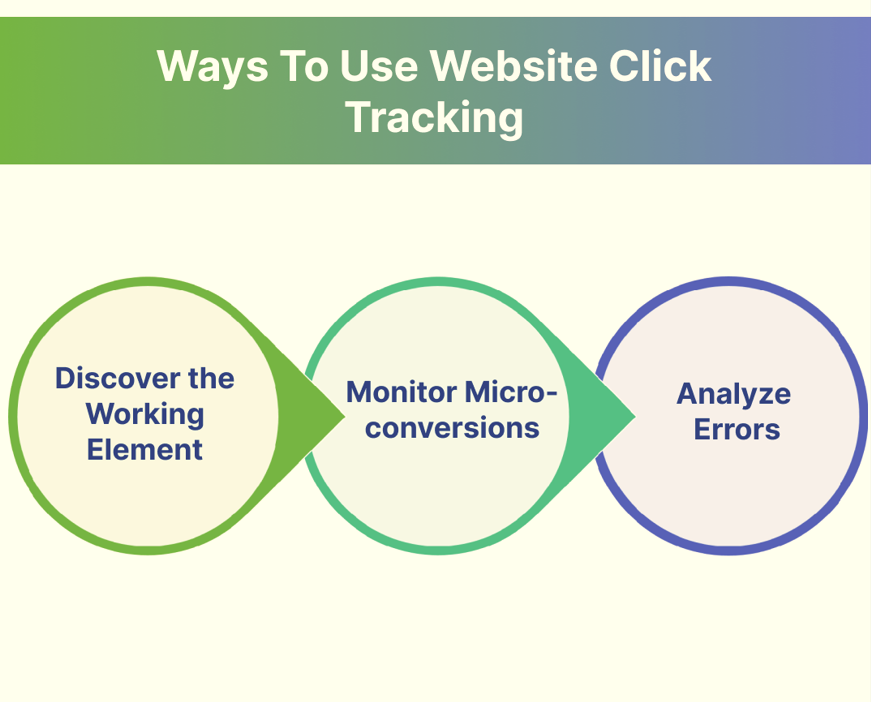
By identifying the working elements in a website it is easy to understand which element needs improvement and which is working well. The key pages or elements on your website that you can track may include your homepage, product pages, checkout process, or any other key areas where you want to track user behavior.
To monitor user behavior and analyze the data, look for patterns and trends in users, such as which pages or elements are getting the most clicks, which ones are leading to conversions, and which ones are causing users to leave your site.
Use the data to make informed decisions about how to improve your website. Based on the insights gained from click tracking, you can make data-driven decisions and make changes to your website to optimize user experience, increase conversions, and achieve your goals.
Micro-conversions are important because they provide insight into the user journey and help to identify areas where users are dropping off or facing problems. Click tracking can be used to monitor micro-conversions such as clicks on a call-to-action button, clicks on a specific product, clicks on a particular link, or clicks on a video play button.
By tracking these micro-conversions, website owners can gain insight into user behavior and identify areas for improvement. For example, if a high percentage of users are clicking on a call-to-action button but not completing the desired action, website owners may need to optimize the conversion funnel or improve the user experience.
Click tracking can be implemented using various tools, such as Google Analytics, which provides detailed reports on user behavior and click tracking metrics. By using click tracking to monitor micro-conversions, website owners can gain insight into user behavior, optimize the user experience, and ultimately improve conversion rates.
One of the website click tracking methods is identifying website errors by tracking users’ clicks. When there is an error, website click tracking can be used to identify the source of the problem and fix it.
Identifying errors is important because they can affect your ability to provide quality service to your customers. For example, users may have trouble navigating your site and getting the information they need if they click on a link that does not work properly. You want to make sure that doesn’t happen.
The most common use of website click tracking is to identify 404 errors, which occur when users try to go to a page that doesn’t exist. By tracking clicks on those pages, you can see which pages are getting the most traffic and which ones are not getting any clicks at all. This can help you determine what content is valuable and what content isn’t being utilized by your users.
You can use click tracking to identify broken links or links that lead to another page within your site but don’t do anything when clicked (such as a link that says “click here” but doesn’t take you anywhere). These errors can be fixed by updating your HTML code or using JavaScript to redirect users if they click on one of these broken links.
Since trackable links are among the most significant features that a website can provide, it is no surprise that businesses are getting interested in them.
Analyzing web traffic and the behavior of visitors on your website is an essential aspect of your overall marketing strategy. You should not ignore, even if you do not see any immediate benefits. Paying attention to your users’ actions on your site will be a good start. Your conversion rate should be high and as complete as possible.
We hope you have got the explanation regarding what is click tracking and how click tracking is helpful for you to know your website and business’s overall performance in every aspect.
The more information you can learn about how people are navigating your site, making purchases, and understanding your business, the easier it will be for you to make improvements that will benefit all parties in the long run.