How to Choose a CRO Agency
Here’s the one sentence that explains almost everything in this piece: an AI shopping agent does not browse your store the way a person does, it reads fields, and it can only recommend what those fields tell it.
A shopper scrolling your product page sees a nice photo, reads a paragraph about how the material feels, notices the color in the image, and decides. An agent calling Shopify’s product tools on your store’s behalf sees a title string, a price, a handful of tags, and whatever you’ve put into structured fields the same divide we mapped out in our guide to conversion rate optimization in 2026. If the material, the fit, the color, or the use case only exists in a sentence of marketing copy, the agent often can’t use it, and your product loses to a competitor’s product that said the same thing in a field instead of a sentence.
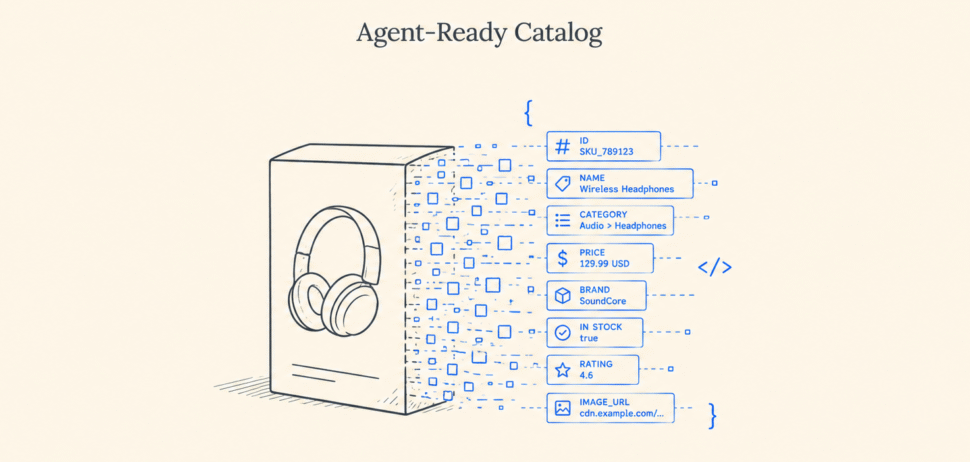
This piece is a checklist, not a theory. We pulled the actual product data off a live Shopify store to show exactly what “good enough for a human, invisible to an agent” looks like in the wild, and then walked through the eight fixes that close the gap, plus the Shopify-native tool that now scores you on most of it directly.
Before changing anything, see what an agent already sees. Two checks, no developer required.
Check your raw product data. Open any product page on your store, then add .json to the end of the URL, for example yourstore.com/products/your-product-handle.json. Your browser will show the plain data behind that page: title, tags, variants, price, images. This is close to what an agent reading your catalog actually works with, stripped of the design around it.
Check your structured markup. Paste a product page URL into Google’s Rich Results Test. It will tell you whether your Product schema is present, complete, or missing pieces like price or availability. If your theme shows a warning here, an AI agent reading the same markup is working with the same gaps.
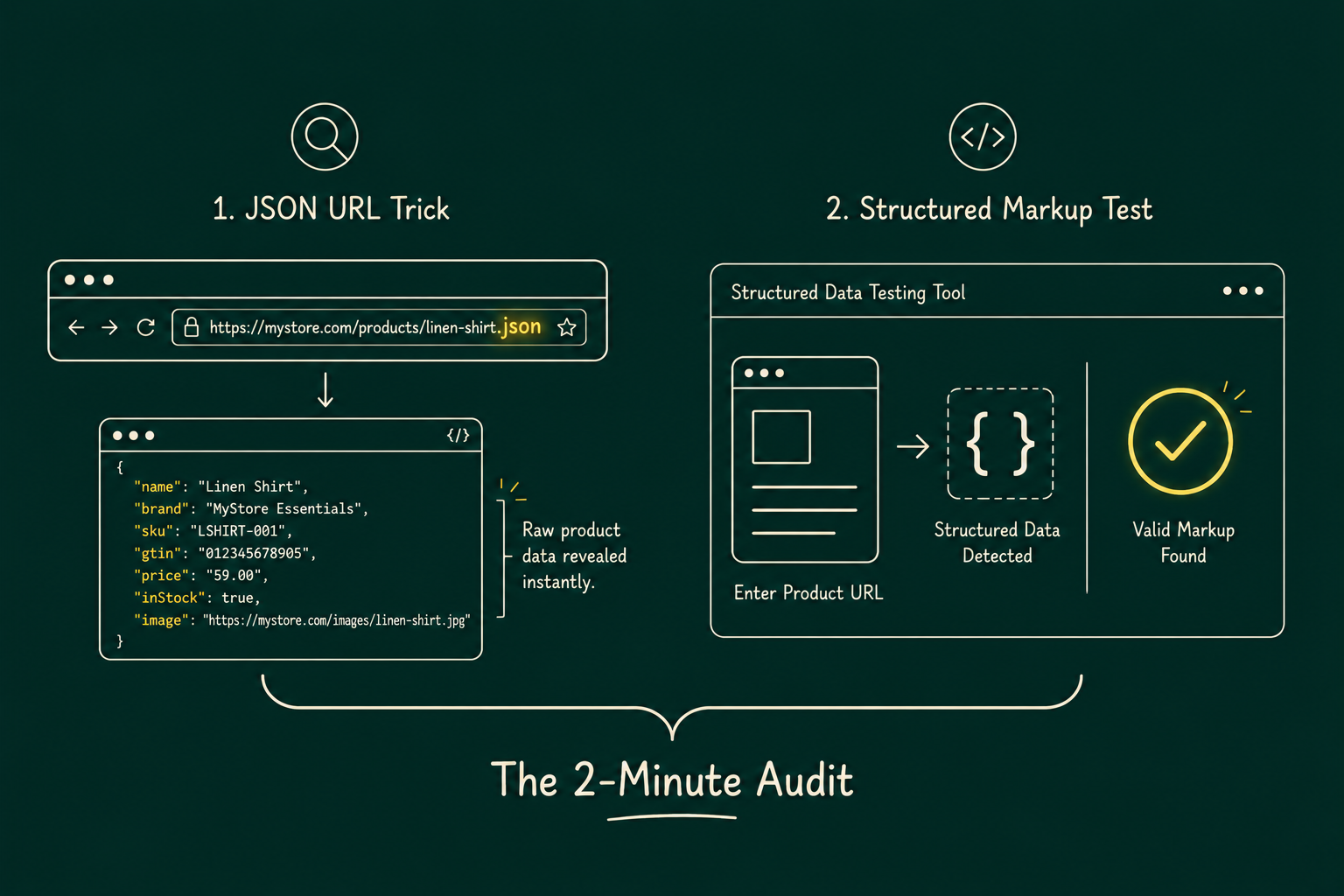
Run both checks on your three best-selling products before reading further. You’ll likely find at least one of the problems in section 3.
Everything in section 1 works on any Shopify store, anywhere. But there’s a Shopify-native version of the same audit worth knowing about, even if you can’t fully use it yet.
In late March 2026, Shopify turned on Agentic Storefronts as a real sales channel for eligible US merchants, active by default with no app install required. It’s the mechanism behind Shopify Catalog syndicating your products into ChatGPT, Microsoft Copilot, Meta, and, in early access, Google AI Mode and Gemini, plus the Shop app itself part of the same shift we’ve covered in how AI is redefining CRO. Availability currently differs by channel: ChatGPT and Microsoft Copilot are open to any merchant selling to US buyers regardless of where the store itself is based, while Google AI Mode and Gemini remain in early access and limited to select US-based shops. If you’re outside the US, or your channel isn’t listed yet, the data-quality work in this piece still applies, since it’s the same underlying catalog data that search engines and every other agent read too.
Find it in your admin under Sales channels > Agentic. Two things there are directly useful for everything else in this piece:
Every fix from section 4 onward maps directly onto one of those five signals. If you’ve already done that work, the Agentic panel is where you’ll see it reflected as a score instead of having to take this piece’s word for it.
Agentic Storefronts ships active by default through a setting called Allow Shopify to manage for me, which also auto-enrolls a store in future AI channels as they launch. Per-channel opt-outs are available in the same admin section if you’d rather manage this manually, and setting a product’s status to Unlisted, or setting the seo.hidden metafield, removes it from every agentic storefront, including Shop, not just the third-party ones.
One distinction worth knowing before you touch any settings: ChatGPT is discovery only, a customer completes checkout back on your own store. Google AI Mode and Gemini, Microsoft Copilot, and Meta can complete checkout directly inside the conversation if Direct checkout is activated for that channel. The same principle we’ve found true in agentic experimentation work holds here too: agents don’t do the heavy lifting on their own, the structure you build around them does.
To make this concrete, here’s the actual (lightly trimmed) product data we pulled from a live, well-known Shopify store while researching this piece:
{
“title”: “\”The Jetsetter Pack\” by The Blonde Abroad”,
“vendor”: “Charity”,
“product_type”: “Bracelets”,
“tags”: [
“bracelet style: sets”, “category: bracelets”, “category: jewelry sets”,
“color: multi”, “finish: rose gold”, “metal: plated rose gold”,
“gift box”, “restocked:4-20-2024”, “Sale: 30 OFF”, “Summer Clearance”
],
“variants”: [{ “title”: “Default Title”, “sku”: “10BRXP1013ASSTO”, “price”: “29.25” }],
“options”: [{ “name”: “Title”, “values”: [“Default Title”] }]
}
This is a real, currently live product on a store that has otherwise done the harder agentic-commerce work, it’s one of the two stores in our earlier audit that actually had UCP and MCP running. Which makes it a useful example precisely because the gaps aren’t laziness, they’re the kind of thing that slips through on almost any store because nothing in the Shopify admin stops you from doing it this way.
Every fix in the rest of this piece is aimed at exactly these kinds of gaps.
Shopify maintains an open, public Standard Product Taxonomy, a shared classification of product categories and their attributes that spans more than 10,000 categories and over 1,000 attributes across 26-plus business verticals. It’s free, it’s not a paid app, and Shopify Magic already suggests a category for you based on your title, description, and images when you create or edit a product.
The fix is simple to describe and easy to under-deliver on: pick the most specific category available, not the broad one that technically applies. “Apparel & Accessories” is technically correct for a t-shirt. “Apparel & Accessories > Clothing > Shirts & Tops > T-Shirts” is what actually gets you something useful, because the taxonomy attaches category-specific attributes to specific categories. Pick “Shirts” and Shopify offers you fields for size, neckline, and sleeve length. Stay at “Clothing” and you get none of that.
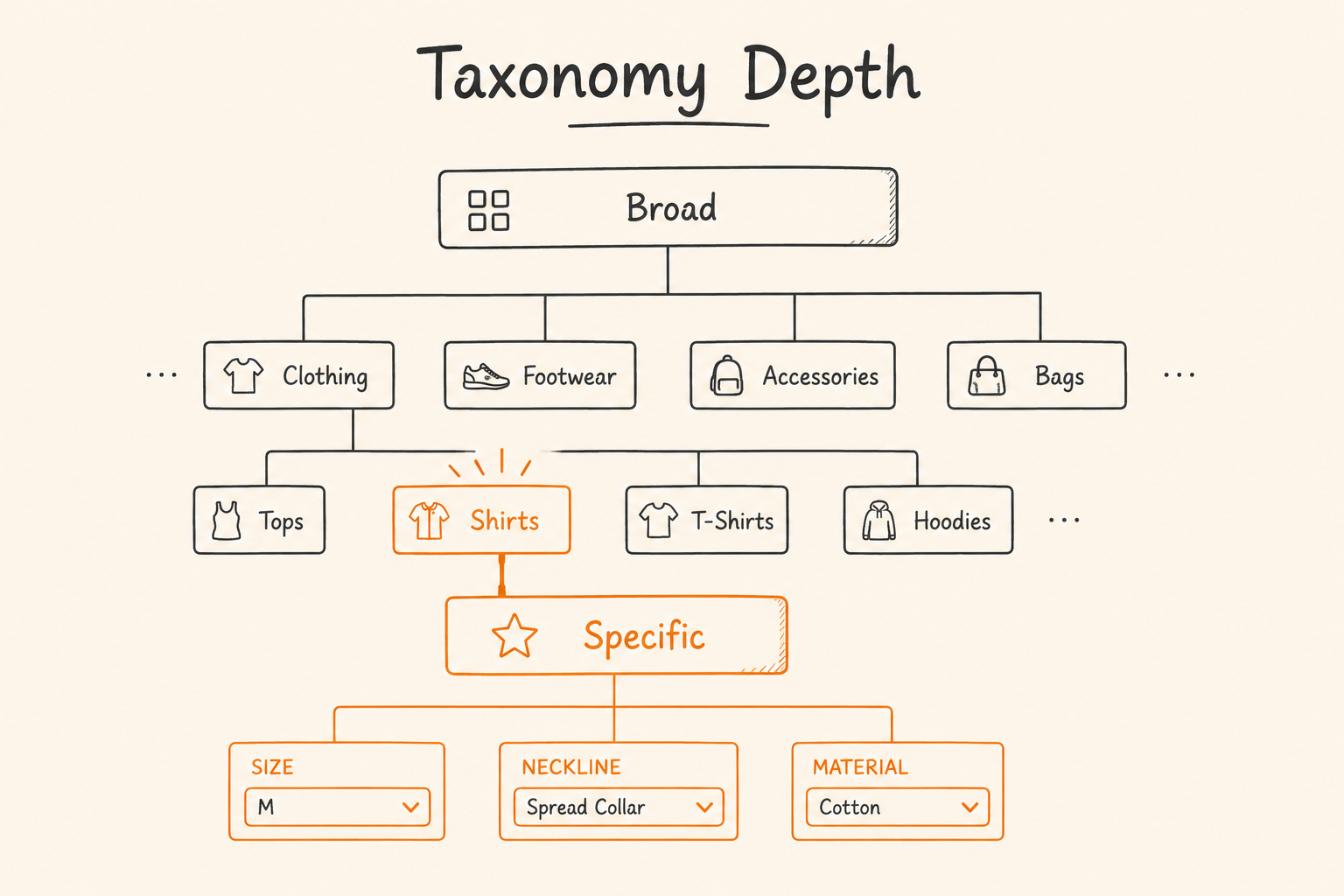
What to actually do: Open your product list in Shopify admin, sort by category, and look for anything sitting at a top-level or second-level category instead of the most specific leaf category ]available. That’s your starting punch list, and it’s usually a much shorter list than “audit every product.”
Tags are the single most common place real product facts get buried where an agent’s structured search can’t reliably use them, and the example in section 3 is a textbook case.
Tags exist for storefront filtering and internal merchandising. They’re free text, unordered, and mix operational labels with product facts with no structural distinction between them. Once you pick a specific category (section 4), Shopify exposes category metafields, structured fields with defined names and value types, for exactly the attributes people currently stuff into tags: color, material, size, finish, and dozens more depending on the category.
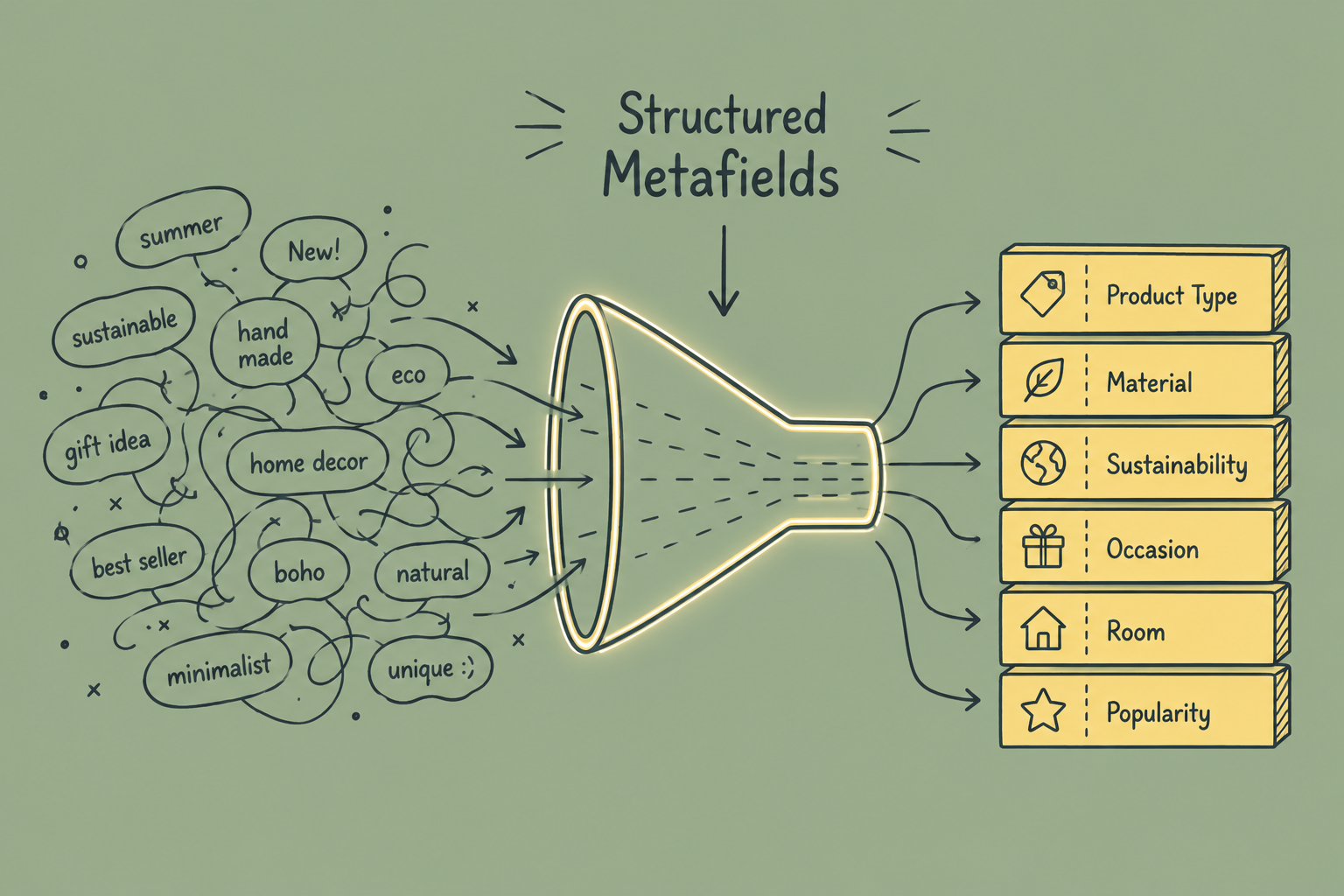
Before (tags): color: multi, finish: rose gold, metal: plated rose gold
After (category metafields): a Color field with the value “Multi,” a Finish field with the value “Rose Gold,” a Metal Type field with the value “Plated Rose Gold,” each one its own named, typed field rather than a string sitting in a list next to “Summer Clearance.”
The practical migration path: pick your top-selling 20 to 50 products first, not your entire catalog at once. Set the correct category on each, fill in the category metafields Shopify now offers, and leave tags doing what they’re actually good at, storefront filtering and internal ops labels like restock dates and sale flags.
Structured fields carry the weight, but titles and descriptions still matter, both because a human eventually reads them and because some agent flows fall back to text search when structured filters don’t match. Shopify’s own listing quality signal measures description completeness by word count specifically because AI channels match natural-language customer queries against that text, so a thin description is a measurable gap, not just a style preference.
A title that’s only a brand name and a product line name (“The Jetsetter Pack”) tells a human who already knows the brand what they’re looking at. It tells an agent almost nothing searchable. A title with one or two concrete, factual details added (“The Jetsetter Pack, 5-Bracelet Travel Stack, Rose Gold”) still reads naturally and gives a text search something to match against.
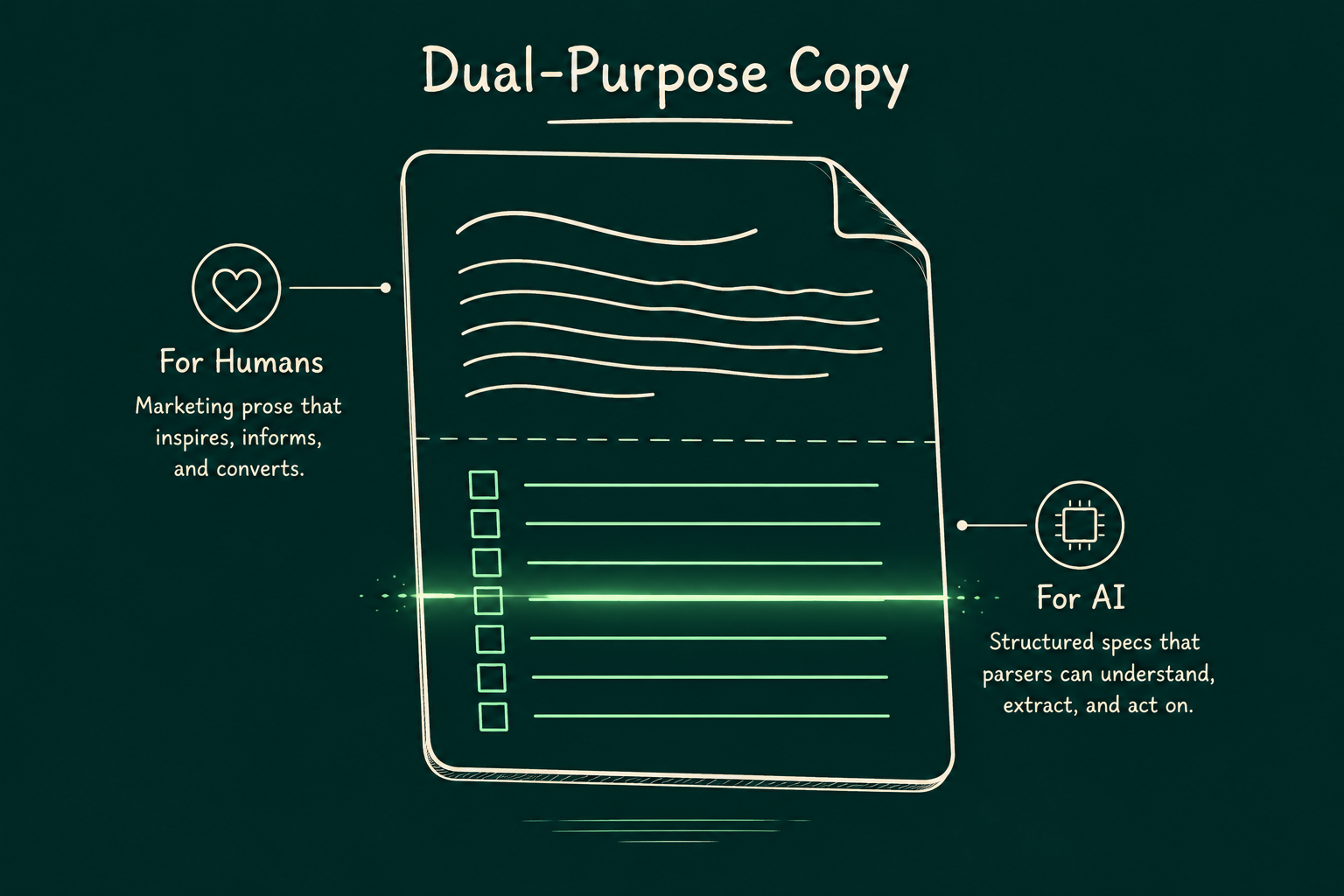
A description that’s entirely mood and voice (“satisfy a major sense of wanderlust”) is fine as an opening line, but if every fact about the product, what it’s made of, how many pieces, what it’s compatible with, only ever appears inside sentences like that, you’re relying on an agent to correctly extract facts from marketing prose. Some do this reasonably well. None of them do it as reliably as reading a field. Keep the voice, and add a short, plain-language spec list underneath it: material, quantity, dimensions, care instructions, whatever actually matters for your product category.
Image alt text is one of the cheapest fixes on this list and one of the most commonly skipped. Every product image should have alt text that plainly describes what’s in the photo, not a repeat of the product title and not left blank. This matters for two separate audiences at once: screen readers, which is an accessibility requirement independent of anything in this piece, and any agent or model doing image-based product matching, which reads alt text as one more structured signal about what the image actually shows.
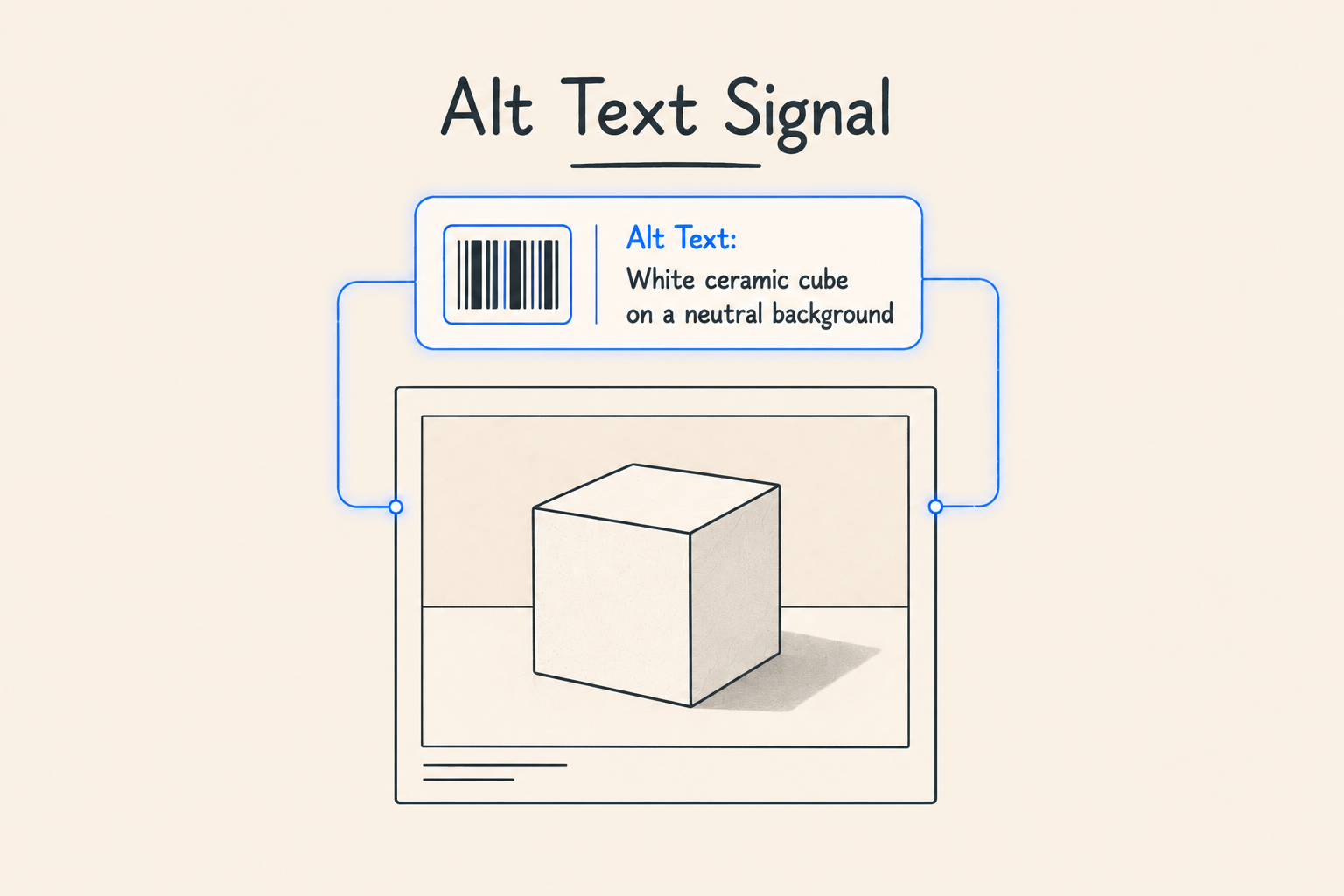
Consistency matters more than cleverness here. “Rose gold bracelet stack, five bracelets on a wrist” beats both an empty alt attribute and a paragraph of marketing copy repeated across every image on the page. Image count matters too, Shopify’s own listing quality check measures image coverage directly, since more images help an agent represent the product across different contexts.
A GTIN (the umbrella term for UPC, EAN, and similar barcode formats) is how a product gets matched against known product databases with confidence, rather than an agent or search system having to guess identity from your title and description alone. In Shopify admin, this lives under the Barcode field on each variant, and it’s the field that feeds the GTIN attribute in Google’s shopping feed and similar structured product catalogs.
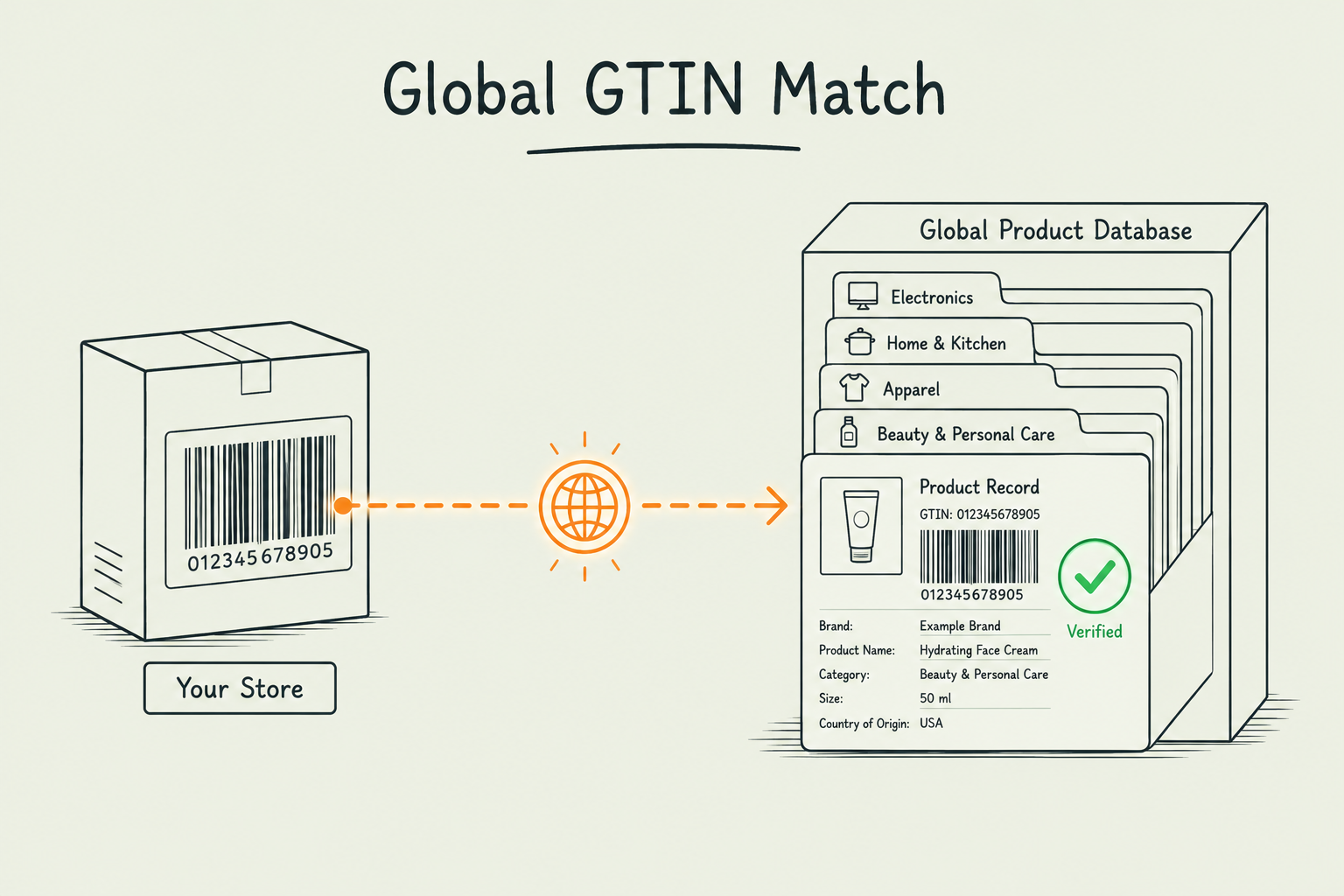
If your product is a branded item with a real manufacturer barcode, enter it. Missing GTINs on branded products are a common cause of feed disapprovals and reduced eligibility for AI-driven shopping surfaces, since the system can’t cross-reference the listing against a known product record.
If your product is private-label or custom-made with no registered barcode, that’s a legitimate and common situation, not a data-quality failure. Feed and catalog systems generally support explicitly marking a product as not having one, rather than leaving the field blank and ambiguous. Check whichever channel app or feed tool you use for the equivalent setting instead of guessing at a barcode.
If your theme or review app displays star ratings on the page but doesn’t emit them as structured AggregateRating data, an agent reading your catalog has no reliable way to know the rating exists at all, even though a human looking at the same page sees it immediately. This is also one of the five signals Shopify scores directly in the Agentic admin section, and it’s counted only from reviews verified by trusted sources, not from every rating widget that happens to be on the page.
Most Shopify themes built on the built-in structured_data filter (Dawn and its derivatives) already output basic Product schema, name, image, description, price, availability, and often brand and SKU. Review apps typically need to extend that same schema block with an aggregateRating object rather than emitting a second, separate Product entity on the page. Two conflicting Product entries on one page is worse than one incomplete one, so check with Google’s Rich Results Test (section 1) after any change, rather than assuming it worked.
Shipping, returns, and warranty policies aren’t just legal boilerplate. Agent-facing tools, including Shopify’s own search_shop_policies_and_faqs tool, exist specifically to answer a shopper’s question from your actual policy content, and shop policy completeness is one of the five signals scored directly in the Agentic admin section, since policies signal store legitimacy an agent can factor into a recommendation. If your returns page is still the Shopify default placeholder text, or split across three inconsistent places (a footer link, a PDP accordion, and a separate FAQ page that disagrees with both), an agent answering “can I return this” has nothing reliable to draw from, and neither does a human who bothers to check.
What to actually do: pick one canonical policy page per topic (shipping, returns, warranty), make sure it’s current, and make sure anywhere else on your site that mentions the same policy links to it rather than restating a slightly different version.
An agent recommending a product it can’t actually get for the shopper is a worse experience than not recommending it at all, and inventory sync gaps are a well-documented failure point in early agentic shopping channels, not a hypothetical one. If your available field or inventory count is stale, whether from a slow sync with a fulfillment partner or a manual channel feed that updates less often than your storefront, an agent working from that feed will confidently recommend something that’s actually out of stock.
This is less a one-time fix than an ongoing discipline: whatever channel, app, or feed exposes your catalog to outside agents needs to sync inventory on the same cadence your storefront does, not on a separate, slower schedule nobody’s watching.
Variant and option naming belongs in the same fix, since Shopify checks it as part of the same signal. Option and variant names built from internal shorthand, acronyms, or bare numbers (“L/XL-2,” “SKU-04B”) are hard for an agent to map to what a shopper actually typed (“large”). Use the plain descriptive value a shopper would recognize as the option name, and keep any internal shorthand in the SKU field instead, where it belongs.
Work through this on your five best-selling products first.
Most of it, no. Setting a product category, filling in category metafields, writing alt text, entering a barcode, and editing policy pages are all standard Shopify admin tasks. Extending your theme’s structured data to include aggregateRating without creating a duplicate Product entity is the one item on this list where getting a developer or your review app’s support team involved is worth it.
Not fully, as of this writing. ChatGPT and Microsoft Copilot are open to any merchant selling to US buyers regardless of where the store is based. Google AI Mode and Gemini remain in early access, limited to select US-based shops. Everything else in this piece, category, metafields, GTINs, policies, helps regardless of region, since it’s the same catalog data that search engines and every other channel read as well.
Yes, largely the same signals. Google’s own search ranking and its AI-driven shopping surfaces both read Product schema, category data, and GTINs. This isn’t a separate parallel effort from SEO, it’s the same underlying data doing double duty.
There’s no single verified threshold worth quoting here, and be skeptical of any number presented as one. What’s verifiable is the mechanism: agent tools like Shopify’s search_catalog and get_product, and Shopify’s own Listing quality score, both match against structured fields, so a product with a real category, filled category metafields, a GTIN, and a working schema block gives an agent more to match against than one relying on tags and prose. More complete beats a specific magic number.
Category and category meta fields (sections 4 and 5). Picking the correct, specific taxonomy category is what exposes the right structured attribute fields in the first place, and it’s a per-product admin change with no code involved.