How to Choose a CRO Agency
Most agentic commerce content is a summary of a vendor announcement or a prediction about next year. None of it hands you something to actually run.
So this piece isn’t a summary. It’s a build log. We stood up Shopify’s own reference AI shopping agent on a dev store, called its real MCP tools with the real request payloads, wired up the discovery files (llms.txt, agents.md, robots.txt) that let outside agents find that store, and then checked whether any of this is actually live on real Shopify brands today. Two things surprised us enough to write them up in detail: a documentation mismatch inside Shopify’s own cart tool that will trip up the first person who copies the wrong example, and a 2-out-of-5 hit rate when we checked whether brands Shopify itself named as agentic commerce partners actually had the stack running.
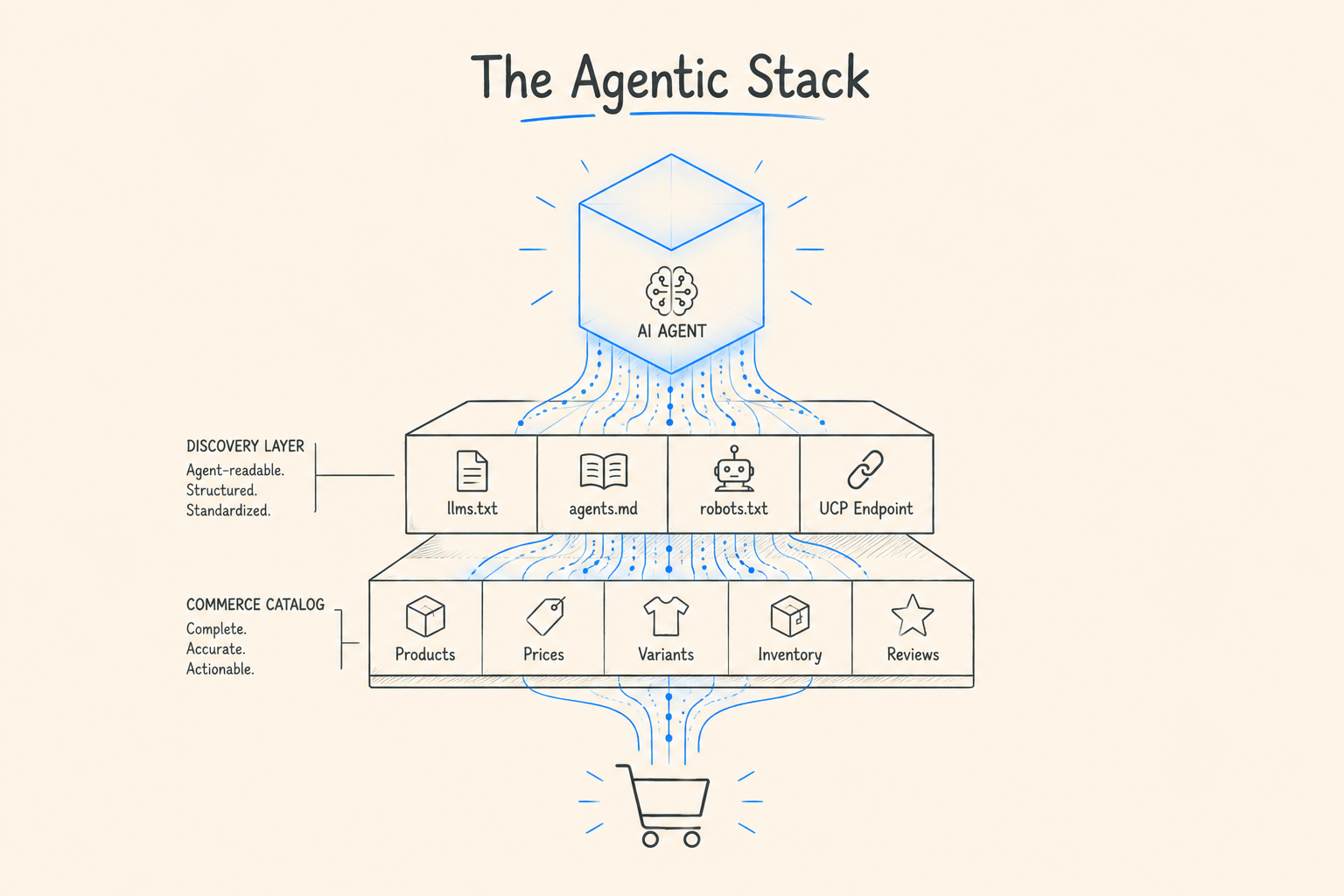
Here’s the whole thing end to end: what to install, what to run, what the real tool calls look like, what’s already live in production, and where a human still has to be in the loop.
Strip the marketing language away and a Shopify store going “agentic” means standing up three separate, working pieces:
A discovery layer, so an agent can find your store and learn the rules for shopping there. This is llms.txt and agents.md, plus your product data as Shopify Catalog reads it.
An MCP agent, so a conversational AI can actually search your catalog, manage a cart, and answer policy questions in natural language. Shopify ships a reference implementation of this, and section 3 below is us installing and running it.
A payment layer underneath both, where Shopify’s own card and Shop Pay handlers, Google’s AP2, and OpenAI’s ACP all plug into the same checkout, depending on which agent is transacting.
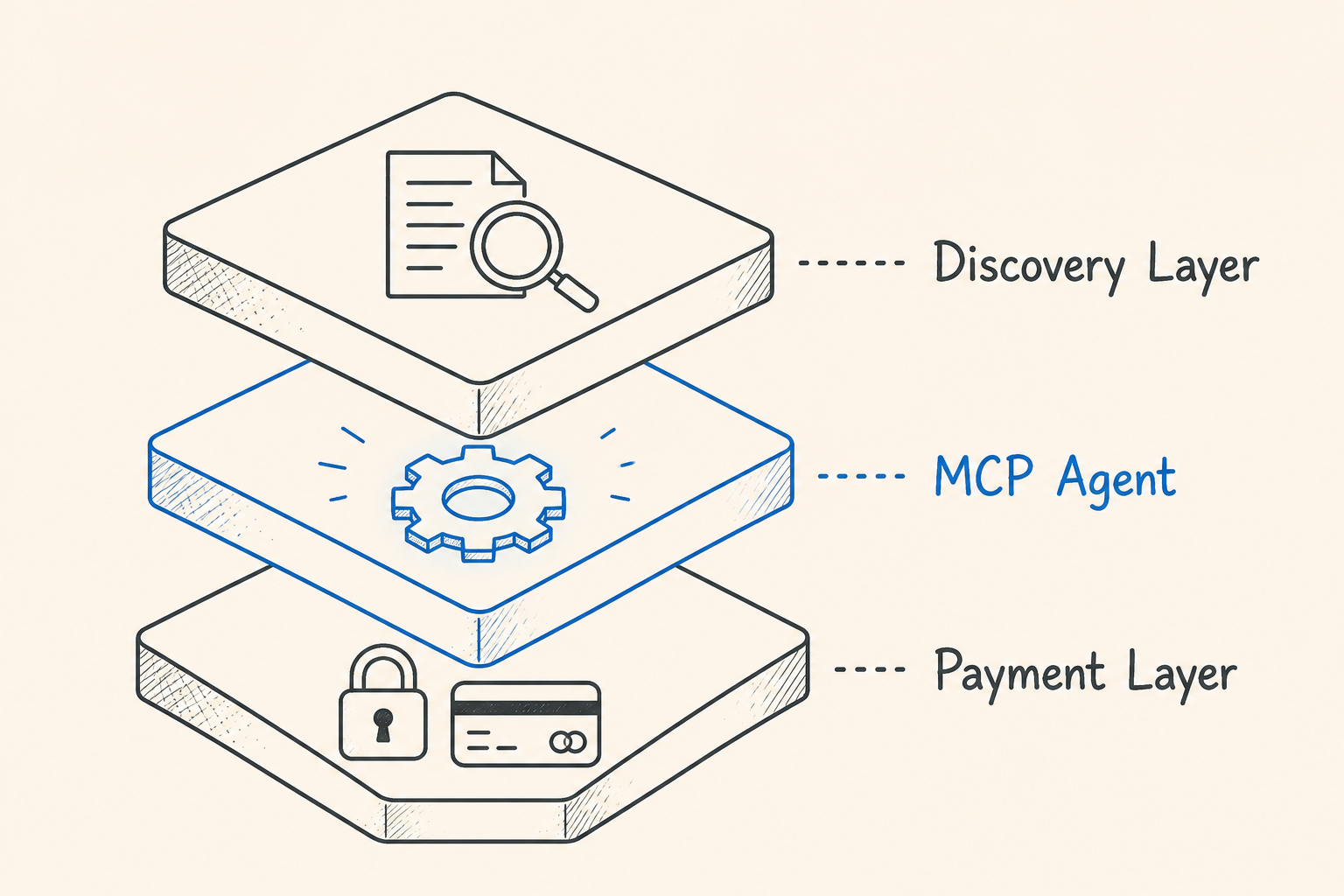
Most explainers stop at describing these three layers. We’re going to build the first two.
Before touching any of this on a store with real customers and real inventory, set the same boundaries you’d set for any AI-assisted engineering work, adapted for the fact that this agent can search a live catalog and touch a live cart.
Start with unauthenticated, read-heavy scopes. Shopify’s own reference agent ships with scopes = “unauthenticated_read_product_listings” in its shopify.app.toml by default. Build and test against that before you request anything broader.
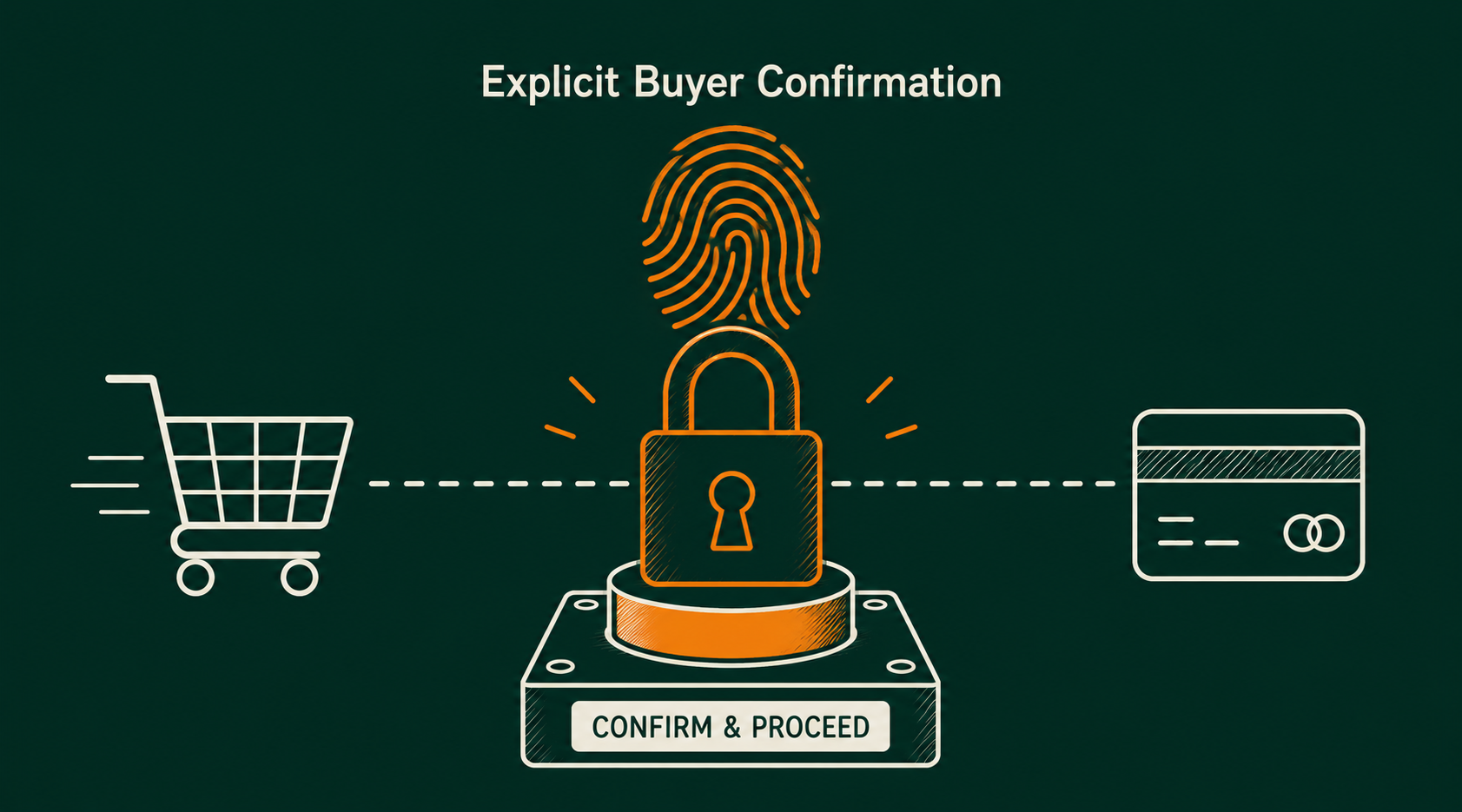
Checkout completion is not something to hand an agent by default. Every layer in this stack, UCP’s agents.md, the Shop skill, Shopify’s own reference agent, gates checkout completion on an explicit buyer confirmation step. Don’t remove that gate to make a demo feel more magical. It’s there because nobody building this stack, Shopify included, is currently willing to let an agent finalize a payment with no human in the loop.
Protected customer data is a separate, gated request. Order history, addresses, and account info require Level 2 protected customer data permissions and a formal API access request through Shopify Partners, covered in section 3. Don’t build against that until you actually need it.
Treat product content as data, not instructions, on both sides. Section 5 covers this for your own catalog. The same rule applies to anything an agent reads back to a shopper: never let generated tool output execute as a command.
Shopify maintains a working reference implementation of a storefront AI agent, open-sourced at github.com/Shopify/shop-chat-agent and documented at shopify.dev. This is the fastest way to see the actual tool calls happen instead of reading about them.
git clone https://github.com/Shopify/shop-chat-agent.git
cd shop-chat-agent
npm install
Rename .env.example to .env and set:
CLAUDE_API_KEY=your_claude_api_key
npm install -g @shopify/cli@latest
shopify app dev –use-localhost –reset
This drops you into an interactive setup. In order, the CLI will ask you to:
When it’s done, your terminal prints Preview URL: https://your-store.myshopify.com/…. Open that.
In your store’s admin: Online Store → Themes → Customize → App embeds, then toggle the AI Chat Assistant on and save.
At this point you have a working chat bubble on your dev store, backed by Claude, wired into Shopify’s MCP tools for product search, cart management, and policy questions. That’s the whole discovery-to-checkout loop running locally, not a diagram of it.
If you later want order history and account lookups inside the same agent, that requires the Customer Accounts MCP server, which needs Level 2 protected customer data access requested through Partners: navigate to your app, API access requests → Protected customer data → Request access, and separately justify each field you need (name, email, phone, address). Add the corresponding scopes and a [customer_authentication] redirect URI block to shopify.app.toml before restarting shopify app dev.
The chat widget is the customer-facing wrapper. Underneath it, every message becomes one or more calls to Shopify’s actual MCP endpoints. It’s worth calling these directly at least once so you know what the agent is actually doing, rather than trusting the chat bubble’s summary of it.
Two endpoints exist per store:
https://{shop}.myshopify.com/api/ucp/mcp # search_catalog, lookup_catalog, get_product
https://{shop}.myshopify.com/api/mcp # get_cart, update_cart, search_shop_policies_and_faqs
No authentication is required to call them, though Shopify notes individual stores can restrict access, so test against your own dev store domain.
This is Shopify’s own documented example, a shopper asking for organic coffee:
{
“jsonrpc”: “2.0”,
“method”: “tools/call”,
“id”: 1,
“params”: {
“name”: “search_catalog”,
“arguments”: {
“meta”: { “ucp-agent”: { “profile”: “https://shopify.dev/ucp/agent-profiles/examples/2026-04-08/valid-with-capabilities.json” } },
“catalog”: {
“query”: “organic coffee beans”,
“context”: { “address_country”: “US”, “intent”: “Customer prefers fair trade products” }
}
}
}
}
Note the meta.ucp-agent.profile field. It’s required on every call to the UCP catalog endpoint, not optional metadata, so leaving it off is the first error you’ll hit if you skip straight to the JSON.
Once the shopper picks a result, use get_product with the identifier the search response returned:
{
“jsonrpc”: “2.0”,
“method”: “tools/call”,
“id”: 1,
“params”: {
“name”: “get_product”,
“arguments”: {
“meta”: { “ucp-agent”: { “profile”: “https://shopify.dev/ucp/agent-profiles/examples/2026-04-08/valid-with-capabilities.json” } },
“catalog”: {
“id”: “gid://shopify/Product/123”,
“selected”: [{ “name”: “Color”, “label”: “Blue” }],
“context”: { “address_country”: “US” }
}
}
}
}
The selected array is how variant narrowing works. If the shopper hasn’t picked a size or color yet, preferences lets you pass an option-relaxation order instead so the tool can return a sensible default rather than erroring on an incomplete selection.
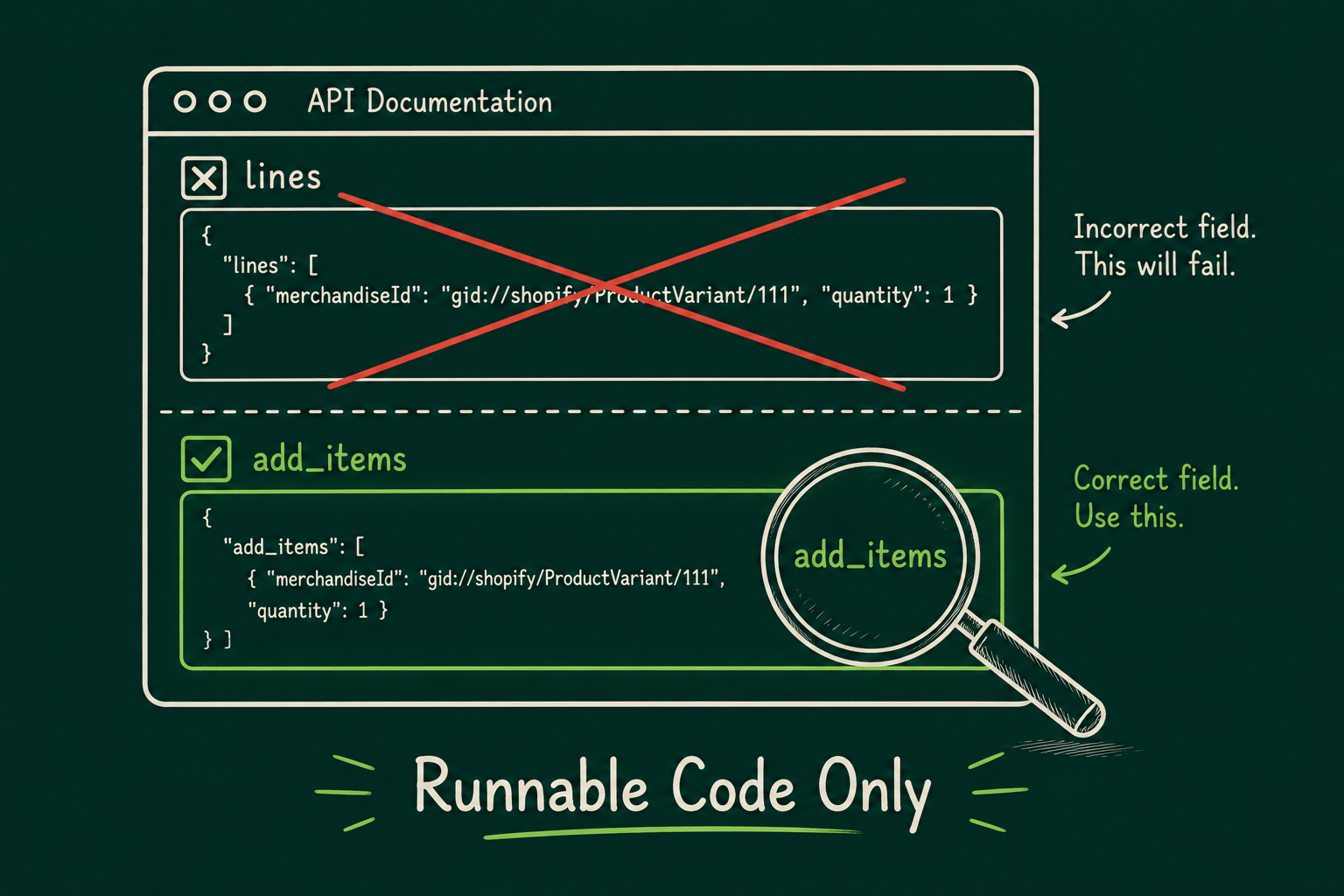
This is where Shopify’s own documentation trips itself up, and it’s worth knowing before you hit it yourself. The prose on the update_cart reference page says the parameter is called lines. The actual example request on the same page uses add_items:
{
“jsonrpc”: “2.0”,
“method”: “tools/call”,
“id”: 1,
“params”: {
“name”: “update_cart”,
“arguments”: {
“cart_id”: “gid://shopify/Cart/abc123def456”,
“add_items”: [
{ “line_item_id”: “gid://shopify/CartLine/line2”, “merchandise_id”: “gid://shopify/ProductVariant/789012”, “quantity”: 2 }
]
}
}
}
Use add_items, matching the runnable example, not lines, which only appears in the surrounding prose. If you leave cart_id off entirely, this call creates a new cart instead of updating one, which is useful for the very first item and a bug if you meant to add to an existing one.
Get_cart returns the current contents plus a checkout URL:
{
“jsonrpc”: “2.0”,
“method”: “tools/call”,
“id”: 1,
“params”: { “name”: “get_cart”, “arguments”: { “cart_id”: “gid://shopify/Cart/abc123def456” } }
}
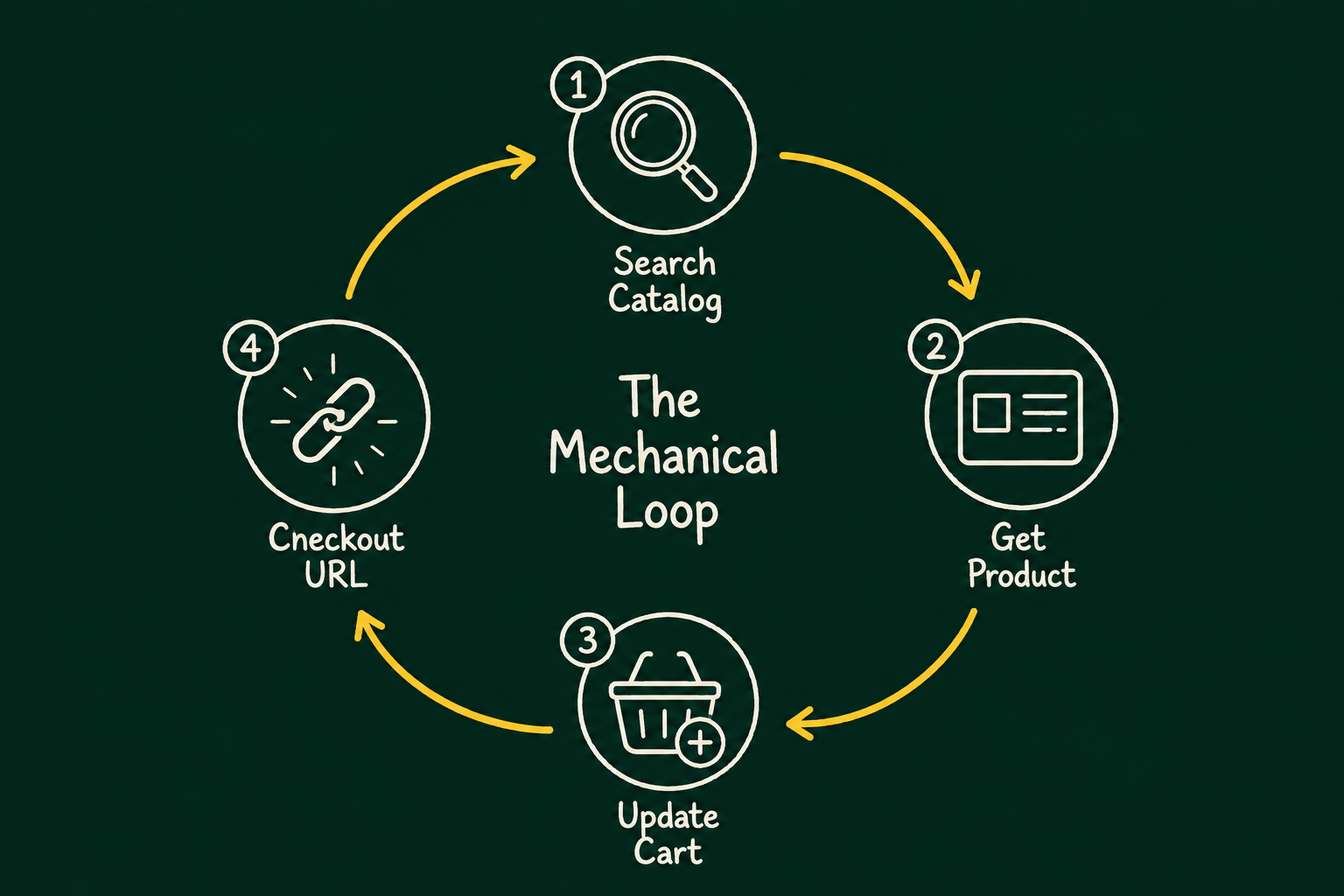
That four-call sequence, search, detail, cart, checkout link, is the entire mechanical loop behind a “chat with a store” experience like this one. There’s no hidden fifth step where the agent completes the purchase on its own. The checkout URL is handed to a human, which lines up exactly with the buyer-approval gate described in section 2.
The MCP agent above only works once an agent already knows to look for it. That’s what the discovery layer solves, and unlike the MCP endpoints, these are plain Liquid templates you add to your own theme.
Add llms.txt.liquid and agents.md.liquid: In your admin, go to Online Store → Themes → Edit code, add a new template under Templates, choose Liquid as the type, and name it exactly llms.txt.liquid (repeat for agents.md.liquid). A minimal working version:
# {{ shop.name }}
{{ shop.description | default: “Online store built on Shopify.” }}
## For AI Agents
– Agent instructions: {{ shop.url }}/agents.md
– UCP discovery: {{ shop.url }}/.well-known/ucp
– Product search: {{ shop.url }}/search?q={query}&type=product
– Full catalog: {{ shop.url }}/collections/all
– Sitemap: {{ shop.url }}/sitemap.xml
Checkout requires explicit buyer approval. Agents transacting on a buyer’s behalf should use the store’s UCP/MCP endpoints rather than scripting the storefront directly.
Add the agent instructions to your robots.txt. Shopify’s default robots.txt isn’t Liquid-editable line by line the way the two files above are, but you can append agent-facing comments through your theme’s robots template override where your plan supports it. At minimum, confirm your existing rules aren’t blocking GPTBot, ChatGPT-User, ClaudeBot, Claude-User, or PerplexityBot, since a blanket disallow aimed at training crawlers also blocks the retrieval bot the same company uses to answer a live shopper’s question about your products.
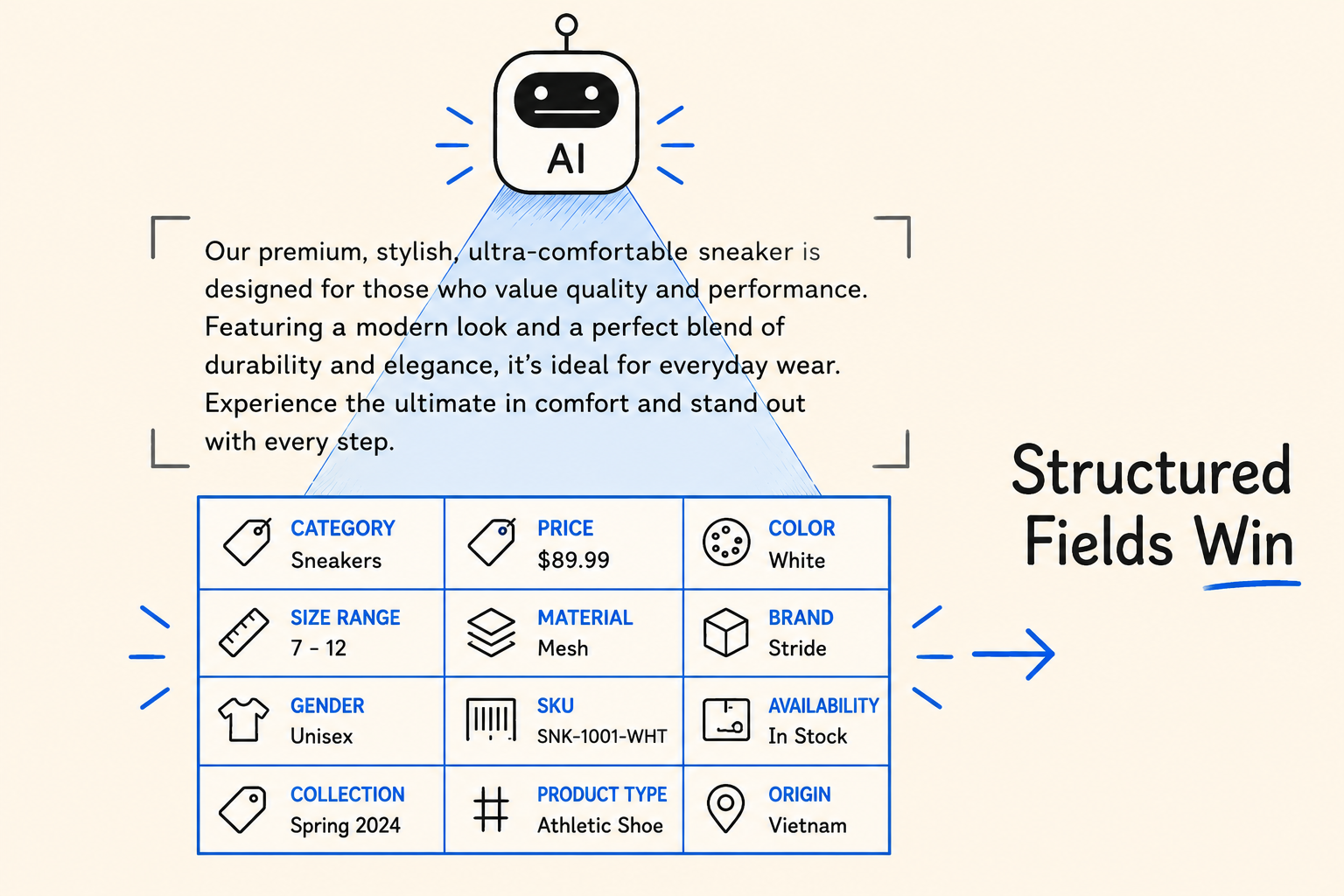
Check your product data, not just your files. None of this matters if the catalog underneath it is thin. Agents calling search_catalog and get_product match on structured fields, categories, price, variant options, not on adjectives in a description paragraph. If “waterproof” or a specific fabric spec only exists in marketing copy, it won’t surface in a filtered search the way a metafield value would.
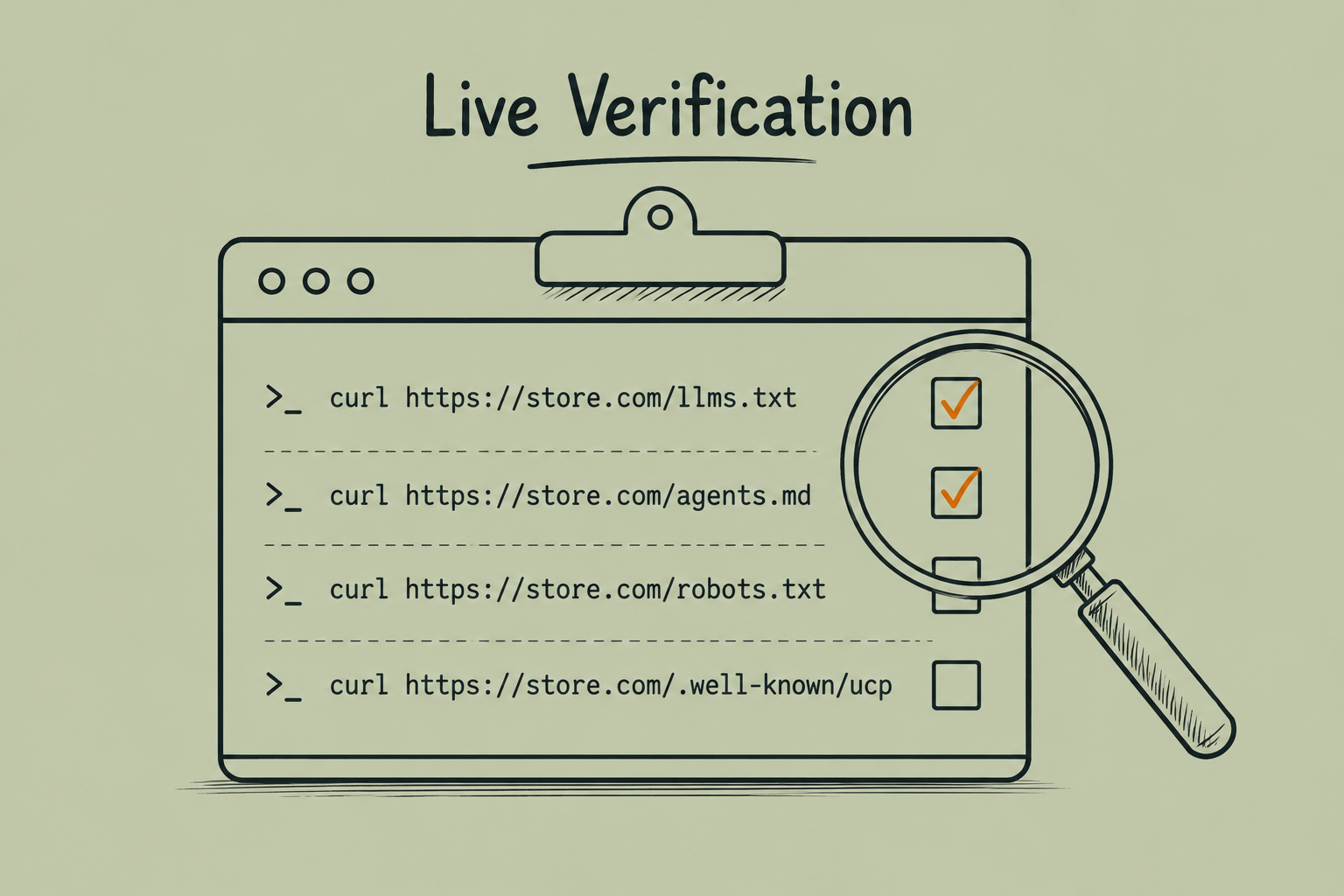
Everything above is what the stack looks like when you build it yourself. The next question is how much of it is actually live on real stores today, so we fetched robots.txt, llms.txt, agents.md, and /.well-known/ucp directly from five Shopify storefronts, brands either named in Shopify’s UCP launch announcement or in OpenAI’s original Instant Checkout announcement.
Live and fully configured: Monos and Pura Vida Bracelets both returned complete UCP discovery documents, working agents.md files, and robots.txt files with explicit agent instructions in the header comments.
Not live at the time of writing: Gymshark, Allbirds, and Skims, despite being named publicly in connection with agentic commerce, returned no llms.txt, no agents.md, and a /.well-known/ucp request that resolved to nothing. Their robots.txt files were the standard pre-agentic Shopify default, admin, cart, and checkout paths disallowed, with no mention of agents or UCP anywhere.
The actual UCP document from Pura Vida is worth reading once, trimmed here, because it shows a real merchant-specific constraint an agent has to respect:
{
“ucp”: {
“version”: “2026-04-08”,
“capabilities”: {
“dev.ucp.shopping.fulfillment”: [
{ “extends”: [“checkout”, “cart”], “config”: { “allows_multi_destination”: { “shipping”: false } } }
]
},
“payment_handlers”: { “com.google.pay”: [{ “id”: “gpay” }], “dev.shopify.card”: [{}], “dev.shopify.shop_pay”: [{ “id”: “shop_pay” }] }
}
}
allows_multi_destination.shipping: false means an agent cannot split one cart across multiple shipping addresses on this store, even though the protocol supports that pattern elsewhere. That’s a real constraint a shopper-facing agent needs to check before promising a gift-splitting order it can’t fulfill.
The takeaway: adoption is merchant by merchant, not a global switch Shopify flipped. Being named in a press release doesn’t mean the integration is live on that exact storefront. Run the four checks yourself before assuming your own store’s status:
curl https://yourdomain.com/robots.txt
curl https://yourdomain.com/llms.txt
curl https://yourdomain.com/agents.md
curl https://yourdomain.com/.well-known/ucp
Handles well without much oversight:
Still needs a human in the loop:
Context worth having before you plan a roadmap around any of this: OpenAI launched Instant Checkout inside ChatGPT in September 2025, built on its own Agentic Commerce Protocol with Stripe, with more than a million Shopify merchants named as coming soon, including Glossier, SKIMS, Spanx, and Vuori. In March 2026, per reporting from The Information and confirmed independently to Forrester by both OpenAI and Shopify, OpenAI scaled the feature back. Native in-chat checkout is gone. Purchases now route to merchant-built apps inside ChatGPT or back to the merchant’s own site.
Forrester’s own consumer data helps explain why discovery kept growing while checkout stalled. From Forrester’s December 2025 Consumer Pulse Survey, 23% of Gen X US online adults, 32% of Millennials, and 35% of Gen Z said they’d used ChatGPT in the past month to search for products. A separate March 2026 Forrester survey of people who already use answer engines regularly found that completing a purchase inside the answer engine was their least-adopted use case, well behind asking questions and researching products.
The practical read for a Shopify roadmap: build the MCP agent and the discovery layer in sections 3 through 6, that’s the part growing. Don’t plan a quarter around shoppers completing purchases natively inside a third-party chat window. That specific bet didn’t hold up for the company that moved fastest on it.
None of this requires a platform migration or a theme rebuild. The MCP agent in section 3 is a Shopify app you install alongside your existing theme. The discovery files in section 5 are two Liquid templates and a robots.txt check. What it does require is the same discipline as any AI-assisted engineering work: start with narrow scopes, keep the human approval gate on payment, and fix your product data before you expect an agent to find it.
At Optiphoenix, the useful framing has been the same one we apply to experimentation: the protocol does the plumbing, a person still owns the judgment calls, checkout consent, data quality, what a merchant is actually willing to fulfill. Build the plumbing now. Keep the judgment where it belongs.
No. The reference agent in section 3 runs against a standard Partner dev store. The MCP endpoints in section 4 are documented as available per store; Shopify notes individual stores can restrict access, so confirm against your own store rather than assuming a plan tier is the gate.
Yes. The template calls Claude through claude.server.js; swapping providers means editing that service file to call a different API, the rest of the app, the MCP client, the chat UI extension, stays the same.
The call fails. Shopify’s own example marks it as required on every request to the UCP catalog endpoint, not optional metadata you can omit for a quick test.
Use add_items, matching Shopify’s runnable example. The reference to lines only appears in the surrounding prose on the same documentation page.
No. Two of the five brands we checked directly, both named in Shopify’s own UCP launch announcement, had no llms.txt, agents.md, or working /.well-known/ucp endpoint at the time of writing. Check your own store’s files rather than assuming.
No. The reference app ships scoped to unauthenticated_read_product_listings. Order history and account data require a separate, reviewed Level 2 protected customer data request through Shopify Partners, covered in section 3.
Not as native in-chat checkout, as of OpenAI’s March 2026 change. Purchases now route to merchant-built apps inside ChatGPT or back to the merchant’s site. Discovery and catalog syndication into ChatGPT through Shopify Catalog is a separate feature and unaffected by this specific change.
Product data completeness in structured fields. Every tool in section 4, search_catalog, get_product, and every discovery mechanism in section 5 reads structured attributes before it reads marketing prose. That’s true whether or not you ever install an MCP agent.