
Conversion Rate Audit: How to Find What’s Stopping Visitors from Converting
A developer opens Cursor at 9 AM, works through a normal morning, and gets rate-limited by lunch. Nothing about the session looked unusual. The prompts were reasonable, the code wasn’t massive, and yet the budget is gone. This is the most common complaint search engines are seeing right now under queries like “how to save tokens while working AI” and “reduce token usage Claude,” and it points to the same root cause every time: nobody explained how token billing actually works before handing developers the tool. Let see how preserving AI credits can be the way forward.
Token waste isn’t caused by one large mistake. It comes from small, repeated, invisible costs: a chat that keeps replaying its own history, a reasoning model spinning up full effort on a one-line fix, an entire file pasted in when twenty lines would do. Once you understand the mechanics behind context windows, model tiers, and reasoning budgets, the fixes are mostly habit changes, not technical overhauls.
This guide walks through exactly how Claude and Cursor bill for tokens, what silently drains a budget, and the specific habits, with examples and step-by-step roadmaps, that keep spend under control without slowing anyone down.
Tokens are the basic unit of text AI models process. They sit somewhere between a word and a character. As a rough rule, one token equals about 4 characters or roughly 0.75 words. Both sides of a conversation cost tokens: your input (prompts, pasted code) and the AI’s output (responses, generated code).
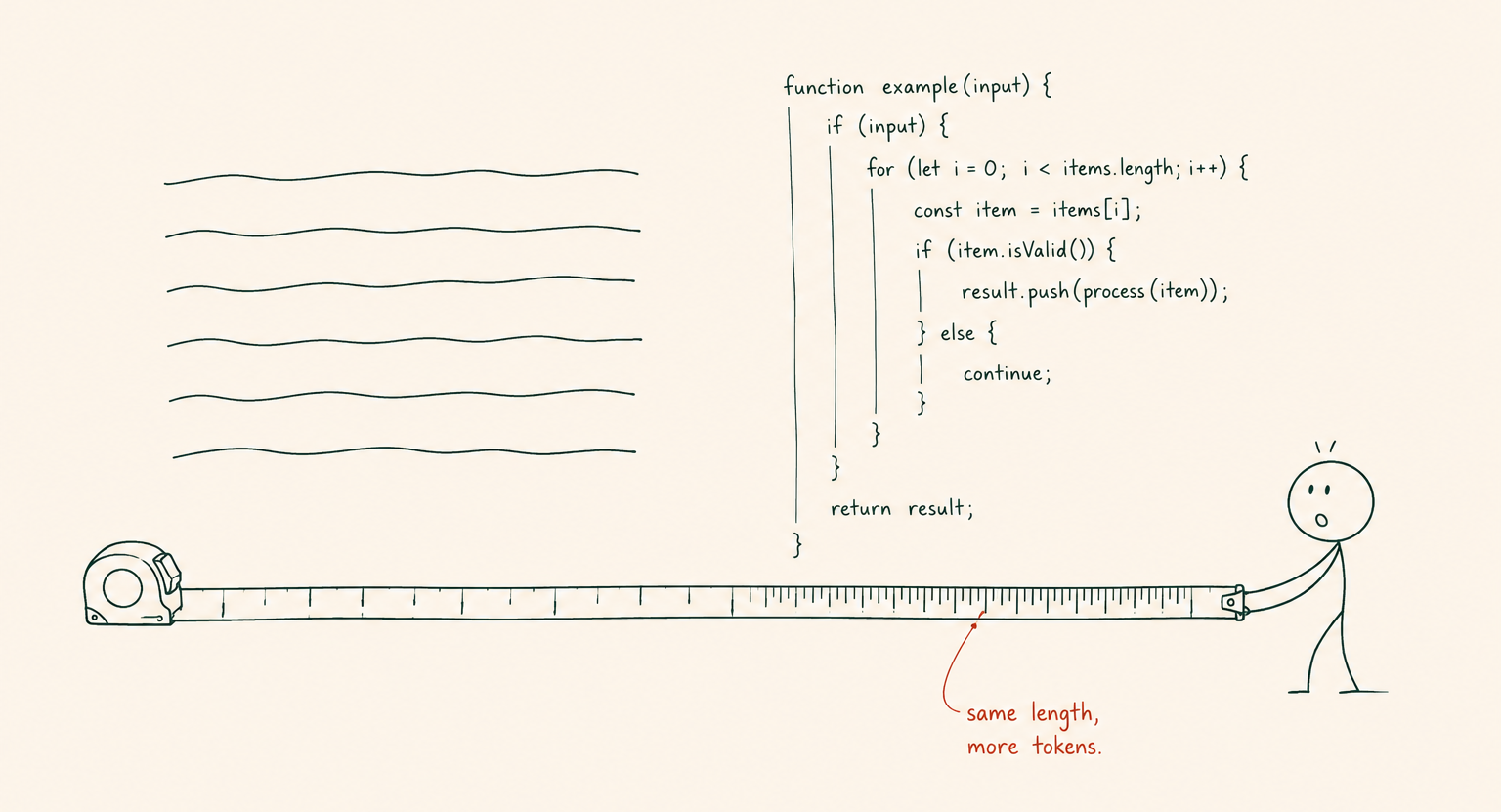
Code costs more tokens than plain English on a per-line basis. Symbols like {}, =>, (), plus indentation and whitespace, all count toward the total. A 50-line component can cost as many tokens as a 200-word paragraph of prose.
Example: Pasting a 300-line utility file to ask about one function isn’t a 300-line question. It’s a 300-line bill, on top of whatever the model generates in response, and that cost repeats on every message afterward until the chat ends or the file scrolls out of context.
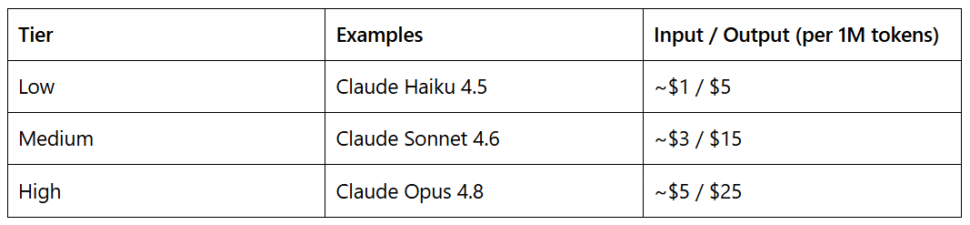
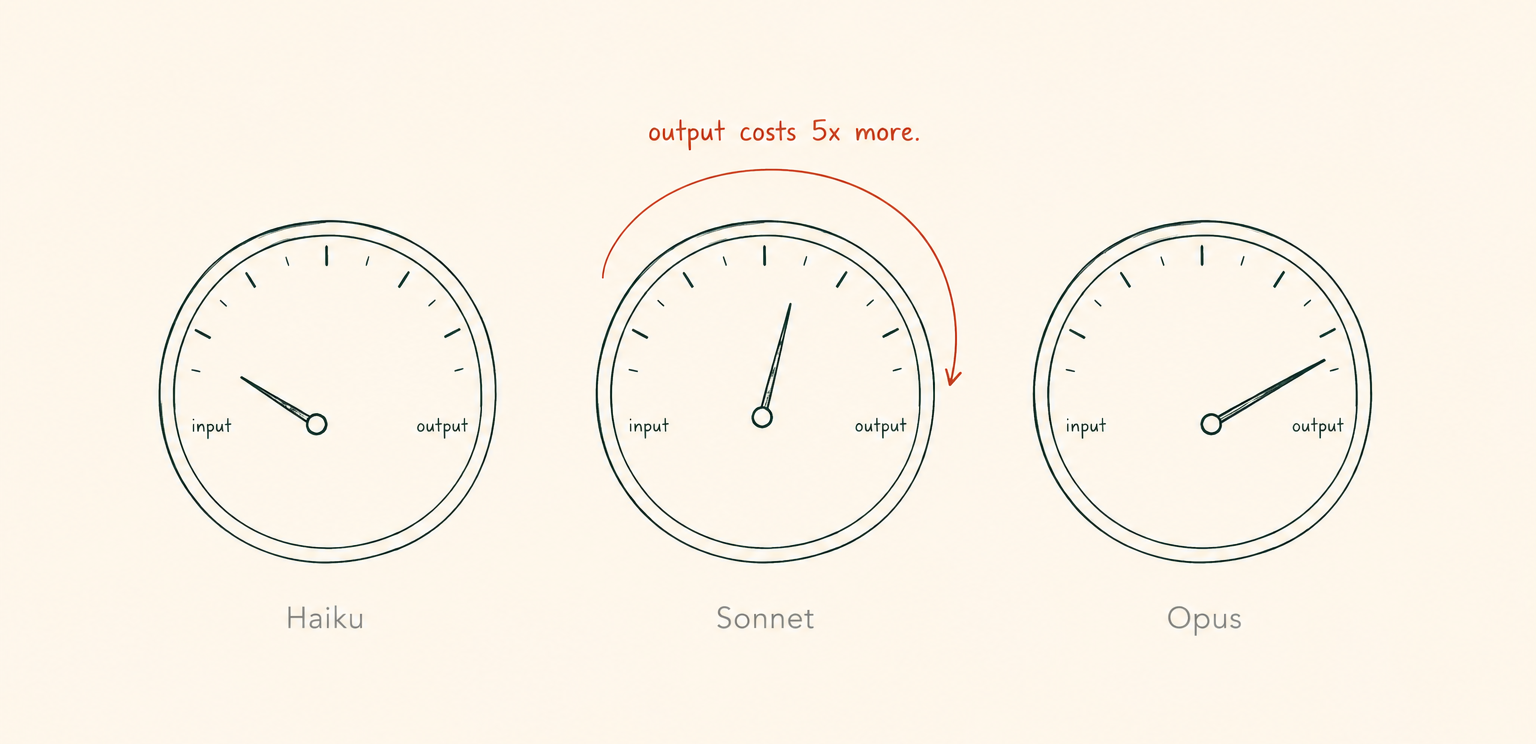
Input and output tokens are billed separately, and output is consistently five times more expensive than input across current Claude models. Cost also scales with model tier:
Cursor works on a monthly API usage budget instead of per-token billing. Higher plans include disproportionately more usage: Pro+ at $60/month includes $70 of API usage, and Ultra at $200/month includes $400. Every request draws from that budget based on tokens consumed. Tab autocomplete and cursor-small are the exceptions, since neither touches the budget.
Roadmap for picking a tier:
The context window is the maximum text, measured in tokens, that a model can hold in memory at once. It includes your messages, the AI’s replies, any shared code, and the system instructions running in the background.
Claude Sonnet 4.6 and Opus 4.8 default to a 200,000-token context window in Cursor, expandable to 1,000,000 tokens in Max Mode at a higher cost per request. GPT-5.5 runs at 400,000+ tokens. Once a conversation exceeds the limit, the model drops the oldest messages and starts forgetting earlier parts of the chat.
Example: A debugging session that starts by pasting a stack trace, then a config file, then three rounds of “try this instead,” can quietly fill the window before lunch. By the time the actual fix lands, the model may have already lost the original error message.
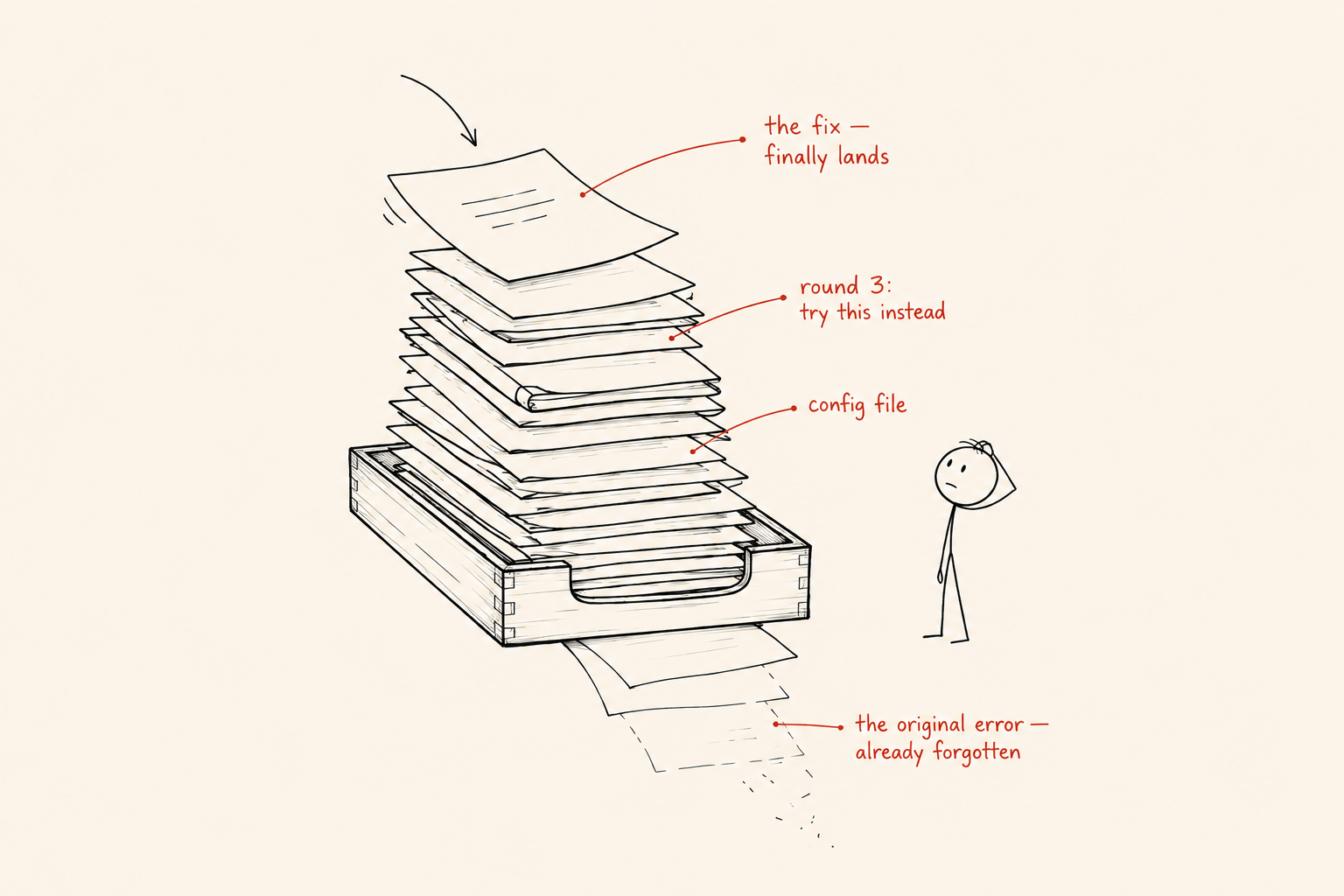
This is the mechanic most people never get told directly. Every time you send a message, the entire conversation history gets re-sent to the model. You’re not only paying for your new question. You’re paying to replay everything that came before it.
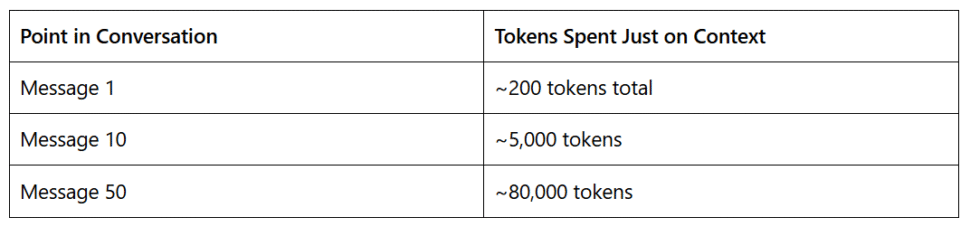
A chat that’s grown to 80,000 tokens spends that much just catching the model up before it reads your new question, and the cost compounds with every message after that. Long-running chats are one of the biggest sources of wasted credits on a team, largely because the cost builds gradually enough that nobody notices until the invoice or the usage cap does.
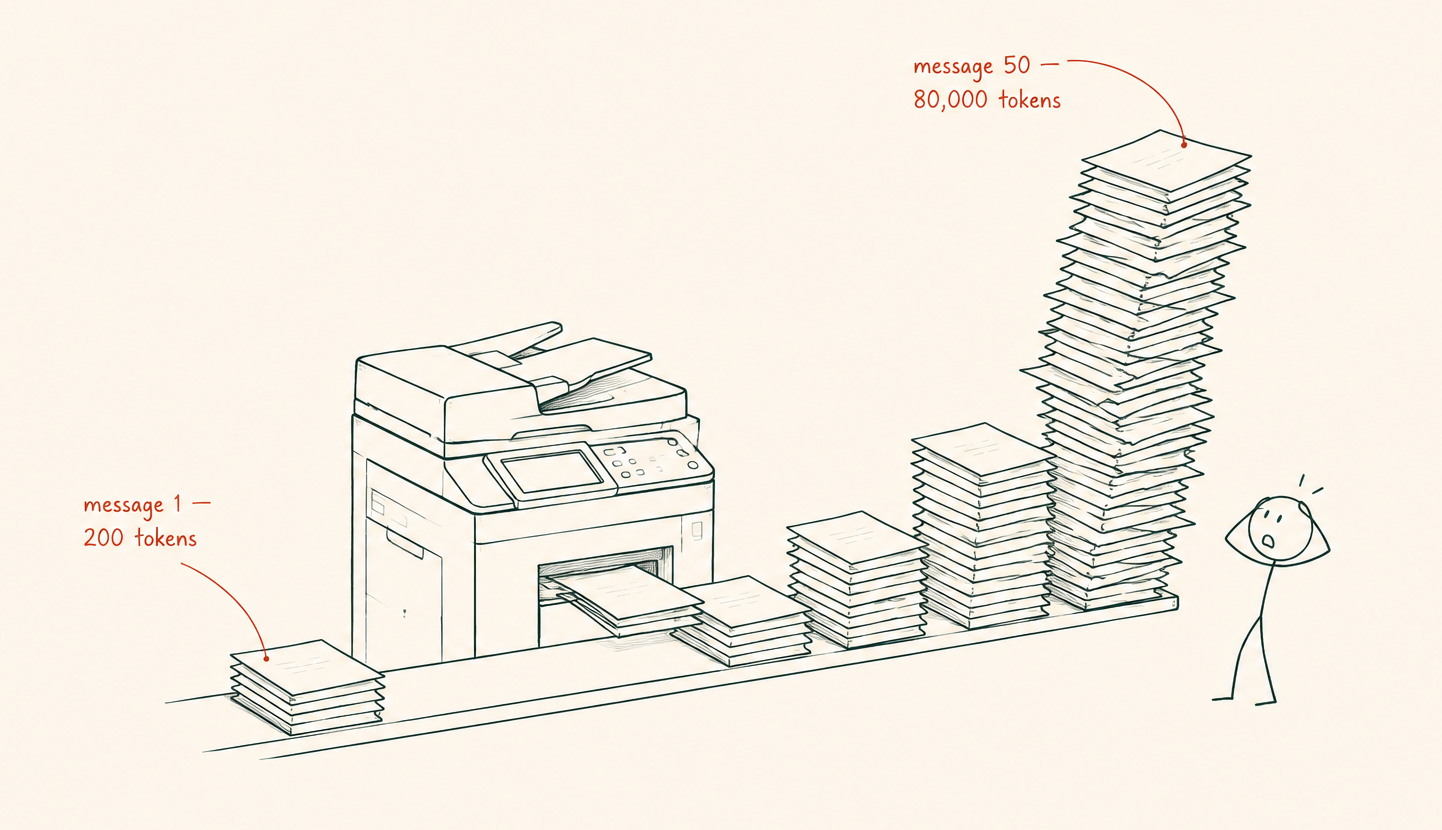
Roadmap for controlling context growth:
Thinking models let you control how hard the model reasons before responding, sometimes called thinking budget or reasoning effort. The harder it reasons, the more internal thinking tokens it generates, and those tokens are billed as output.
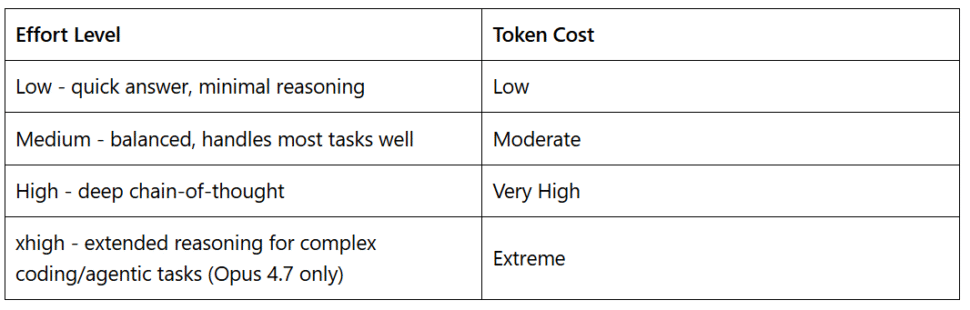
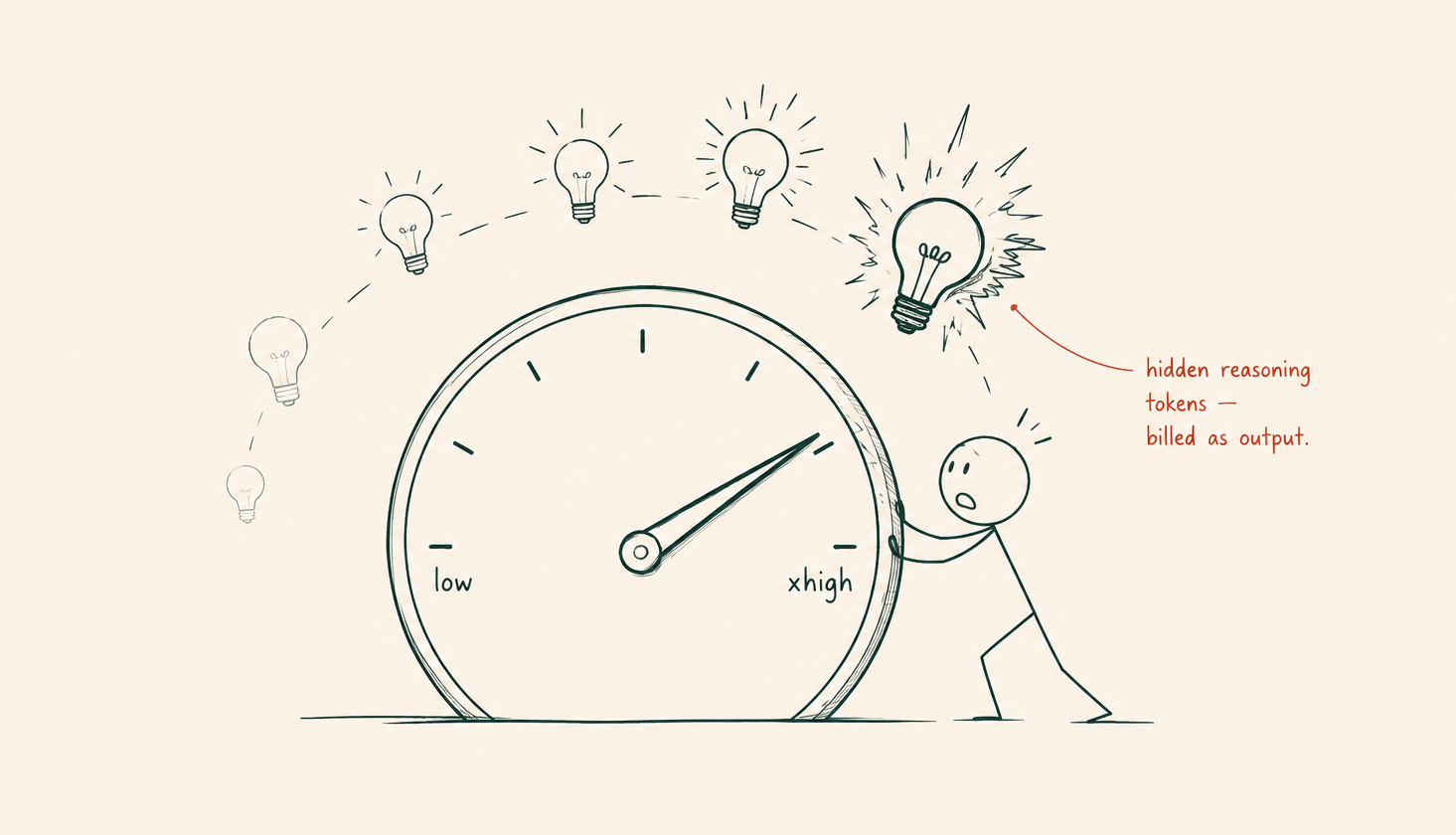
Claude lets you set a token cap on thinking. Opus 4.7 adds a high effort level built specifically for complex coding and agentic workflows. OpenAI’s o-series offers low, medium, and high. Gemini 3.1 Pro has a “Deep Think” mode. Cursor, by default, runs thinking models at full effort regardless of the task in front of them.
Example: Asking a thinking model to rename a variable or add a CSS class still triggers its full reasoning engine unless told otherwise, and every one of those hidden reasoning tokens gets billed the same as visible output. A short instruction fixes it: “Don’t overthink this, just make the change.”
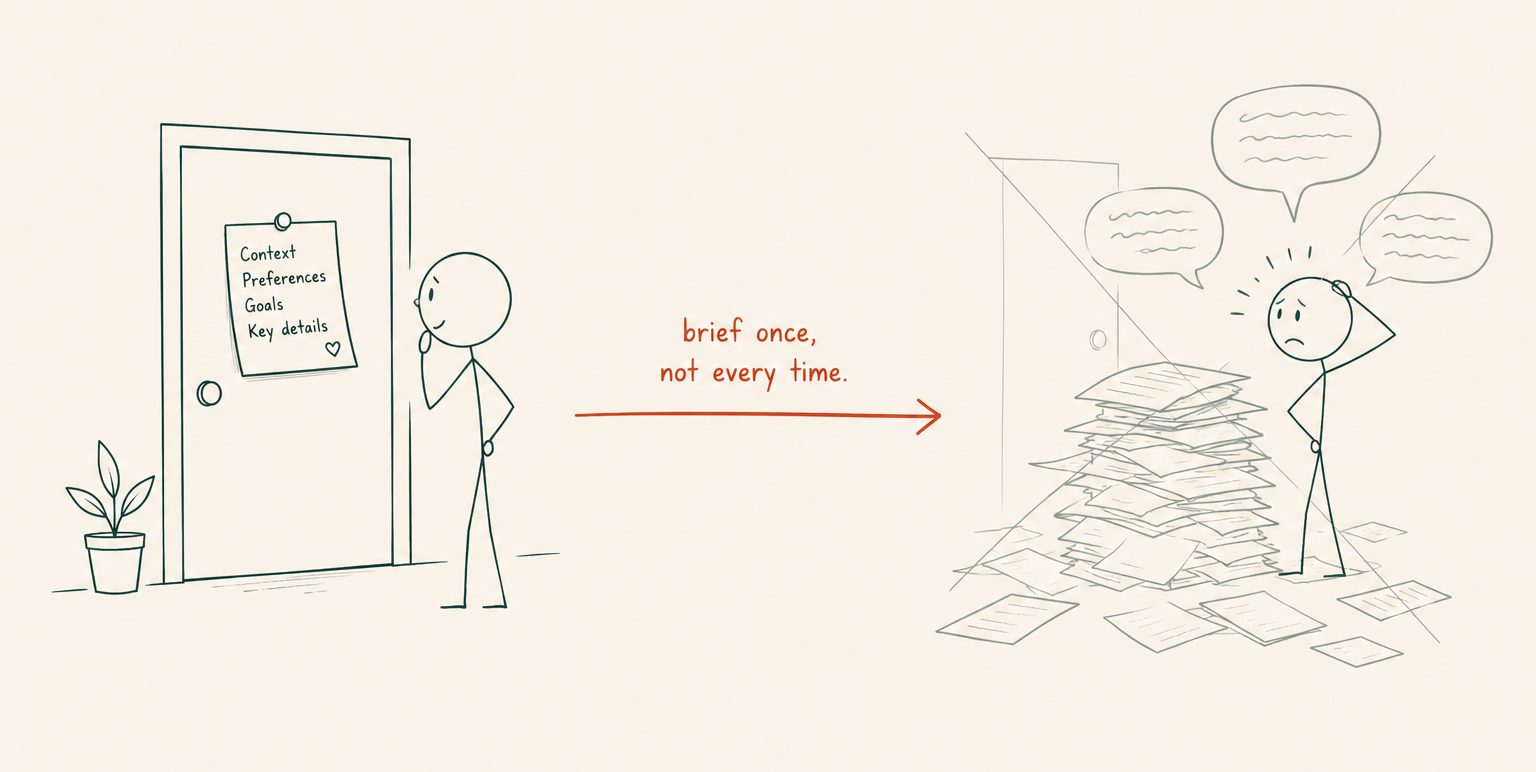
These are project-level instruction files that give the AI persistent context without repeating the same background explanation in every chat. Set them up once, and every new chat starts already briefed.
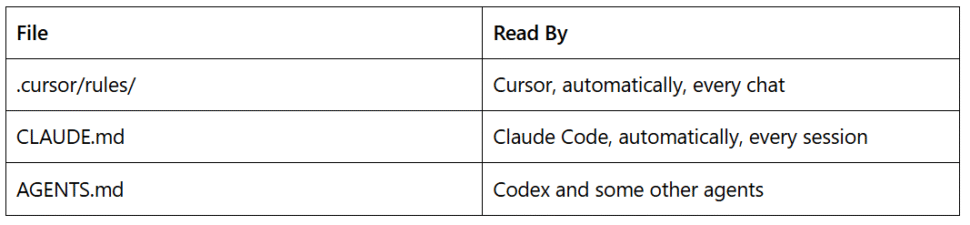
Put your tech stack, folder structure, naming conventions, and current project state here instead of re-explaining it inside a chat. At the end of a work session, one instruction handles the update: “Update CLAUDE.md with what we built today.”
Roadmap for setting this up:
The payoff shows up immediately: fresh chats can start without losing context, and nothing needs to be re-explained from scratch.
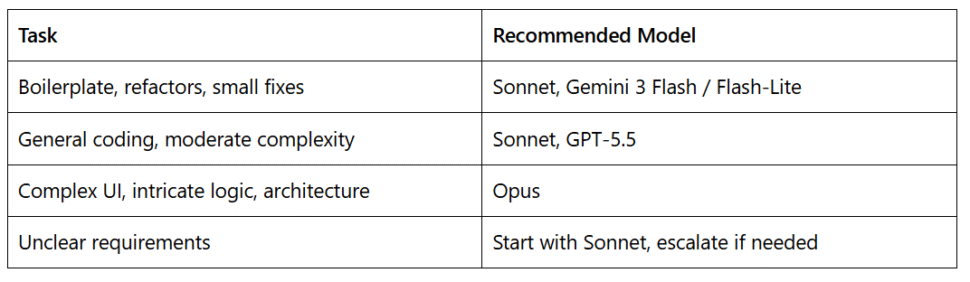
Pro models cost more per token, not more per unit of output produced. Thinking models cost even more on top of that, since reasoning steps are billed as output tokens. Moving from Low tier to High tier is a five-times cost jump per token, so using Opus for something Haiku or Sonnet handles fine wastes up to five times the credits for no real gain.
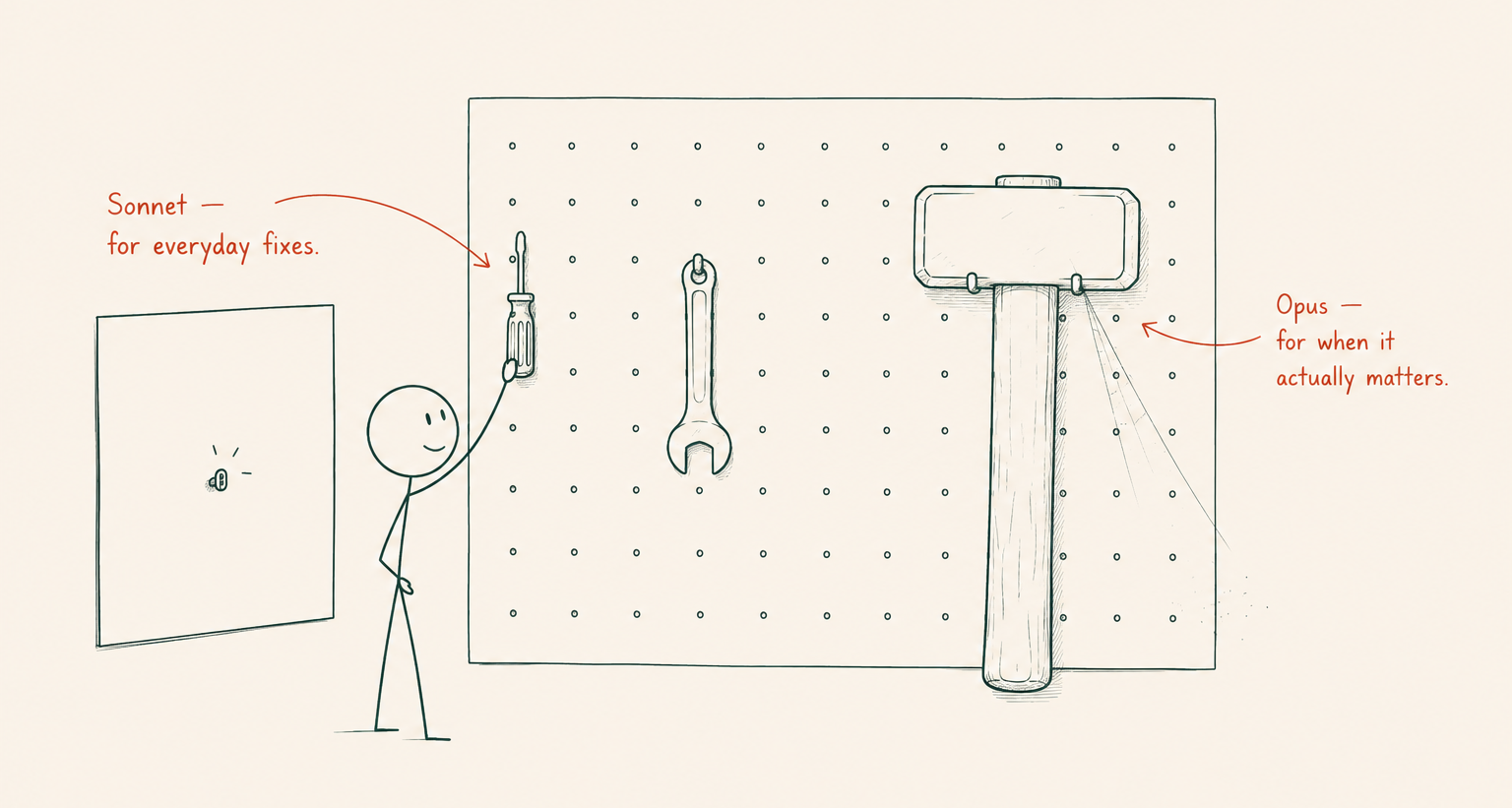
Example: A team fixing typos across ten components in Opus, then switching the same task list to Sonnet, notices no drop in output quality and a meaningful drop in spend. The task never needed the expensive tier in the first place.
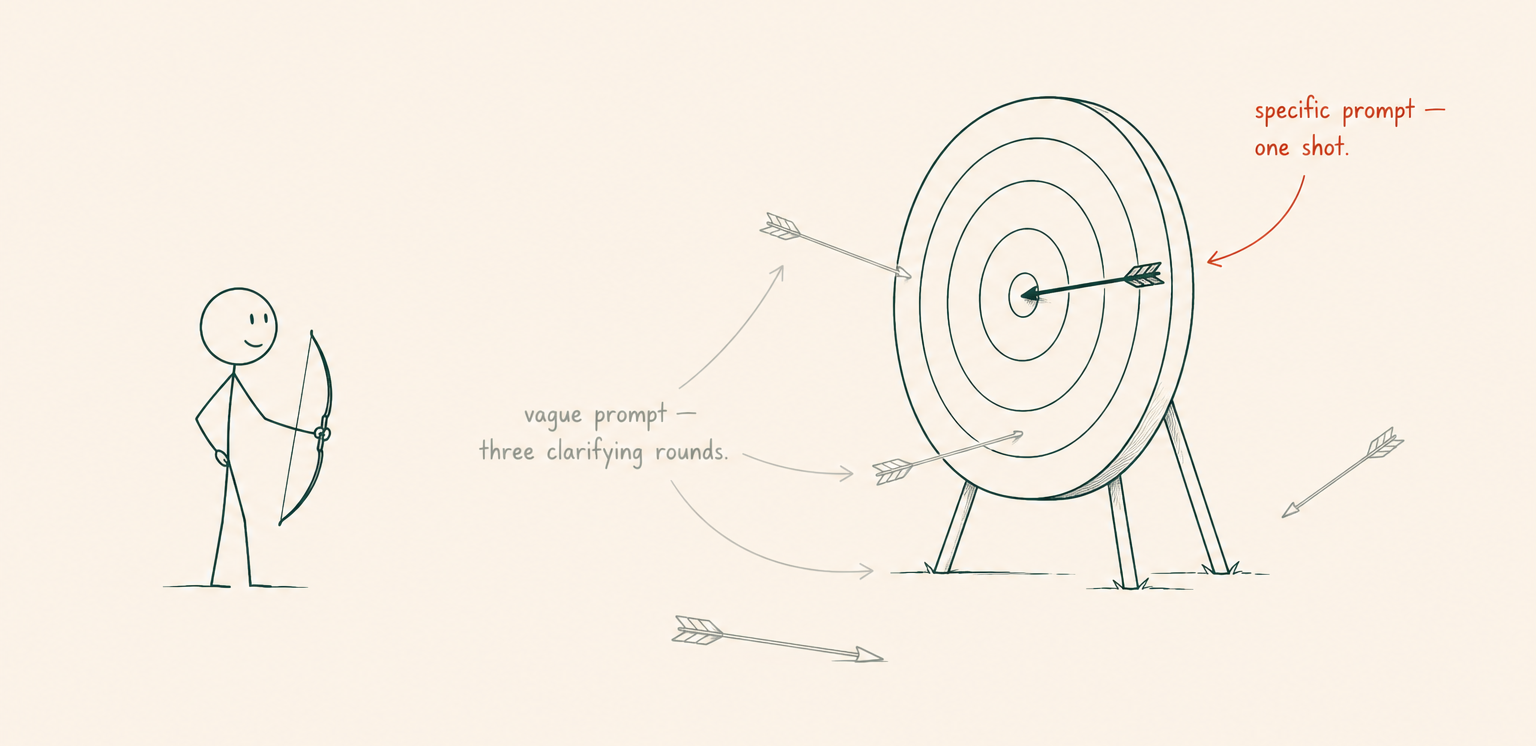
Vague prompts trigger clarification rounds, and each round replays the full context again. That cost adds up fast, especially in a chat that’s already several messages deep.
Instead of writing “Fix the layout bug,” write: “The ProductCard in components/ProductCard.tsx overflows below 375px because max-width isn’t set on the img tag inside the flex wrapper.” One precise message is almost always cheaper than three vague ones, because it skips the back-and-forth entirely.
Roadmap for tightening a prompt before sending it:
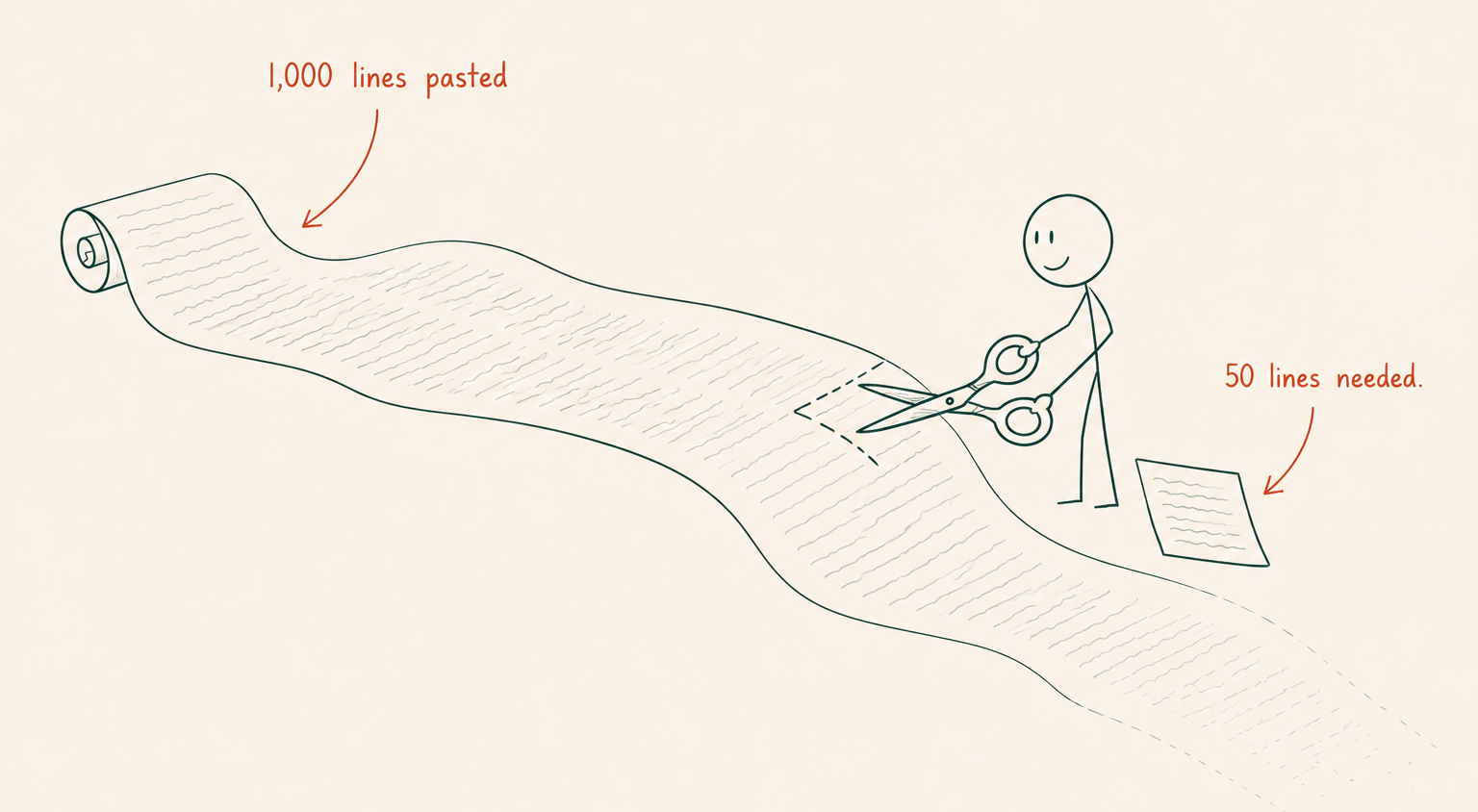
Pasting a 1,000-line file when the AI needs 50 lines quietly inflates the token count on every message that follows, since that pasted content stays in the context window for the rest of the conversation.
A few habits fix this directly:
Example: A 40-line error log gets trimmed to the three lines that actually contain the exception and the failing line number. The model still solves the bug, and the other 37 lines never get billed on every subsequent message.
Watch the context fill indicator in Cursor’s chat panel and treat it as a signal, not a formality:
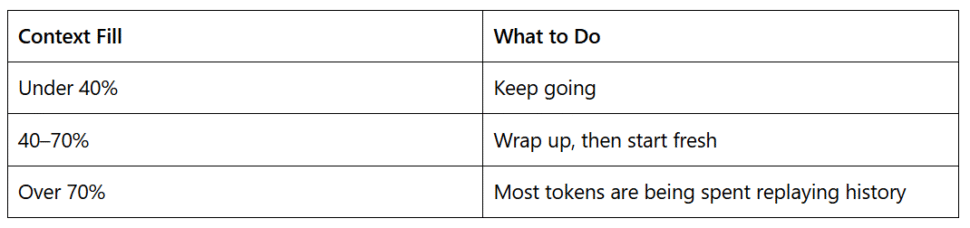
Before starting the new chat, ask the AI to summarize progress and update the CLAUDE.md file. The next session then picks up exactly where the last one left off, without paying to reconstruct the history first.
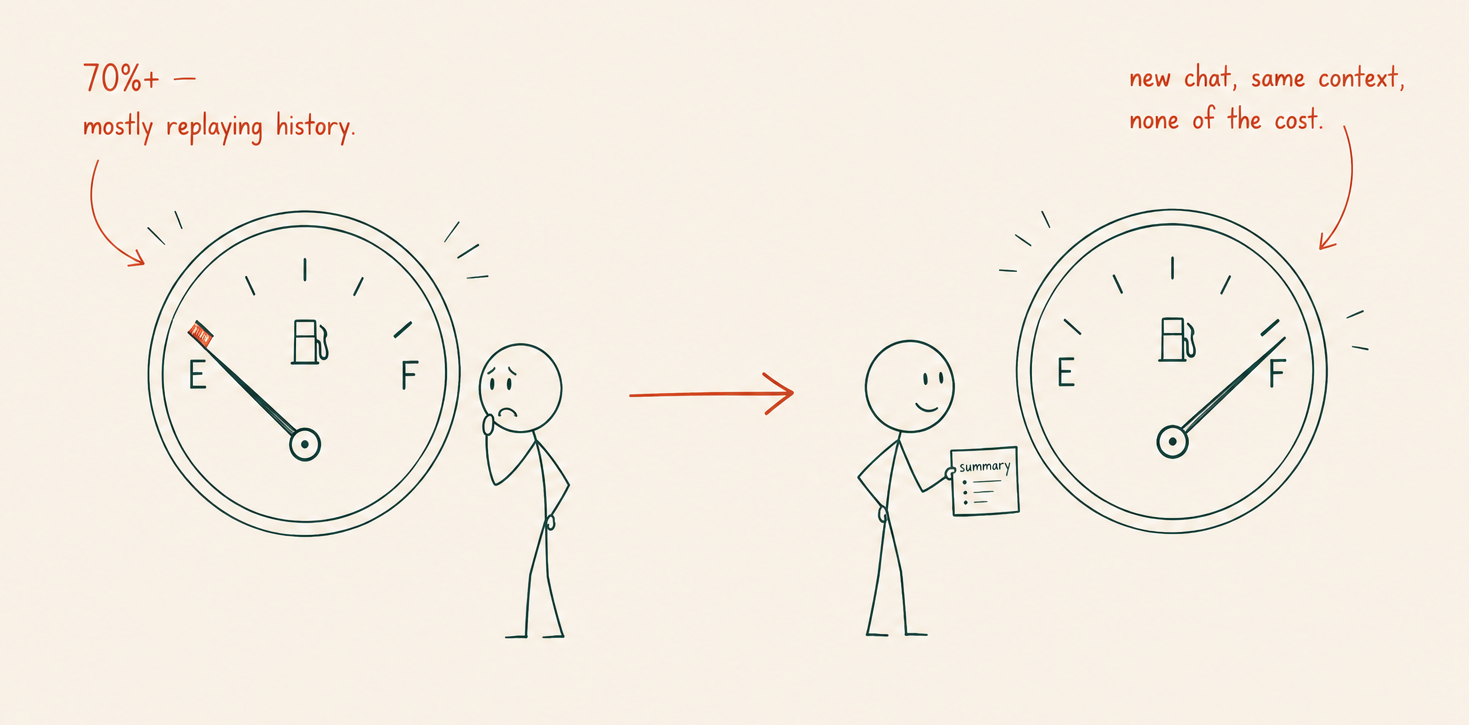
Roadmap for the handoff:
Thinking tokens count toward the bill like any other output. A reasoning model stuck in a loop drains credits quickly, and it can happen quietly if nobody’s watching. Signs to look for: circling back to the same sub-problem repeatedly, spending noticeably long on something that should be simple, or repeating steps without visible progress.
When you spot it, stop the output and give a targeted nudge instead of letting it keep spinning: “You were deciding how to handle the loading state in Dashboard. Assume data is always available on mount, and continue from there.” Redirecting the model at that point saves far more tokens than letting the loop run its course.
Beyond the daily basics, a few structural choices compound savings over weeks rather than single sessions.
Route work by complexity, not by habit. Defaulting to whichever model was last open is common and expensive. Building a quick mental checklist before opening a chat, routine task versus genuinely hard problem, saves more over a month than any single prompting trick.
Treat rate limit windows as a resource to plan around, not a wall to hit. Claude Code’s usage resets on a rolling window rather than a fixed daily reset. Spreading heavy sessions across the day instead of compressing them into one long stretch reduces the odds of getting locked out mid-task.
Be deliberate about tool connections. Every connected tool or integration that loads its definitions into context adds a fixed cost to every message, whether or not that tool gets used in the conversation. Disconnecting what isn’t actively needed for the current task keeps that overhead out of the bill.
Keep static project context stable within a session. Changing CLAUDE.md, adding new files, or toggling integrations mid-conversation forces the model to reprocess more than it would otherwise need to. Settling on the project setup before starting work, rather than adjusting it mid-stream, keeps sessions leaner.
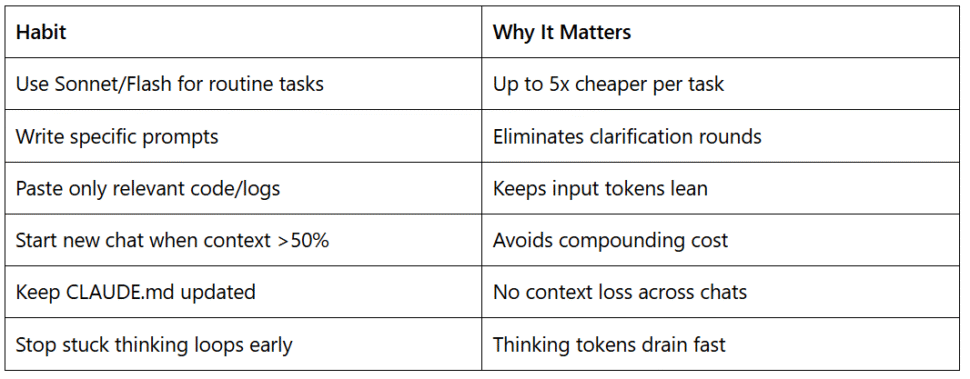
For most of the day, Sonnet or Gemini 3 Flash at medium effort covers daily coding, planning, easy-to-medium functions, debugging, and refactoring.
Switch to Opus when it genuinely matters: complex UI work involving Figma MCP or screenshots, hard debugging, complex logic, architecture decisions, or anything where a wrong answer means significant rework.
Sonnet at medium effort handles the bulk of daily dev work without issue. Save Opus for the smaller slice of tasks where the extra reasoning actually changes the outcome.
No. Once a message has been sent and processed, its cost is already billed. Deleting it from the visible chat doesn’t retroactively refund tokens. The only way to stop paying for old context is to start a new conversation.
Several shorter, focused chats are almost always cheaper. A single long chat replays its full history on every message, so the cost per turn keeps climbing. Splitting work by feature or task keeps each conversation’s replay cost low.
No, switching models inside the same chat keeps the existing history intact and still re-sends it on the next message. If the goal is a genuinely lighter context, start a new chat rather than swapping models in place.
Not automatically. Extra reasoning helps on genuinely complex problems, but on simple edits it mostly adds cost without changing the output. Matching effort level to task difficulty gets better results than defaulting to maximum reasoning every time.
Yes, indirectly. It reduces how much needs to be typed and re-explained in chat, and shorter chats mean less replayed history per message. The savings come from fewer, tighter conversations rather than the file itself being cheap to read.
Rate limits are usually hit from cumulative context replay, not from any single large request. A chat that’s grown long, combined with a reasoning model running at high effort, can burn through a usage window faster than the raw amount of work would suggest.
Input tokens cover what you send: prompts, pasted code, and the replayed conversation history. Output tokens cover what the model generates, including any hidden reasoning tokens from a thinking model. Output is billed at a higher rate than input, so long or heavily reasoned responses cost more than the prompt that triggered them.
Sonnet is built for daily coding work: refactors, feature additions, moderate debugging. Opus is suited to tasks where the complexity or the cost of a wrong answer justifies the higher token price, such as architecture decisions or intricate logic. Defaulting to Opus for routine work spends more without a matching gain in output quality.
There’s no fixed number that fits every workflow, but watching the context fill percentage works better than watching the clock. Once a chat crosses roughly 40 to 50% of its context window, wrapping up and starting fresh keeps the replay cost from compounding further.
Yes, especially over a multi-message conversation. A large file pasted early in a chat stays in the context window and gets re-sent on every subsequent message until the chat ends. A 500-line paste isn’t a one-time cost; it’s a cost that repeats for as long as the conversation continues.