AI Agent vs Chatbot: What’s the Difference for Your Store?
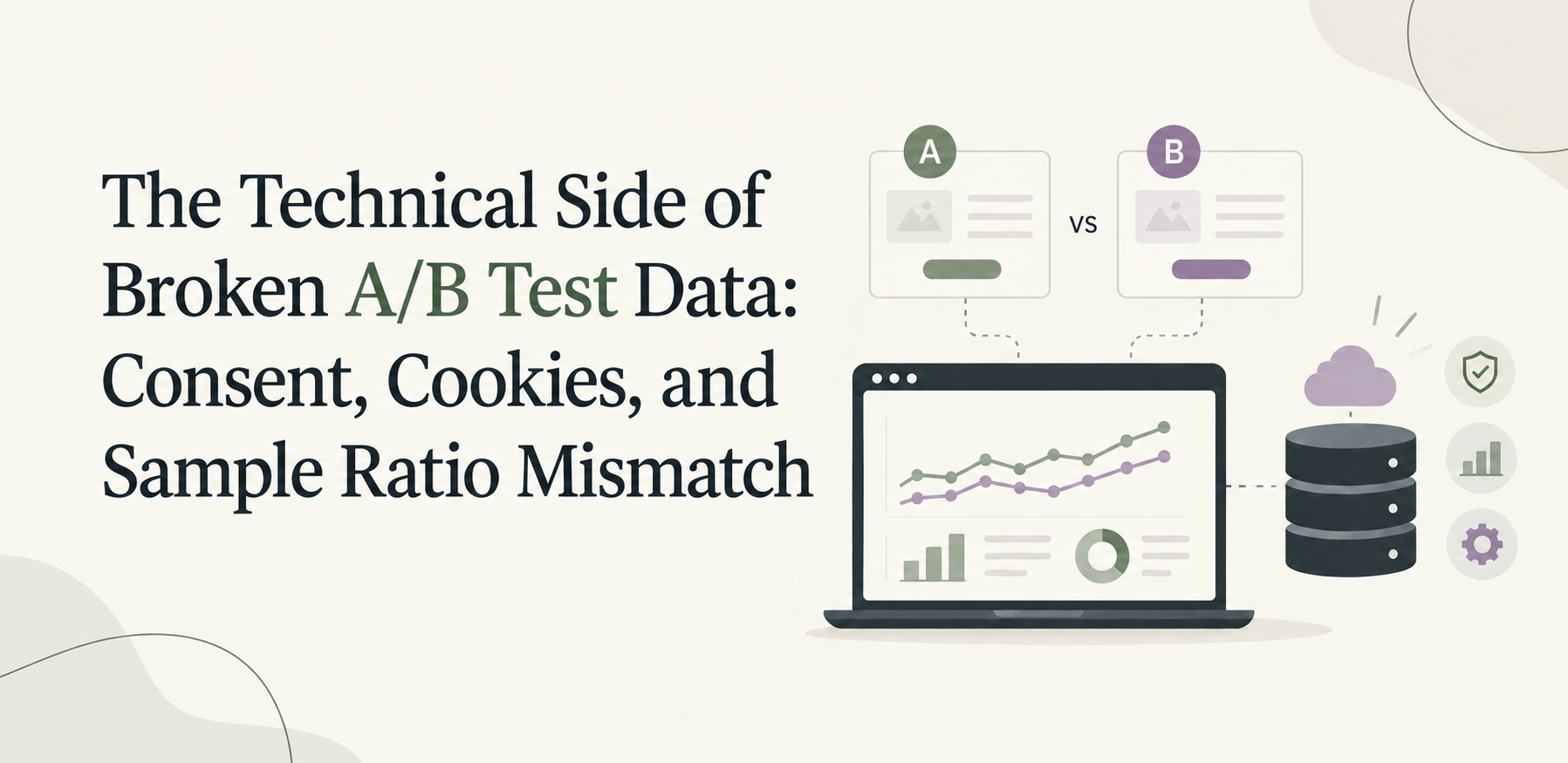
Why your A/B tests keep failing usually comes down to the analytics infrastructure underneath them. Inconsistent event tagging. A data layer different tools read differently. Dashboards that disagree with each other. That’s the diagnosis. This piece covers the mechanism: the specific, technical reasons a data layer breaks, and how each one shows up in a real test result.

Three causes do most of the damage: consent banners that silently drop identifiers, cookies that expire mid-test, and event tracking gaps that corrupt the traffic split itself. Each one is checkable before a test launches.
When a visitor declines a cookie consent banner, most sites still send something to Google, a cookieless ping. Google’s own documentation confirms what that ping actually contains: no persistent identifier, just a random number that regenerates on every single page load.
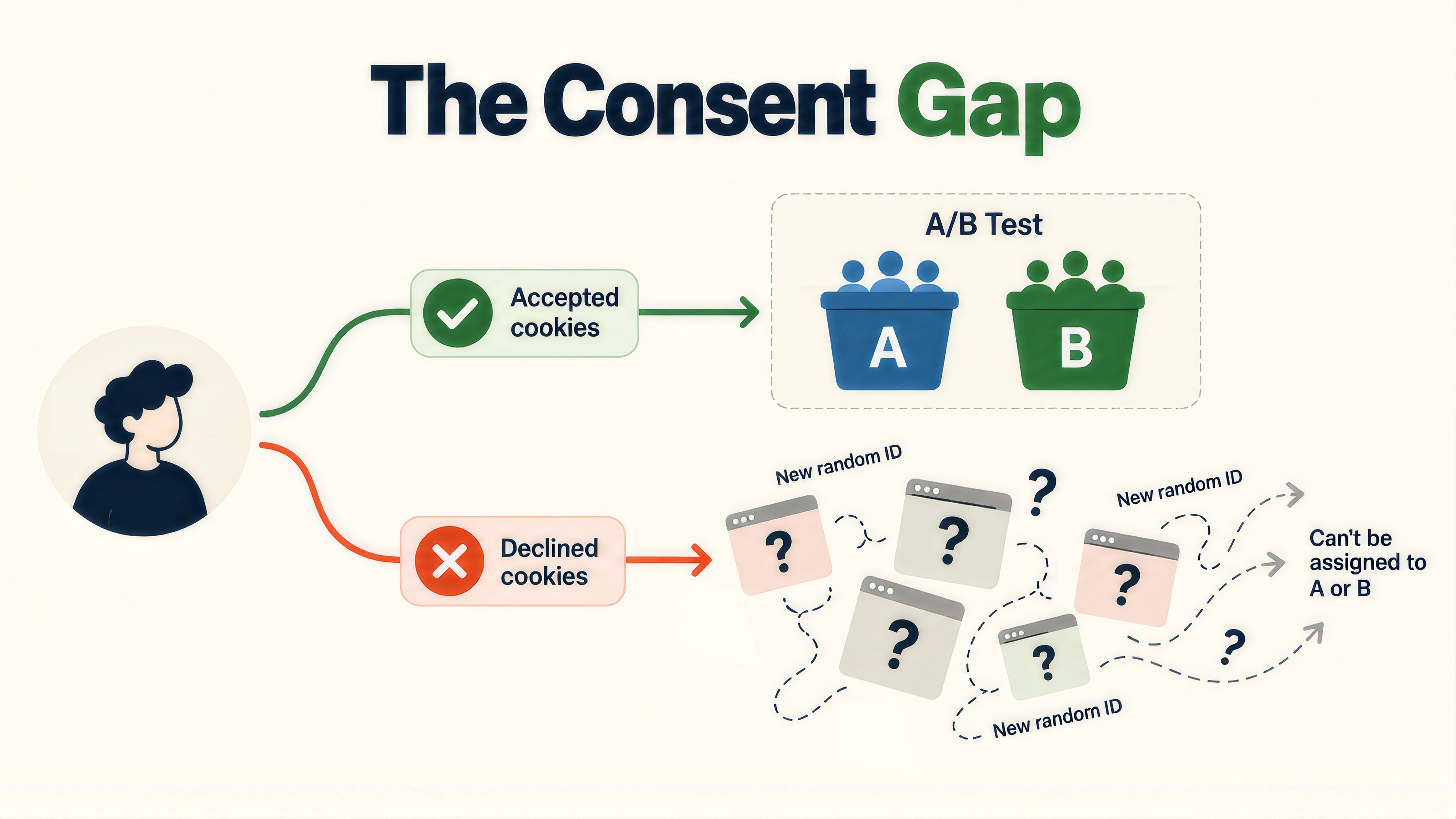
A marketing dashboard can absorb that gap and still show a usable trend. A test can’t. Without a persistent ID, a testing tool has no reliable way to keep a rejecting visitor in the same variant across their session. Their behavior still gets recorded. It just can’t be trusted to represent a clean A or B group. That’s not a smaller sample. It’s a contaminated one, and it won’t show up as an obvious error anywhere in the dashboard.
Test the experience as a visitor who declines consent, and confirm how the testing tool handles that traffic specifically, not just whether overall page views still look normal. If the platform can’t bucket a rejecting visitor consistently, decide upfront whether to exclude that traffic from analysis or accept the noise, rather than discovering it after the test ends.

Apple’s WebKit team, which builds Safari, documents this plainly: any cookie set by JavaScript gets capped at seven days if the visitor doesn’t return within that window. After that, the cookie resets entirely.
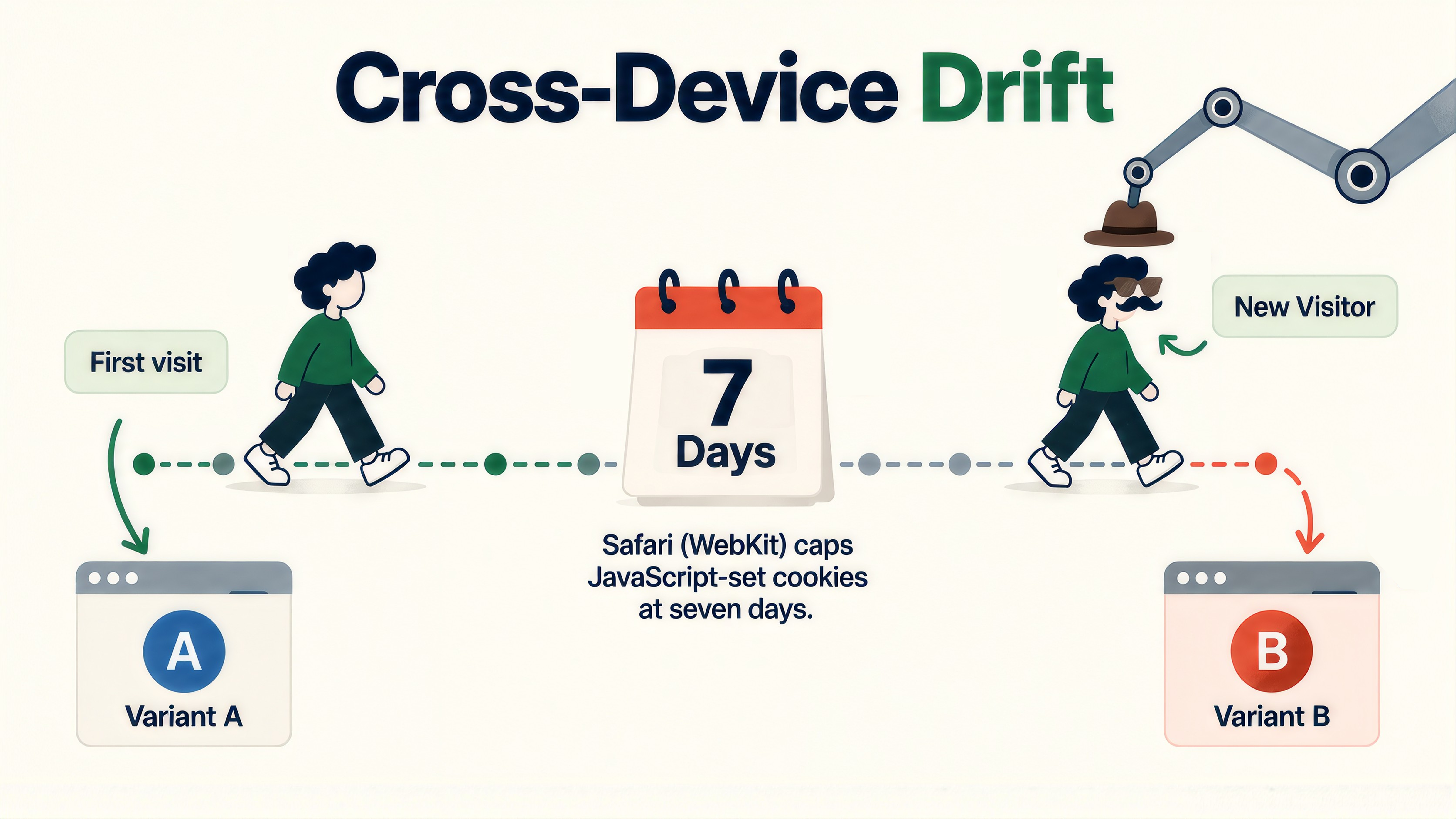
Most standard GA4 and testing-tool cookies get set this way, through JavaScript. For a test running longer than a week, which most tests do, a Safari visitor who returns after a gap looks brand new to the system. They can get re-bucketed into a different variant than their first visit. Their exposure count and their behavior no longer line up with a single, consistent group, and this happens silently, with no error thrown anywhere.
For any test with a realistic multi-day consideration window, move to server-set cookies or a server-side tracking layer. WebKit’s own documentation confirms the seven-day cap applies specifically to JavaScript-set cookies, not to cookies set by the server, which is exactly the gap a server-side setup closes.
Uneven sample sizes between variants is a symptom most teams notice eventually. What causes it has a name: Sample Ratio Mismatch, or SRM, and it’s checkable before it ever shows up as a symptom in the data.
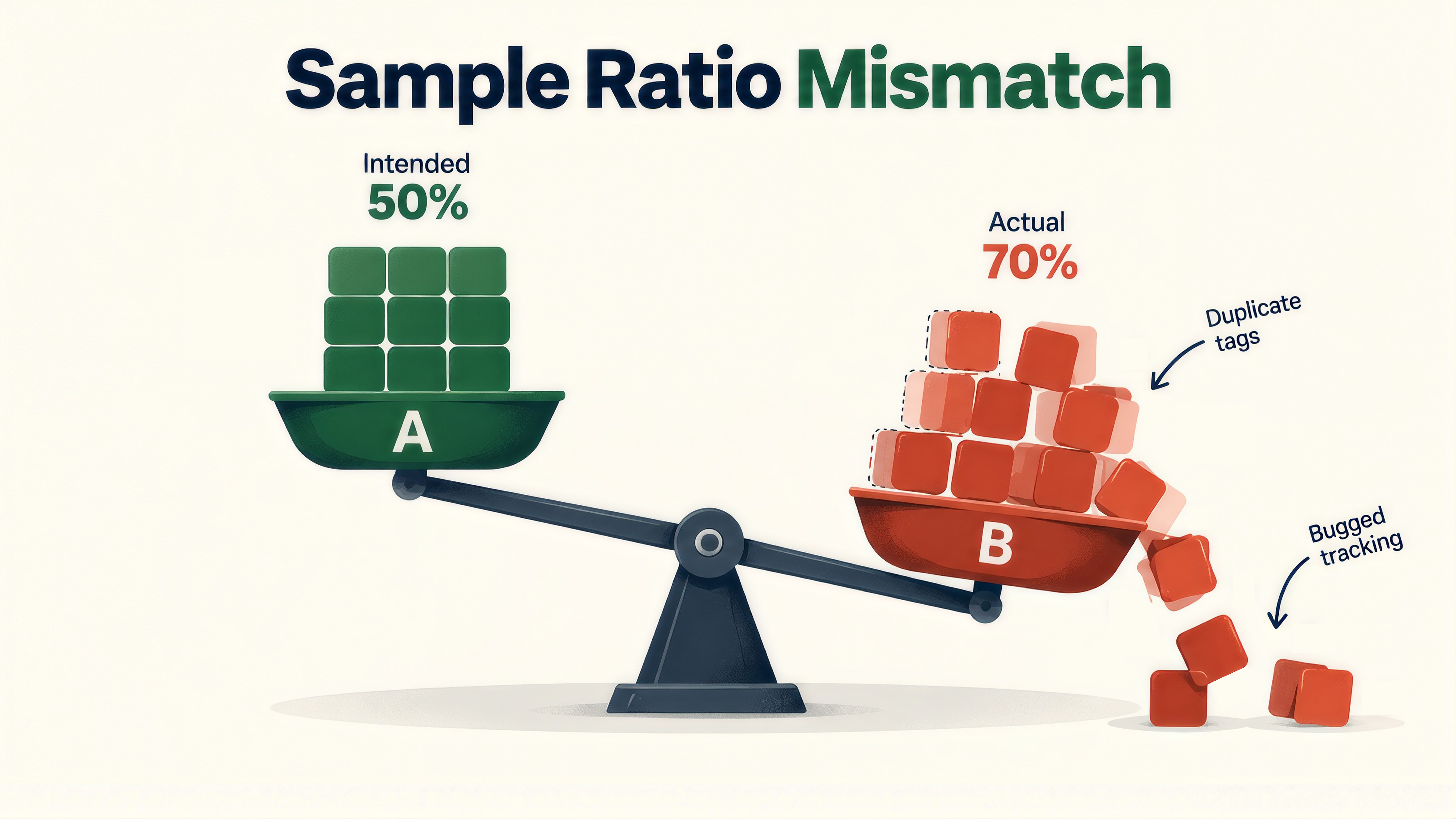
SRM happens when an intended traffic split, 50/50, for example, isn’t actually 50/50 in practice. Duplicate tags, double-firing events, and eligibility drift in the underlying tracking are common root causes. Real cases confirm how easy this is to miss. Microsoft’s experimentation team has documented SRM as a signal of serious data quality issues that invalidate experiment results outright. DoorDash identified a case where low-intent users dropped disproportionately out of one group following an unrelated bug fix, skewing the split and producing a phantom win that wasn’t real.
Run an SRM check at the QA gate, before anyone looks at conversion data, the same gate covered in the A/B test development process. If the check fails, treat it as a tracking-layer problem first. Audit the tags actually firing on the page before touching the experiment platform’s configuration.

Inconsistent add-to-cart tracking gets mentioned often as a general tagging problem. For a transactional site, it’s more specific than that, and it has a specific fix.
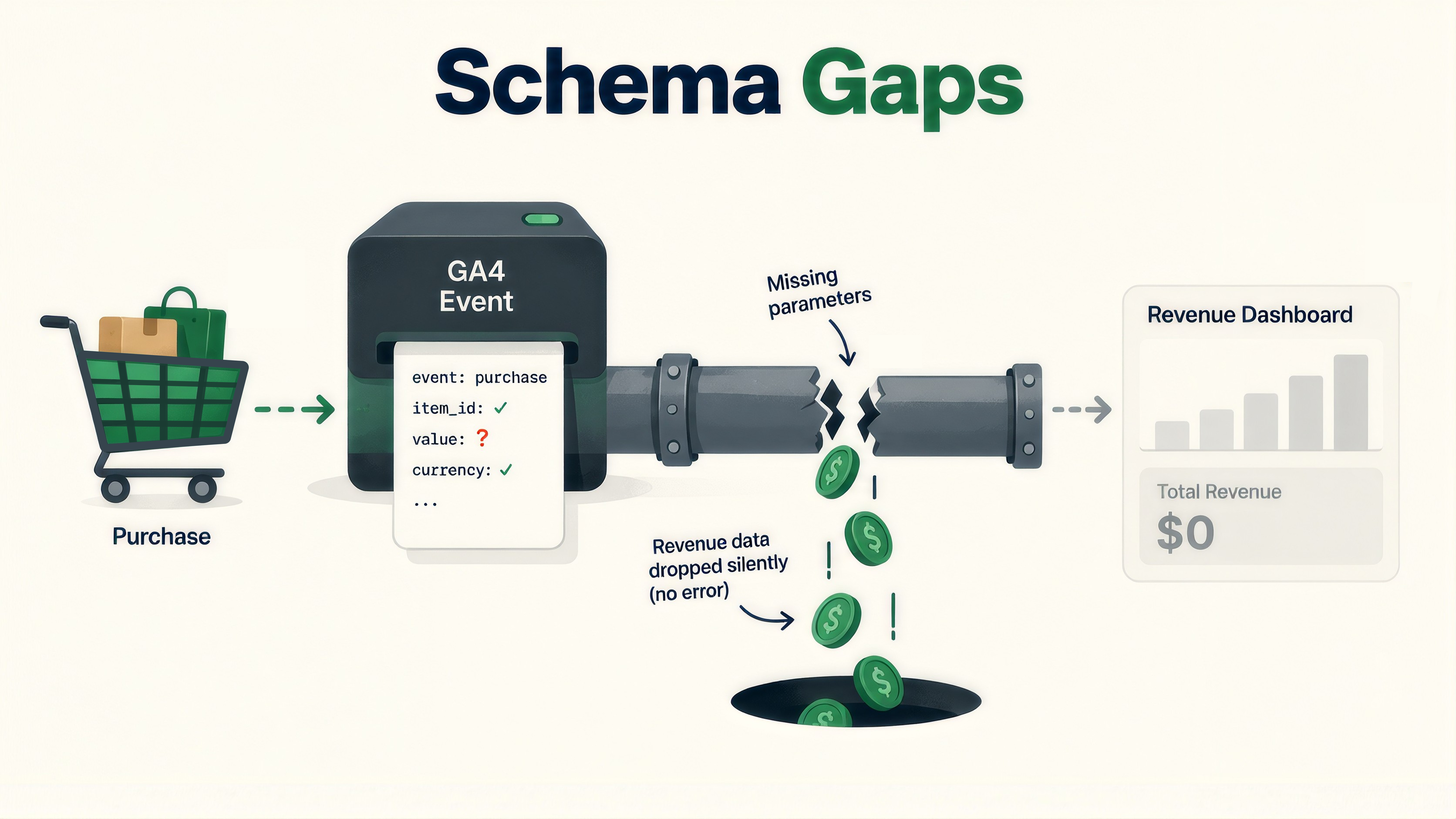
GA4’s ecommerce events, add_to_cart, begin_checkout, purchase, each require an exact parameter schema. A missing or mismatched parameter doesn’t throw an error. It just drops that event’s value out of the revenue number a test result gets judged on. A test can show a conversion lift and still be measured against silently incomplete revenue data underneath it.
Validate ecommerce event parameters specifically, not just whether the events fire, as a standard part of pre-test QA on any product, cart, or checkout page. A firing event and a correctly structured event are not the same check, and only one of them gets caught by watching the network tab for activity.
None of these four mechanisms get caught by a general instruction to “check your tracking.” Each one needs its own specific test, run before a test launches, not discovered after the results stop making sense:
OptiPhoenix builds these specific checks into every test’s QA gate, alongside the broader infrastructure audit, so a test’s result can actually be trusted before it ships. Talk to our team about your analytics setup.
No. A cookieless ping still sends data to Google, but without a persistent identifier, just a random number that regenerates on every page load. For a test specifically, that means a rejecting visitor’s behavior gets recorded but can’t be reliably tied to one consistent variant.
Safari caps any cookie set by JavaScript at seven days of inactivity, per WebKit’s own documentation. Most standard testing-tool cookies are set this way. A returning visitor after a week-plus gap can get treated as new and re bucketed into a different variant than their first visit.
SRM specifically refers to the intended traffic split not matching the actual split, usually caused by a bucketing bug, a duplicate tag, or an eligibility gap in the tracking. A bad sample can still have a correct split and be too small or biased in other ways. SRM is a data integrity problem, not a sample size problem.
Most published guidance on this topic assumes a lead-gen site, forms and demo bookings, not transactional sites. Ecommerce events like purchase and add_to_cart need exact parameter structures, and a missing parameter silently drops data without throwing a visible error.
The consent and SRM checks belong on every test, since both can happen regardless of test length or page type. The cookie-drift check matters most for anything running longer than a week. The ecommerce schema check applies specifically to tests on product, cart, or checkout pages.