AI Agent vs Chatbot: What’s the Difference for Your Store?
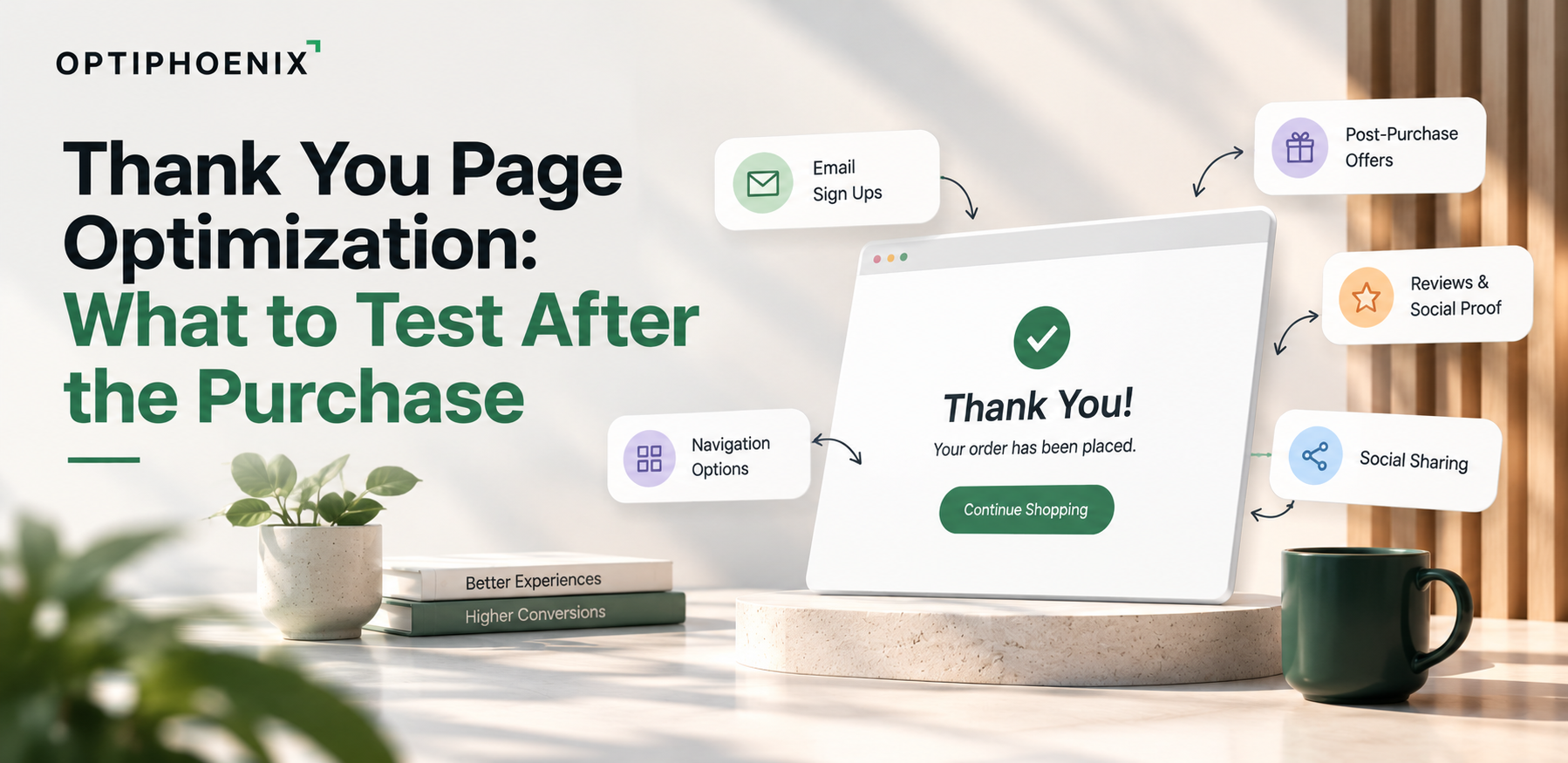
Thank you page optimization hardly reaches the top of a testing backlog and that is understandable. Your team has to spend months getting shoppers from the product page to the cart and then through the checkout process but once an order has been placed, the following page is generally the one that comes with the platform and at that stage it’s easy to consider that the job is done.
When people make a payment they immediately see this page. A well-designed test in this situation can show you how individuals behave after they have decided to buy. This article discusses the changes you can make. It also explains how we would carry out the first test without bothering someone who has just paid. Our focus is on Shopify since the documentation for it clearly states what the page permits.

Shopify offers three post-checkout pages and people often confuse them. Shopify’s documentation describes the post-purchase page as a separate extension type. The Thank you page and the Order status page belong to a different type of checkout UI extension. Both are available on every plan except Shopify Starter, so most stores can build extensions for them.
Take this difference into account before you write any hypothesis. Each page needs its own build. On the Thank you page, Shopify’s block targets also let merchants reposition an extension in the checkout and accounts editor. That helps when you want to experiment with placement.
Shopify’s documentation is clear on one limit. Write access isn’t available on Thank you page targets, because the order is already complete. The page can display content, ask a question or point someone to the next step. It can’t alter what they bought.
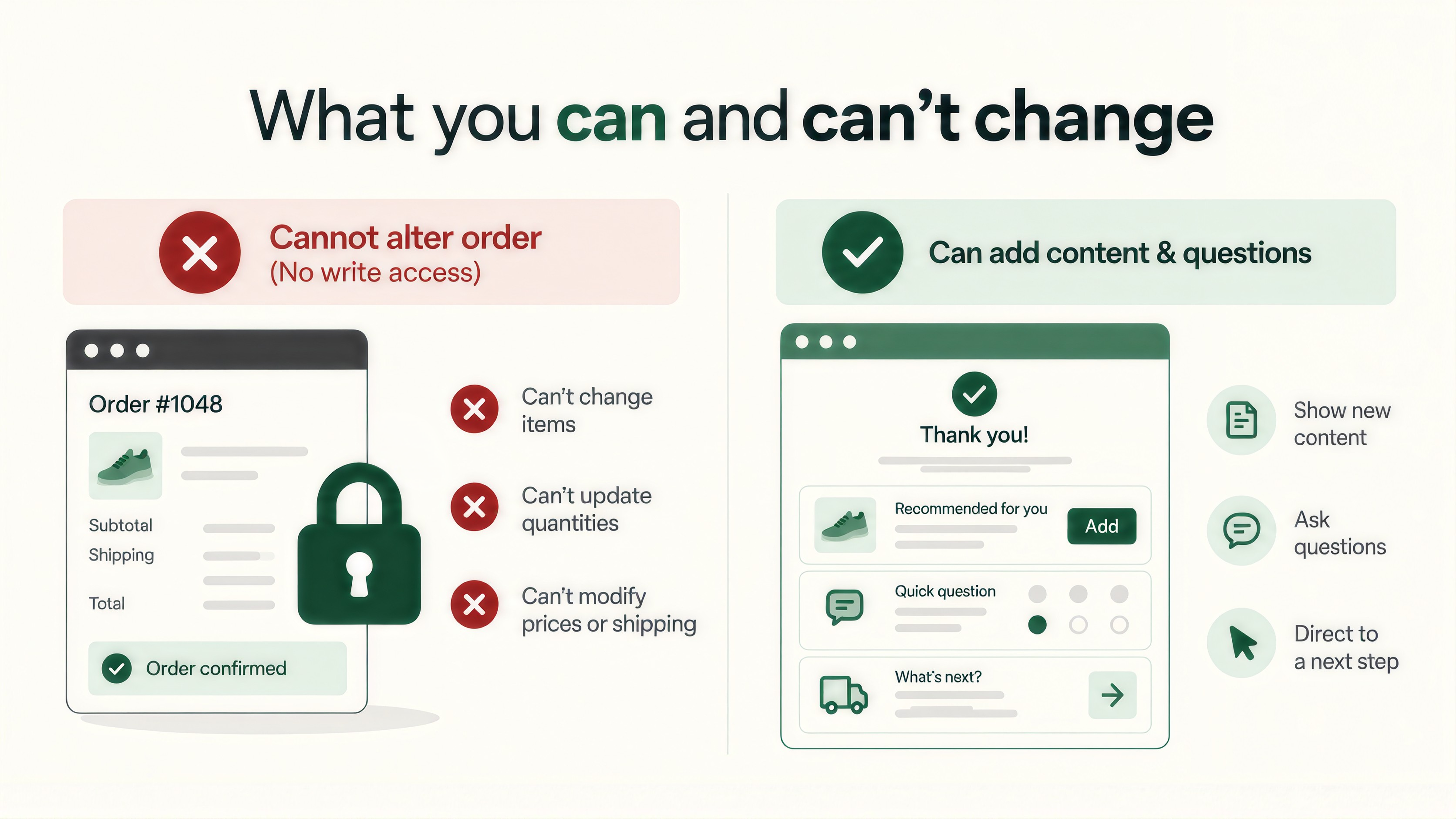
That boundary is useful because it shortens your list of tests. Anything that has to change the order is out of scope.
The documentation makes one further point. Shopify’s example survey uses its Storage API to track whether someone already submitted the survey. This reminds us that the same person might open the page more than once. So decide what they should see on a second visit.

Consider the emotions of a buyer in the first few seconds after making the payment, they want to confirm that their order has been processed and they would also like to know when it will arrive, all the other information on the page takes away from that need.
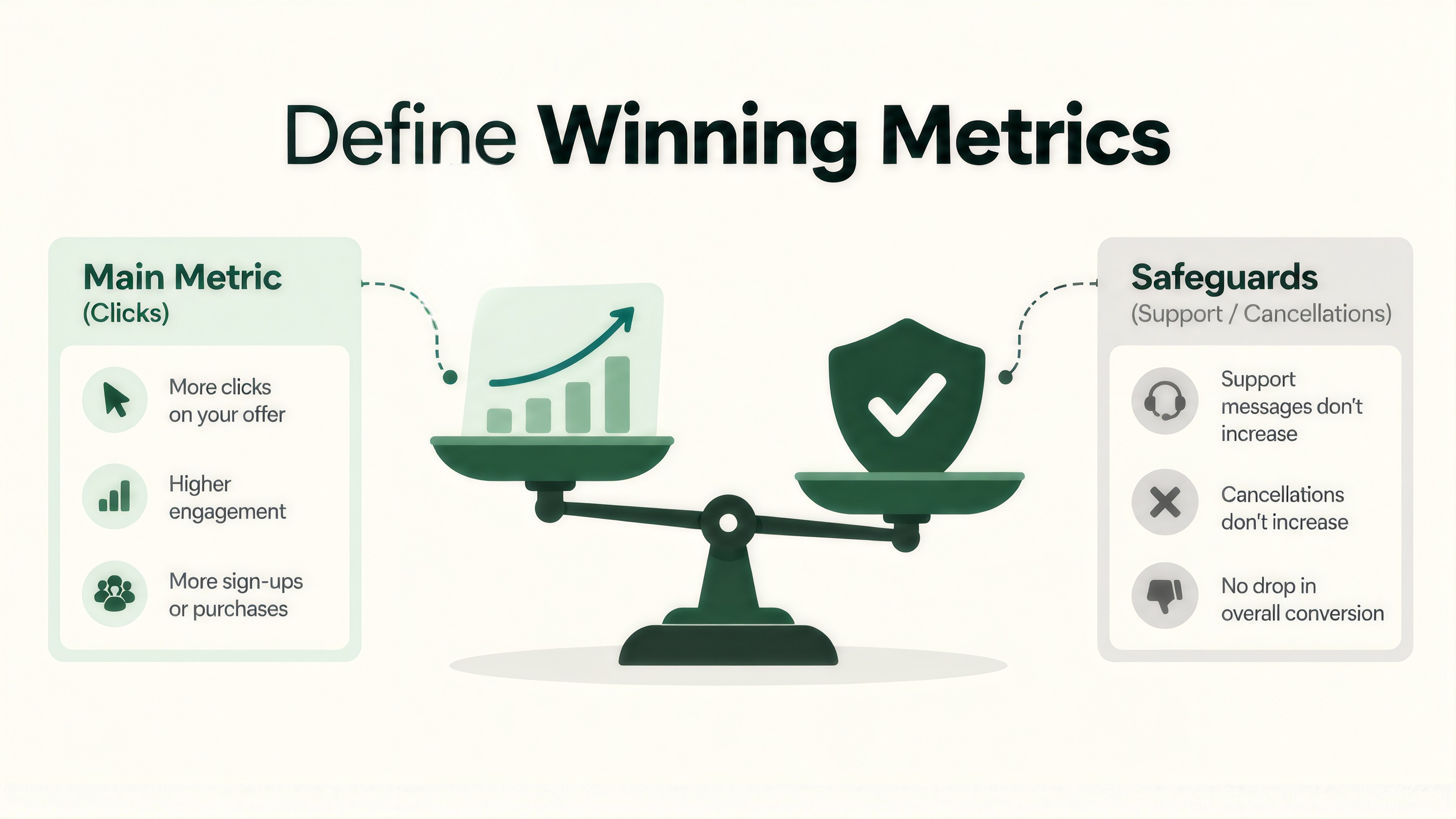
The test in this case shouldn’t be assessed merely on the extra click. We would select one main metric, for instance clicks on the new element or second purchases and note it down before launching. We would also introduce a number of safeguards, such as messages for support regarding orders and cancellations. If the primary metric increases but a safeguard is getting worse, then the outcome is not a success.
If you’re deciding which numbers belong on that list, our blog on CRO program metrics beyond win rate is a useful companion.
Begin with the least risky option that is confirming the information. Make sure the page clearly states what will happen next, for example when the order will be shipped and where to find further updates. Since these changes address exactly what the buyer is looking for, they involve the smallest amount of risk.
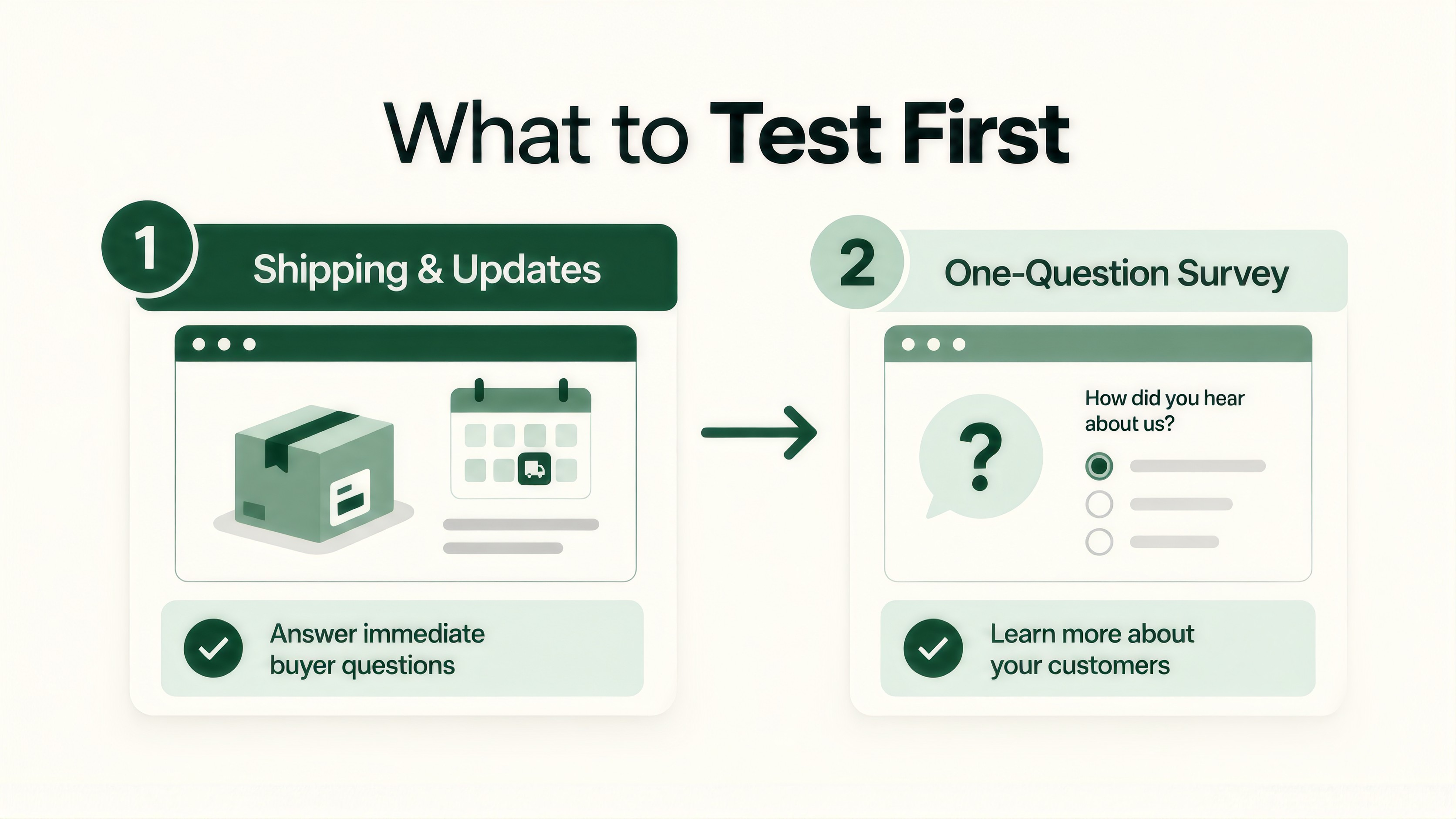
After that, carrying out a one-question survey makes sense as the next move. Since Shopify has listed a post-purchase survey among the official uses of this page, it is a pattern that is supported. Once the earlier tests have provided you with a baseline, you can then include a referral prompt or a suggestion for a related product.
All the people who get to this page have already made the purchase, so the group being addressed is only a small part of those who have viewed the product page. This can be disappointing if you’re used to experiments that come to conclusions quickly. Since the audience is smaller, the test has to run for a longer time in order to give any reliable results, and looking at the results early makes the problem even worse.
Our guide on how long an A/B test should run covers duration, peeking and stopping rules. If volume is tight, run one test at a time and resist the urge to stack changes.

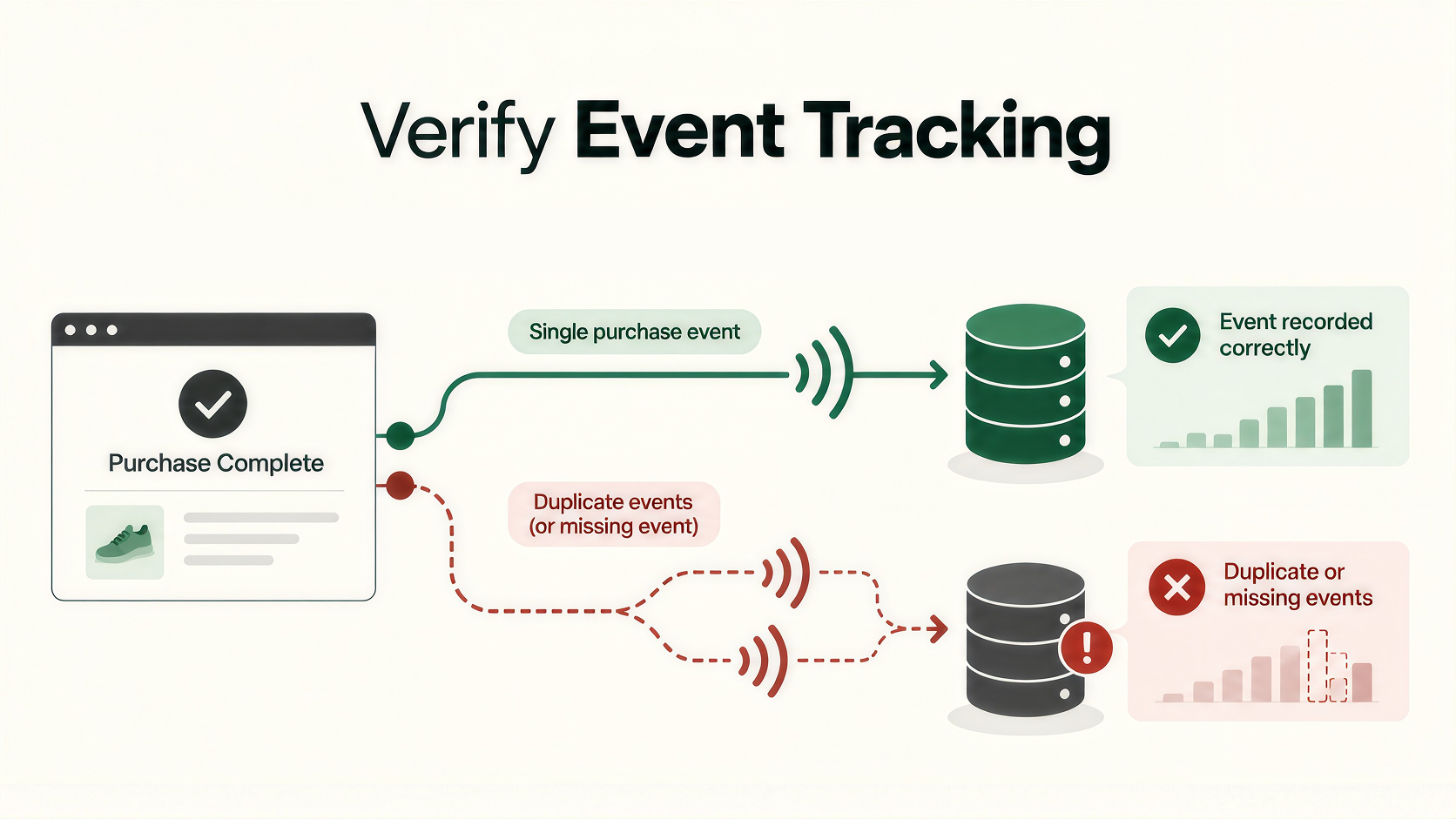
Because this page sits right after the order, we’d confirm the purchase event still fires once per order after any change. Duplicate or missing events can skew a result without any visible error. We cover how that happens in the technical side of broken A/B test data. A short check before launch can save you from rerunning a test.
A thank you page doesn’t need a redesign to earn its place on the roadmap. It needs a clear question and a metric you trust. If your team is stretched thin and this page keeps slipping down the list, we’re glad to help set up the first test. Talk to our team about your post-purchase pages.
No. The reason why write access is not available for Thank you page targets is that the order has already been completed, as the Shopify documentation states.
Shopify’s documentation states that Thank you and Order status page extensions are not available on the Shopify Starter plan.
One at a time, since the audience is now smaller than it was earlier in the funnel and each test therefore requires a certain amount of time also stacking the changes makes it more difficult to determine which one caused the numbers to change.